Just unboxed your first fiber laser engraver and wondering what to engrave first?
One of the biggest challenges for beginner is figuring out what materials are inexpensive enough to practice on without worrying about burning your cost.
In this guide, we’ll walk through 14 beginner-friendly fiber laser projects, starting with items you already own, moving on to inexpensive blanks, and finally introducing products that can become your first profitable engraving jobs.
Which ComMarker Fiber Laser Is Best for Beginner Projects?
|
Machine |
Best For |
Why Beginners Choose It |
|
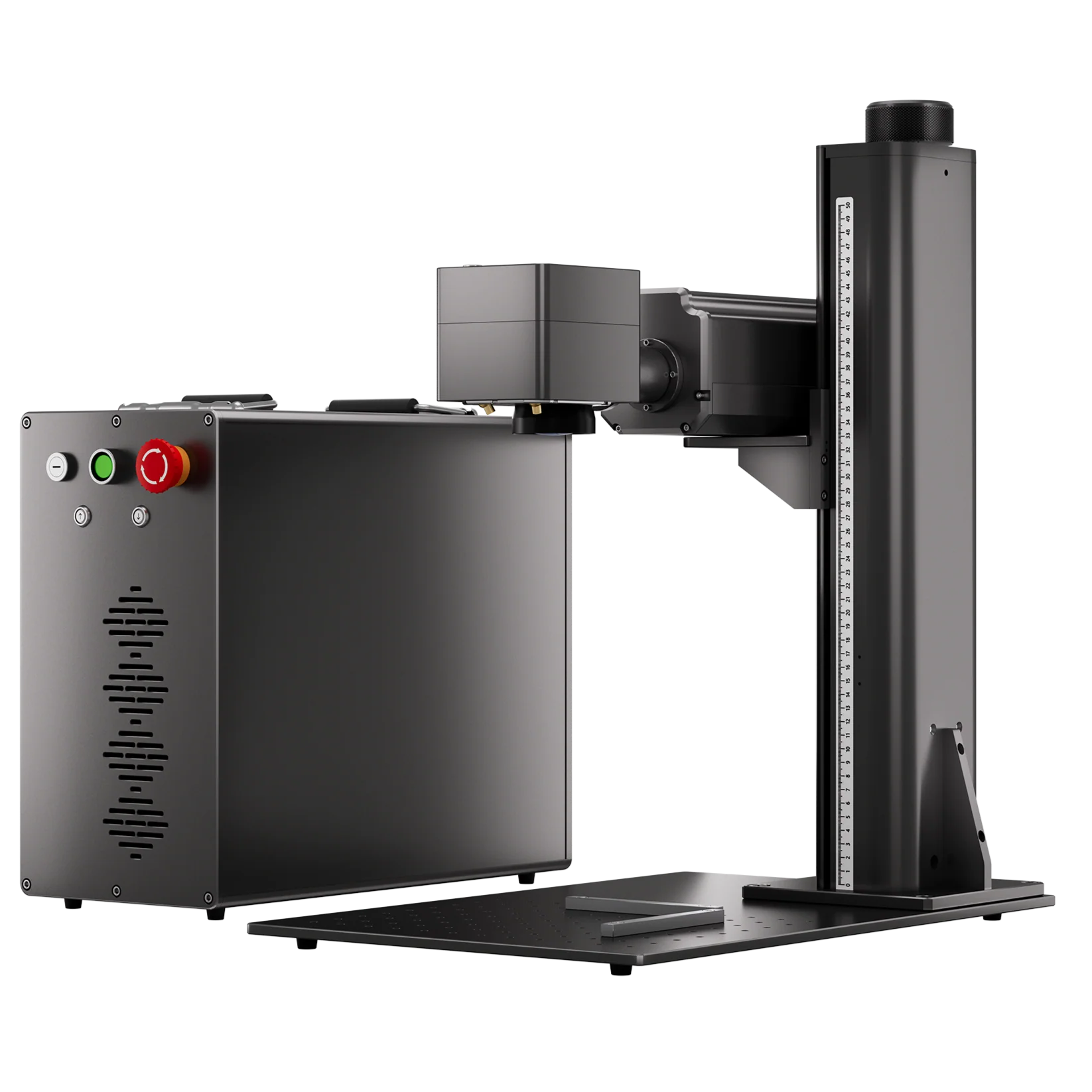
ComMarker B4 20W Fiber Laser |
Metal marking, gifts, small businesses |
Affordable entry-level fiber laser for everyday engraving |
|
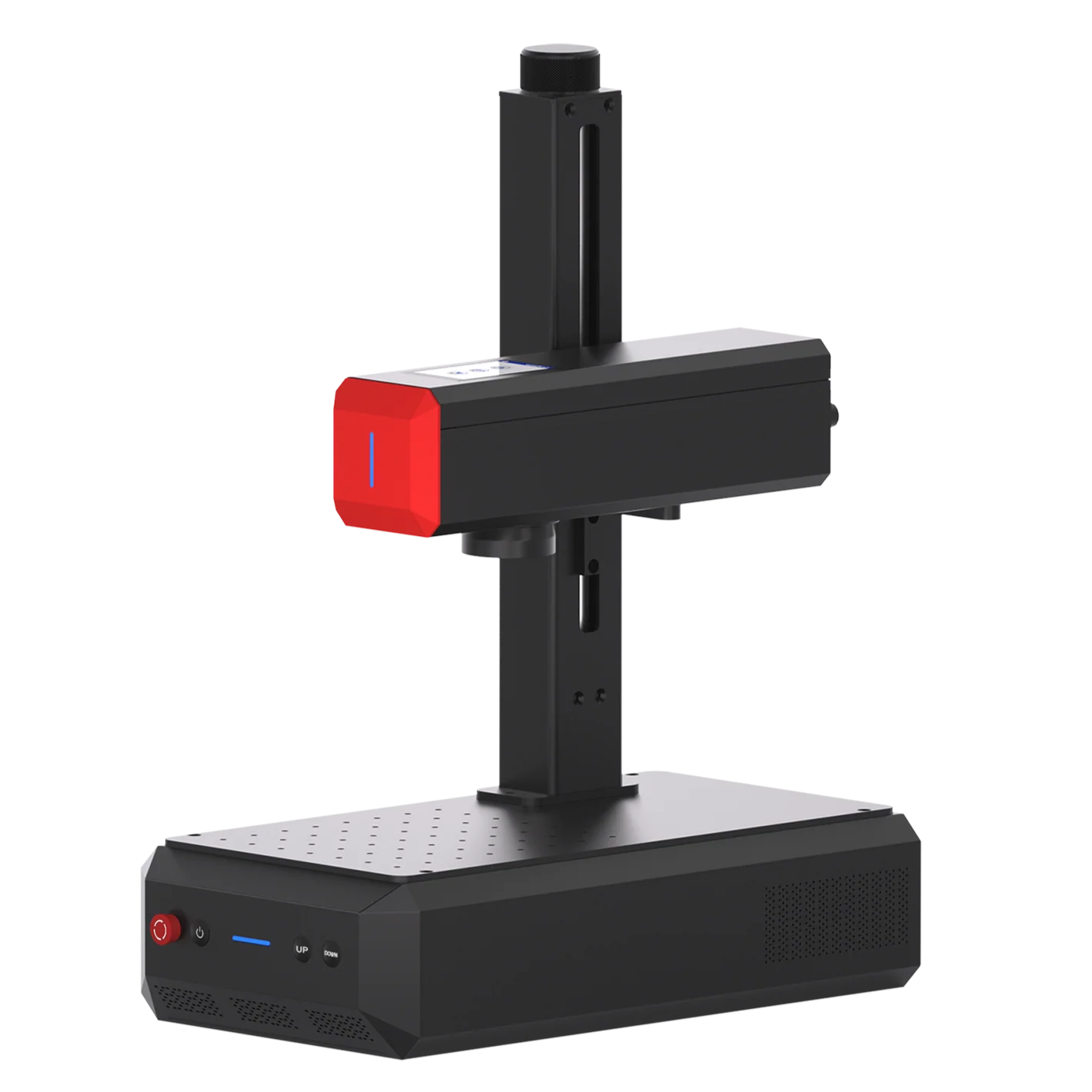
ComMarker B6 60W MOPA Fiber Laser |
Color marking, plastics, fine control |
Adjustable pulse width for wider material compatibility |
|
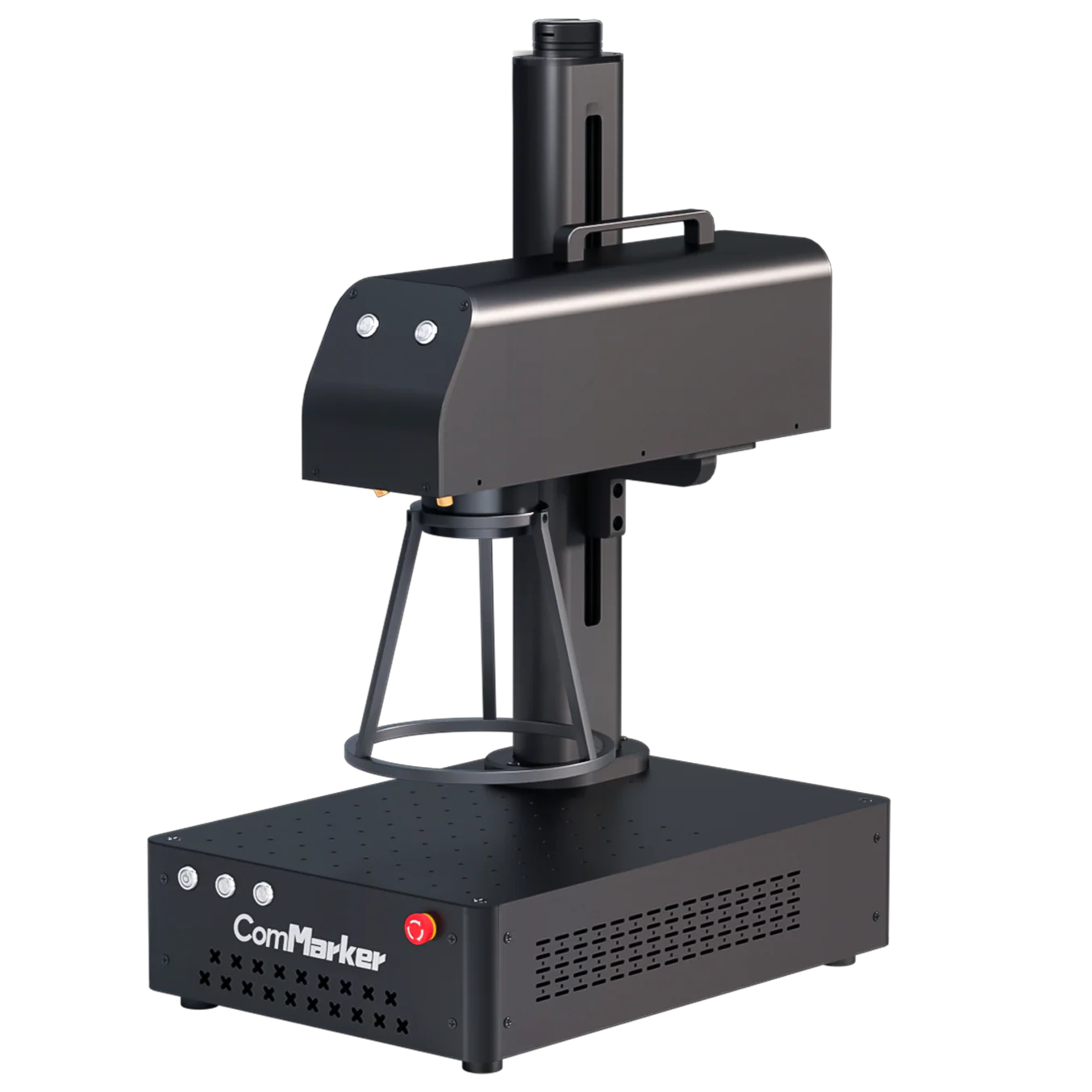
ComMarker Titan MOPA Fiber Laser |
Deep engraving, production work |
Higher power for faster production and deeper marks |
Level 1 Practice on Things You Already Own
Goal: Learn your machine without spending money.
Before leaving the house to buy engraving blanks, look around your home. Many everyday metal objects are perfect for practicing focus, positioning, and parameter adjustments. If you make a mistake, you haven’t ruined an expensive product.
1.House Keys
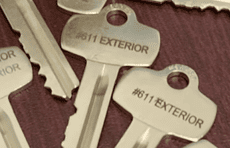
House keys are one of the easiest and cheapest materials to engrave. They’re small, durable, and perfect for learning how to engrave fine text on metal.
Personalized keys are also practical. You can engrave room names, family member names, phone numbers, or emergency contact information.
You’ll Learn
• Small text engraving
• Focus adjustment
• Positioning
• Black marking on stainless steel
Recommended Settings for Metal Keys (ComMarker B6 60W MOPA)
Power 50%; Speed 200 mm/s; Frequency 30 kHz; Pulse Width 200 ns; Line Interval 0.01 mm; Passes 1; Defocus Raise Z by 1–2 mm
Bonus Project: Silicone Car Key Covers
Many modern car keys use silicone or rubber protective covers, which provide a great introduction to plastic marking with a MOPA fiber laser.
ComMarker B4 20W Fiber Laser (110 mm Lens)
Power: 50%; Speed: 500 mm/s; Frequency: 200 kHz; Passes: 1
2. Kitchen knives & Spoons
Your kitchen probably already contains several excellent practice materials.
Old stainless steel spoons and inexpensive kitchen knives are ideal for learning how different laser parameters create black, white, or brown marks.
Try engraving:
- Family names
- Funny quotes
- Restaurant logos
- Simple graphics
These projects also help prepare you for premium products like engraved pocket knives later.
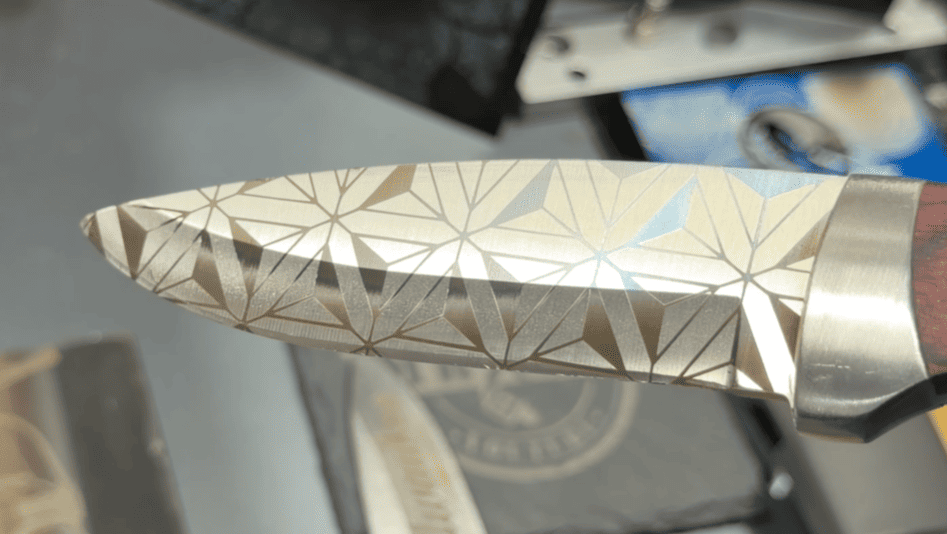
Tip: Place a thin sacrificial board underneath the knife or spoon to avoid accidentally marking your worktable.
You’ll Learn
• Marking different color on metal
• Effect of focus change
• Contrast control
• Fill engraving
Example Settings for Metal Knife (ComMarker Titan 100W MOPA)
Brown Mark
Speed 500 mm/s; Power 20%; Frequency 100 kHz; Pulse Width 200 ns; Line Interval 0.01 mm
White Mark
Speed 500 mm/s; Power 20%; Frequency 30 kHz; Pulse Width 200 ns; Line Interval 0.03 mm
Do material tests to find the best result.
3. Old Coins & Rusty Tools
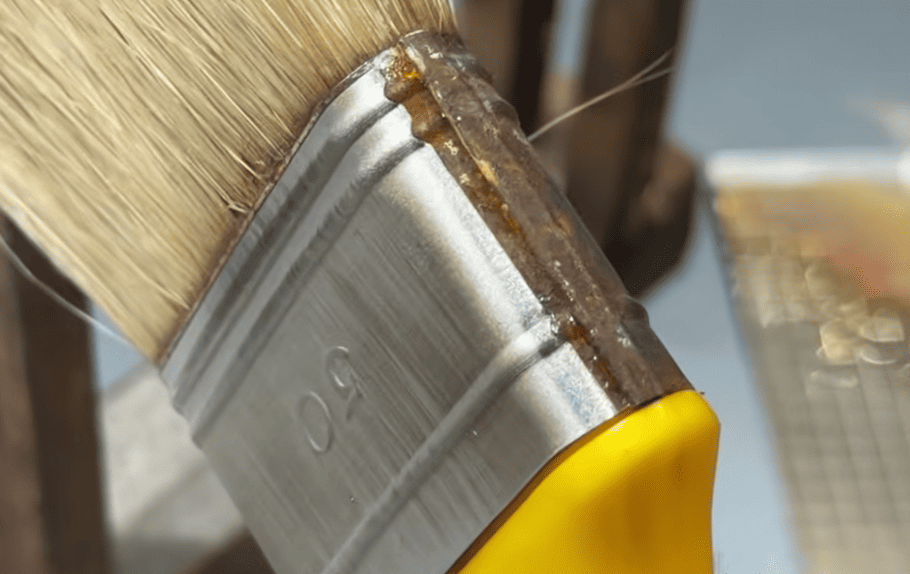
Do you have any rusty metal objects at home Hammer, bottle opener, or a coin in your pocket.?
With a fiber laser, you can remove rust from old parts.
You’ll Learn
• Rust removal
• Surface cleaning
Example Metal Cleaning Settings (ComMarker B6 60W MOPA)
Speed 2500 mm/s; Power 40%; Frequency 40 kHz; Pulse Width 50 ns; Line Interval 0.03 mm; Passes 2
4. Plastic Electronics
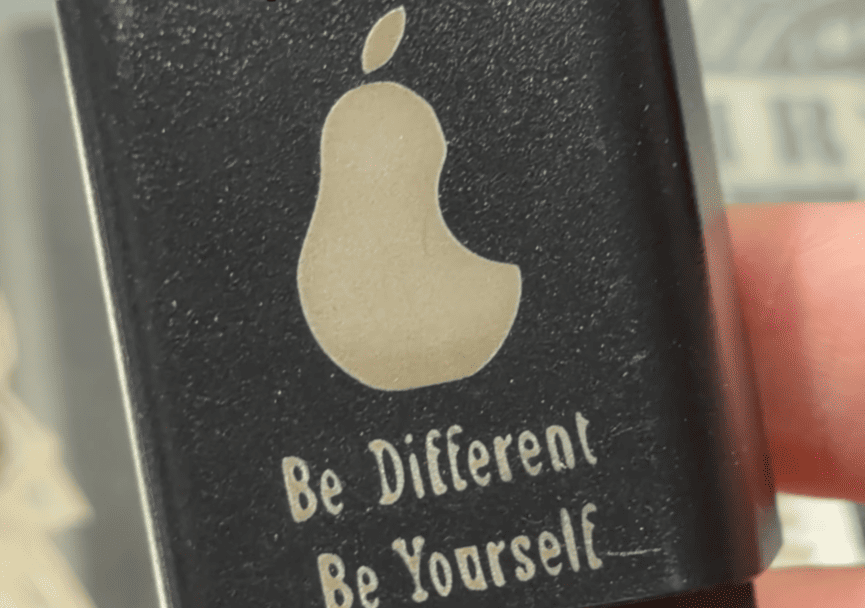
Many everyday electronics use industrial plastic that responds well to a fiber laser.
Good practice materials include:
- Old phone chargers
- Keyboard cases
- Light switch covers
- Plastic tool housings
These parts are inexpensive and easy to replace, making them excellent for experimenting with plastic marking.
You’ll Learn
• Plastic engraving setting
• White marking
• Black marking
• Contrast adjustment
Example ABS Settings (30W MOPA, 150 mm Lens)
White → Black: Speed 2000 mm/s; Power 30%; Frequency 40 kHz; Pulse 30 ns; Fill 0.05 mm
Black → White: Speed 2000 mm/s; Power 12%; Frequency 40 kHz; Pulse 30 ns; Fill 0.03 mm
5. Natural Stones
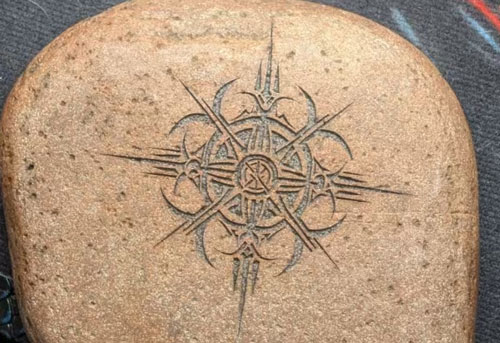
Go outside and pick up a stone. You’ll get one of the best beginner materials costs absolutely nothing.
Natural stone is forgiving, inexpensive, and produces surprisingly attractive engraving results. It is also an excellent material for experimenting with grayscale images and 3D laser engraving in LightBurn.
Popular projects include:
- Pet Memorial Stones
- Garden decorations
- Family gifts
- Photo engravings
You’ll Learn
• 3D Slice
• Grayscale engraving
• Deep engraving
Example Settings for Stone Deep Engraving (ComMarker Titan 60W MOPA)
Speed 2000 mm/s; Power 90%; Frequency 40 kHz; Line Interval 0.05 mm; Passes 60; Result Approx. 3 mm depth
You might create something appeared on the local news later.
6. Beverage Cans
Aluminum cans are one of the easiest ways to practice rotary engraving without buying expensive tumblers. They are also popular orders for parties.
Experiment with:
• Wrap-around text
• Simple patterns
This is a great stepping stone before engraving a $13 blank tumbler.
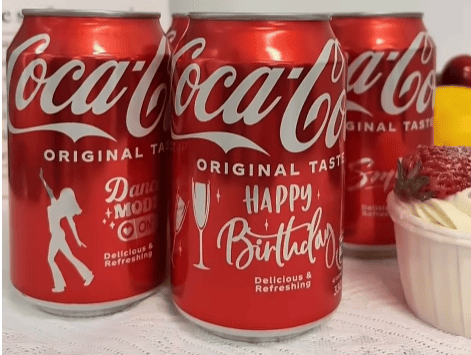
Safety Tip: For beginners, empty the can before engraving
Fiber laser beverage cans marking Settings (20W Fiber Laser)
Speed 1200 mm/s; Power 60%; Frequency 20 kHz; Line Distance 0.03 mm
With these seven household projects, you’ll build the core skills every fiber laser user needs: focus adjustment, parameter tuning, positioning, grayscale engraving, and basic rotary work.
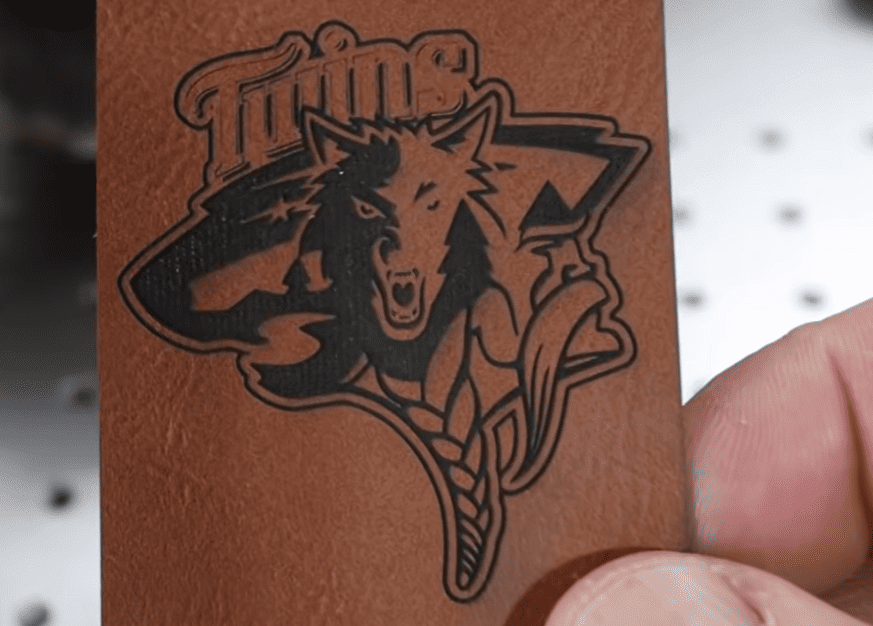
Bonus Project: Leather Belts
Beyond metals, fiber lasers can also be used for leather applications. Old leather belts, wallets, and accessories are useful materials for testing laser marking and cutting when properly configured.
60W MOPA fiber laser engraver
Engrave (150 mm lens): 1000mm/s, Power 100%, Freq 25, Pulse 200, Line Interval 0.05
20W fiber laser engraver
Engrave (150 mm lens):1500mm/s, Power 28%, Freq 80; Line Interval 0.02
Cutting (150 mm lens): 1500mm/s, Power 50%, Freq 25
Level 2 – Cheap Blanks You Can Buy for Under $5
Goal: Practice on inexpensive blanks that look like real customer products.
Once you’ve mastered basic marking, it’s time to move on to affordable blanks. These items are inexpensive, widely available online or at local hardware and office supply stores, and are commonly used by laser engraving businesses.
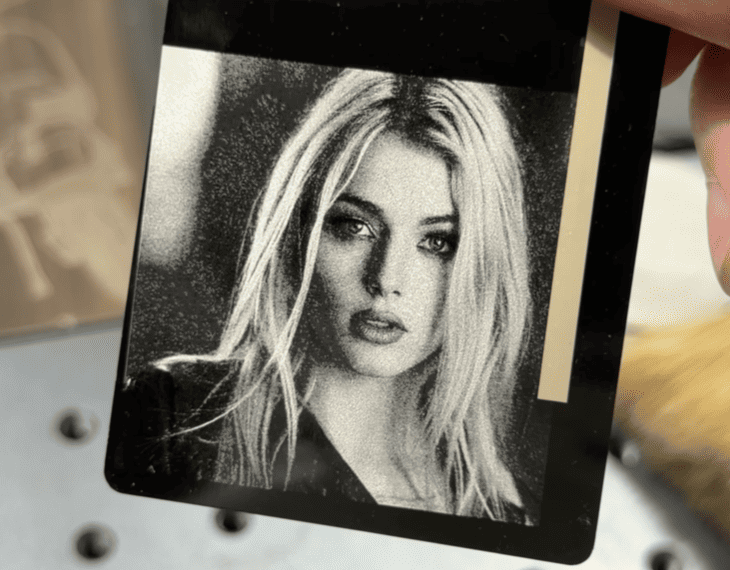
7. Aluminum Business Cards; Metal Bookmarks & Keychains
These are one of the best beginner materials for photo engraving and text. Their flat surface makes positioning easy, and at less than a dollar per blank, they’re inexpensive enough for repeated testing.
You’ll Learn
• Photo engraving
• Grayscale adjustment
• QR code engraving
• Fill density optimization
8.Pens
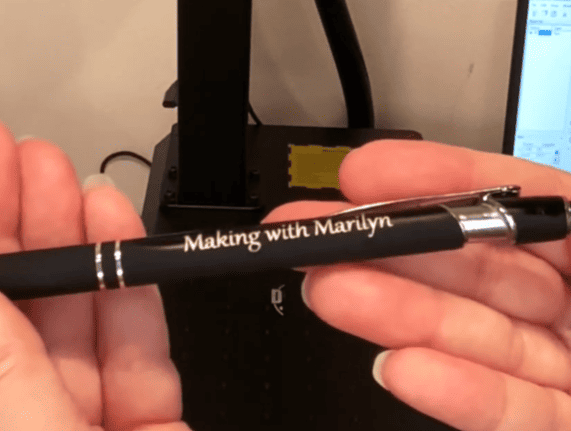
Metal pens are simple products that are always in demand as personalized gifts or corporate giveaways, pen engraving teaches you how to position cylindrical objects and complete small batch jobs efficiently.
They can be in metal, coated metal, plastic or silicone and rubber. You can get a hand full with few dollars.
You’ll Learn
• Batch production
• Position consistency
• Rotary engraving (optional)
9. Binder Clips
Binder clips may look ordinary, but they’re excellent practice pieces.
Their coated metal surface allows you to experiment with marking quality while the small engraving area helps improve positioning accuracy.
They’re also inexpensive enough that mistakes don’t matter.
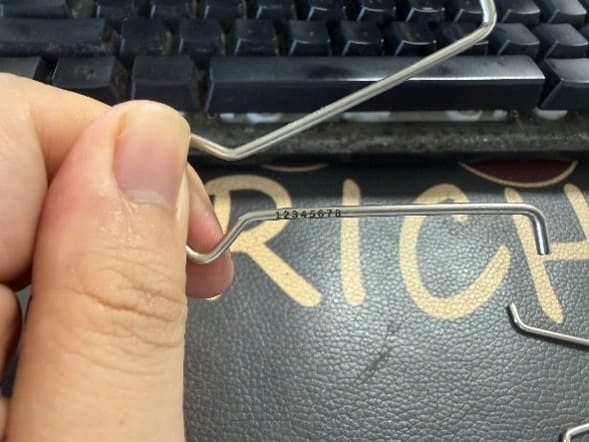
Example Settings for Laser Engrave Clip Handle (ComMarker B6 60W MOPA)
Speed 1000 mm/s; Power 75%; Frequency 30 kHz; Pulse Width 200 ns; Line Distance 0.01 mm
10.Bottle opener
Bottle openers are one of the easiest products to sell.
They’re popular as wedding favors, Father’s Day gifts, brewery merchandise, and promotional products.
Start with the same settings you use for stainless steel spoons, then adjust speed and frequency until you achieve the contrast you like.
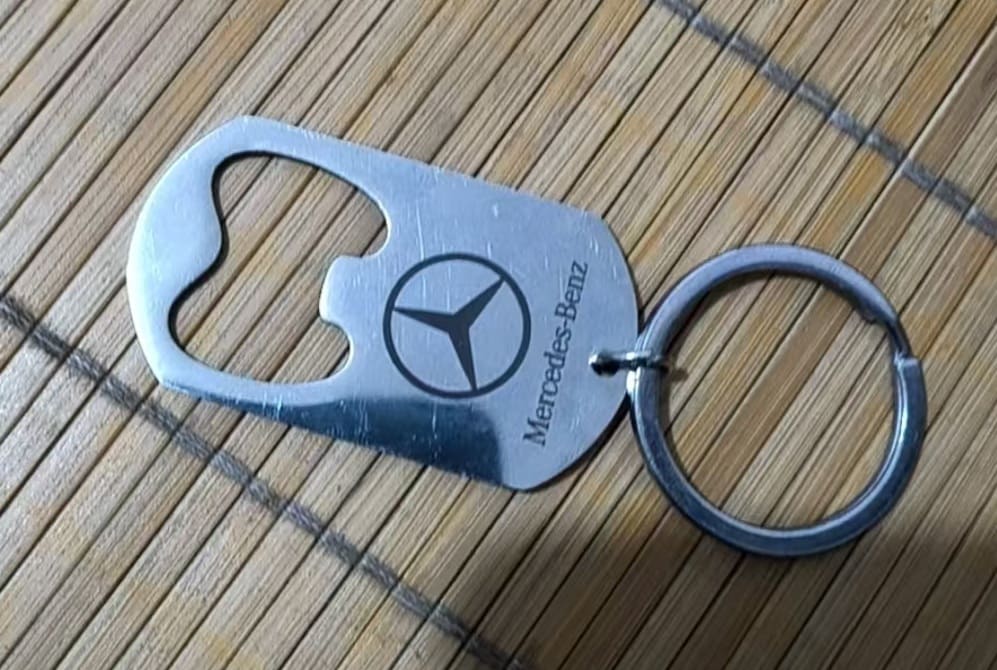
You’ll Learn
• Deep engraving
• Color engrave
• Basic marking
What Can You Sell After Learning These Projects?
|
Project |
Material Cost |
Selling Price |
Skill Level |
|
Engraved keychain |
<$1 |
$10-$20 |
Beginner |
|
Metal business card |
<$1 |
$15-$30 |
Beginner |
|
Zippo engraving |
$15-$25 |
$50-$150 |
Intermediate |
|
Pocket knife engraving |
$10-$40 |
$50-$200 |
Intermediate |
Level 3 — Your First Profitable Projects
Goal: Turn your engraving skills into products customers will pay for.
By this stage, you should understand material testing and laser parameters, you can move from practice pieces to products customers are willing to pay for. These projects require more than engraving ability—they require a machine that can deliver repeatable quality for real orders.
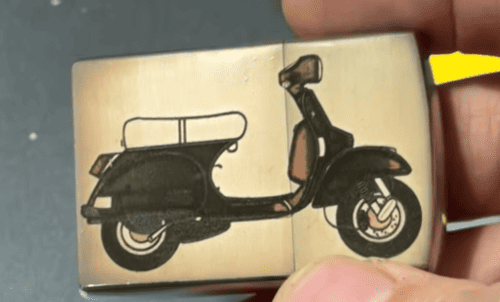
11. Zippo Lighters
Few products are as iconic as an engraved Zippo.
A standard lighter can become a premium personalized gift with deep engraving, photo engraving, or coating removal.
Zippos also teach you how different finishes—brass, chrome, painted, and Armor models—respond to different laser settings.
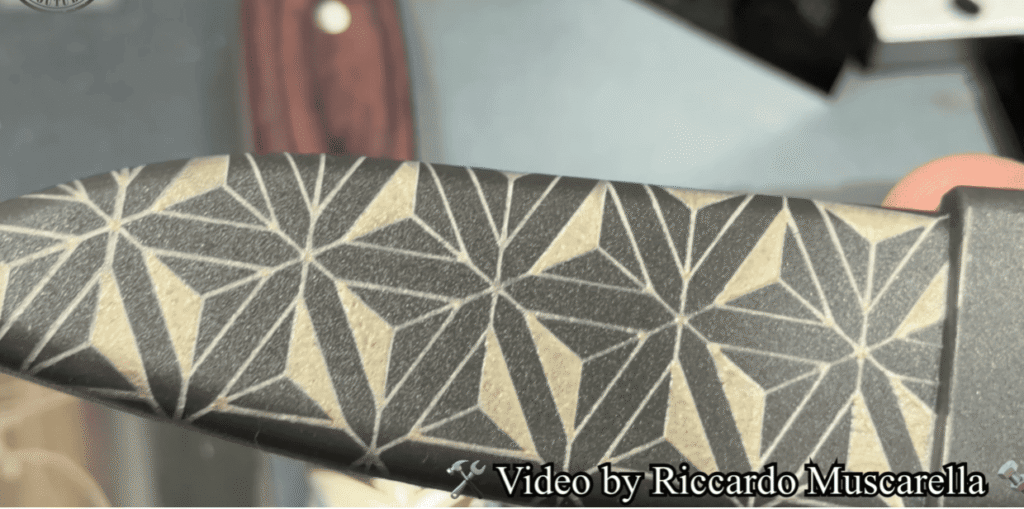
12. Pocket Knives
Pocket knives are consistently popular for Father’s Day, outdoor enthusiasts, and corporate gifts.
Most beginners start by engraving the blade or a flat stainless steel handle before progressing to textured handles.
Because the engraving area is relatively small, this project helps improve positioning accuracy.
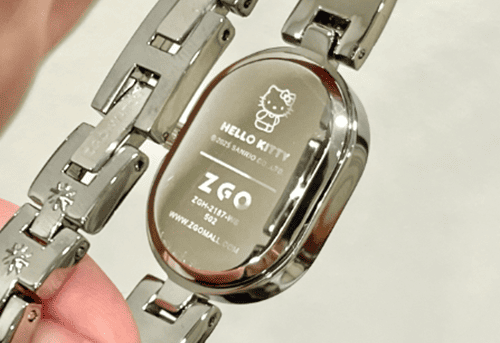
13. Watch Case Backs
Watch engraving requires precision rather than size.
Customers often request names, anniversaries, coordinates, or short personal messages.
Since the engraving area is limited, this is excellent practice for producing clean, readable text at a small scale.
14. Aluminum Flashlights
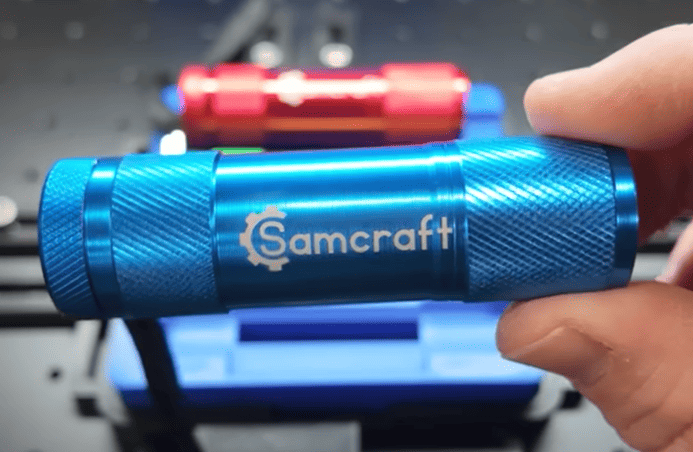
Flashlights are a great introduction to slightly more complex products.
Many aluminum flashlights include flat engraving areas that don’t require a rotary attachment, while others allow you to practice rotary engraving as your skills improve.
They’re popular gifts for mechanics, campers, first responders, and outdoor enthusiasts.
Frequently Asked Questions About Fiber Laser Engraving
What Do Fiber Laser Parameters Mean?
Understanding Fiber laser parameters will help you quickly optimize results.
|
Parameter |
Meaning |
|
Speed |
Controls how fast the laser moves. Slower speed usually delivers more energy for deeper marks. |
|
Frequency |
Controls pulse repetition. It affects marking texture, heat, and engraving performance. |
|
Pulse Width |
Controls how long each pulse lasts. Mainly important for MOPA lasers and fine control of heat and marking effects. |
|
Line Interval |
Controls the spacing between scan lines. Smaller intervals create smoother and more detailed engraving. |
For beginners, adjust in this order:
1.Power & Speed → 2. Frequency → 3. Line Interval & Passes
Why can’t my laser engrave some materials well?
Not every laser is designed for every material.
Fiber lasers are ideal for metals and coated metals.
UV lasers work better for delicate materials and heat-sensitive surfaces.
CO₂ lasers are commonly used for non-metal materials like wood, acrylic, and leather.
Choosing the right laser type is often more important than simply increasing power.
Can a beginner start a laser engraving business?
Yes. Many popular engraving products are simple projects like keys, spoons, business cards, and keychains, capable for beginners to handle.
The key is choosing suitable materials, learning your machine’s limits, and gradually improving your skills with the right equipment.
How Fast Can Beginner Projects Pay Back a Fiber Laser?
Assume you start with a ComMarker B6 MOPA Fiber Laser.
|
Product |
Average Selling Price |
Estimated Profit |
|
Custom keychains |
$15 |
$10 profit |
|
Engraved Zippo lighters |
$80 |
$40 profit |
|
Personalized pocket knives |
$120 |
$50 profit |
A simple calculation:
Sell 20 custom pocket knives × $50 profit = $1,000
Sell 30 engraved Zippos × $40 profit = $1,200
With consistent orders, beginner engraving projects can gradually offset the initial machine investment while building a profitable customization business.
What Fiber Laser Should a Beginner Buy?
Beginners who only engrave stainless steel gifts can start with a 20W fiber laser. However, users who want to expand into color marking, plastics, silicone, and more customized products should consider a MOPA fiber laser because adjustable pulse width provides greater control over heat and marking effects.
Final Thoughts
Every successful laser engraver starts with simple experiments. Keys, spoons, stones, and inexpensive blanks may look like small projects, but they teach the most important skills: focus adjustment, parameter control, material testing, and production workflow.
Once you master these beginner projects, you can gradually move toward higher-value products like Zippo lighters, pocket knives, and personalized gifts.
Ready to turn these beginner projects into real products? Choose a ComMarker fiber laser engraver with MOPA technology, rotary engraving support, and professional-grade accuracy to move from testing materials to producing customer-ready products.