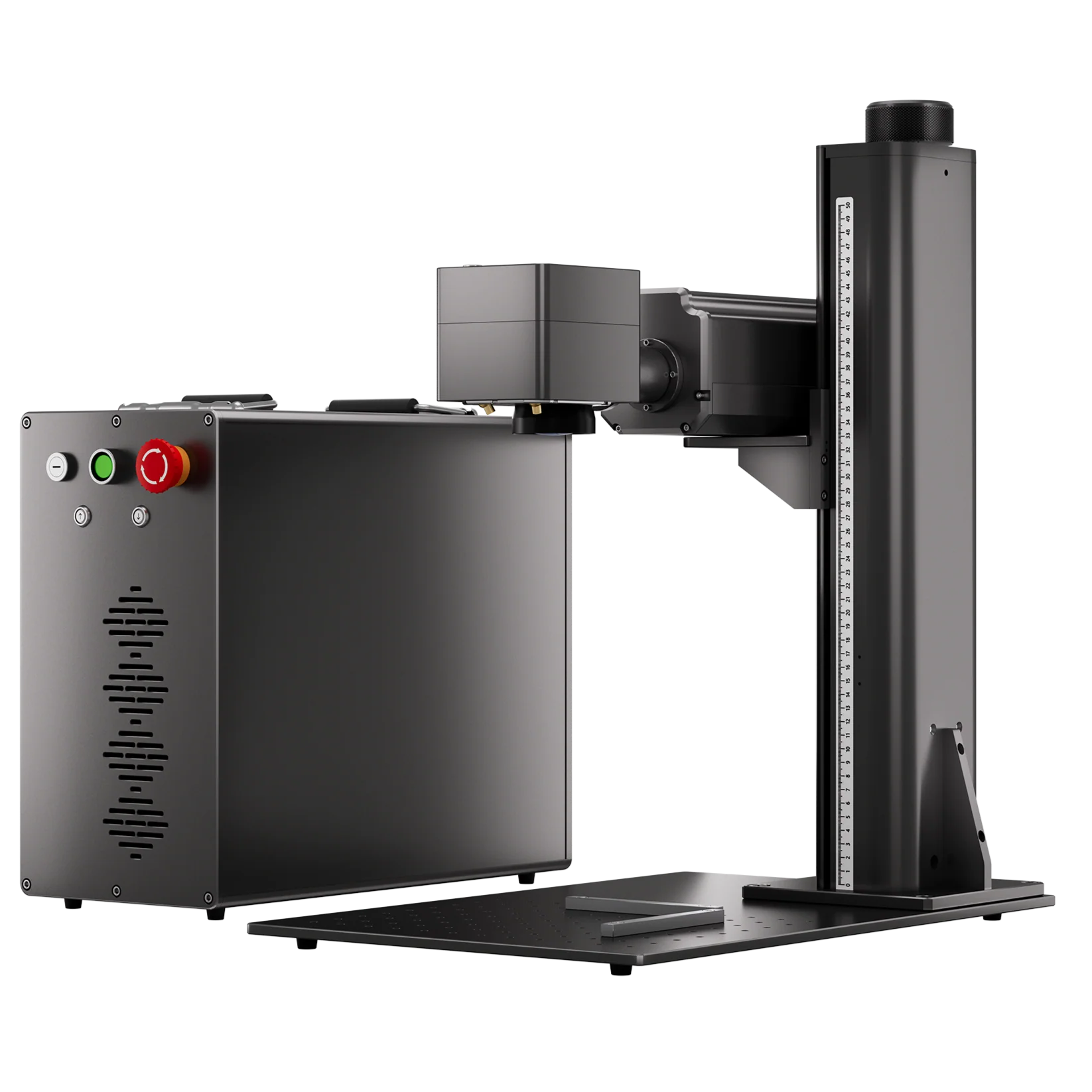
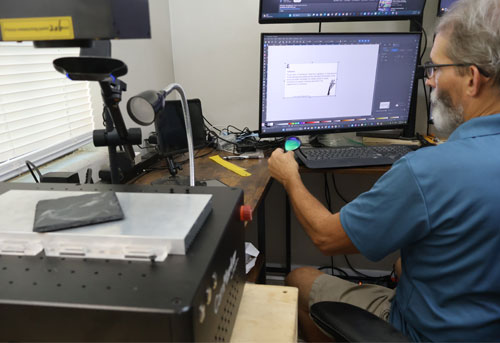
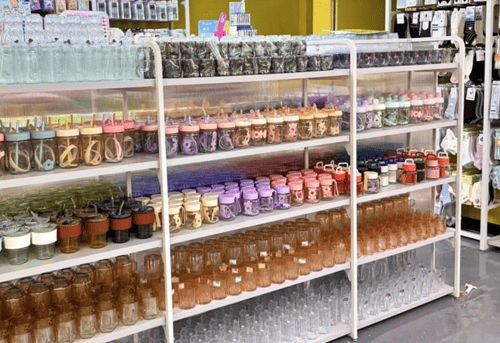
Shopping for a laser engraver can be exciting—but also overwhelming. With so many machines on the market in 2025, it’s easy to get lost in a maze of specs, prices, and features. Whether you’re a hobbyist, small business owner, or industrial user, choosing the right laser engraver starts with understanding what really matters: power, precision, material compatibility, and workflow needs.
In this guide, we’ll walk you through every major spec and consideration so you can confidently invest in the laser engraver that fits your budget and business goals.

1. Understanding Laser Types
There are three main types of laser engravers, each suited for different materials and use cases:
| Laser Type | Best For | Example Machines |
|---|---|---|
| Fiber | Metals, coated plastics | ComMarker Titan 1, B6, M7 |
| UV (355nm) | Glass, plastic, leather, wood | ComMarker OMNI 1 |
| CO₂ (10.6μm) | Wood, acrylic, leather, paper | Not currently in ComMarker lineup |
👉 Tip: For metal marking and high-speed production, go fiber. For ultra-fine detail and multi-material work, UV lasers are the top choice.

2. Key Technical Parameters
Understanding machine specs helps you compare models with confidence.
Power (Watts)
- UV Lasers: Typically 5–10W. Ideal for light materials and fine engraving.
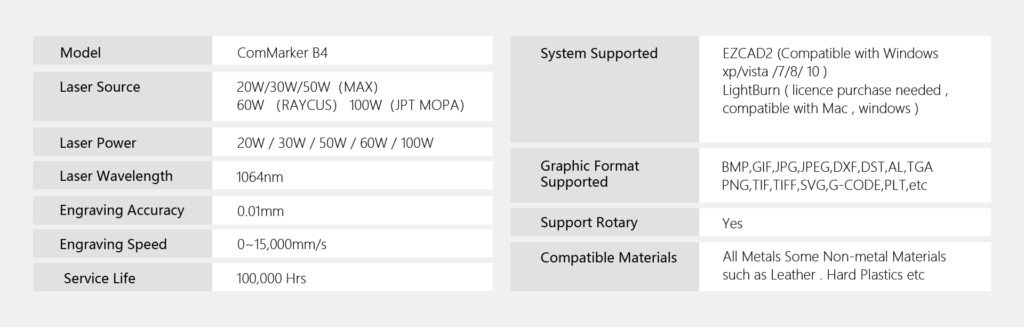
- Fiber Lasers: Range from 20W to 200W. Higher power = deeper cuts and faster engraving.
Rule of Thumb:
- <20W: Light-duty hobby or marking.
- 30–60W: Small business & product customization.
- 100W+: Industrial cutting, 3D engraving, batch work.
Speed
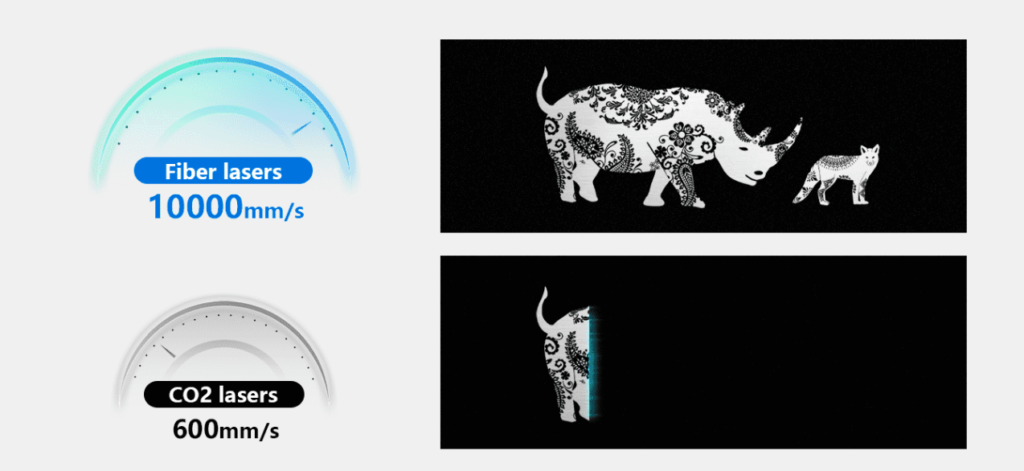
Measured in mm/s. Faster speeds (10,000–15,000 mm/s) are great for batch jobs but must be paired with precision.
Precision / Spot Size
- Fiber Laser: ~0.01 mm
- UV Laser: ~0.0019 mm
Higher precision = cleaner designs, sharper logos, better micro-text.
Working Area
Typical options:
- 70×70 mm or 150×150 mm (UV)
- 110×110 mm or 200×200 mm (Fiber)
Make sure your engraver supports lens swapping or electric lift if you work with different object sizes.
What Factors Affects the Quality of Laser Engraver

3. Material Compatibility
Your engraving goals should guide your material choice:
| Material | Best Laser Type |
|---|---|
| Stainless Steel | Fiber |
| Aluminum / Brass | Fiber (MOPA) |
| Plastic (ABS, PET) | UV |
| Acrylic | UV |
| Leather | UV or CO₂ |
| Glass | UV |
| Wood | UV or CO₂ |
Note: UV lasers offer burn-free engraving on heat-sensitive materials, making them a favorite for high-end crafts and electronics.

4. Must-Have Features
Here’s what to look for when comparing laser engravers:
- ✅ Electric Z-axis: Saves time and ensures accuracy
- ✅ Enclosure / Safety Interlocks: Essential for schools, makerspaces, or shared studios
- ✅ Rotary Attachment Compatibility: Needed for tumblers, rings, and cylindrical objects
- ✅ Software Compatibility: Look for EZCAD2 and LightBurn support
- ✅ Cooling System: Fiber lasers are usually air-cooled, while high-power CO₂ lasers may require water cooling

5. Workflow & Software
Most laser engravers in 2025 use one of the following software systems:
- LightBurn: User-friendly, great for design control and layout
- EZCAD2: Industry standard for fiber lasers; great for parameter control
Some machines also support:
- CorelDraw / Illustrator import
- Batch mode / array engraving
- Preview tracing
Laser Engraver Buying Guide: Everything You Need to Know Before You Buy
Shopping for a laser engraver can be exciting—but also …
6. Top Recommended Models for 2025
Here’s a quick look at ComMarker’s best laser engravers for different needs:
🔵 ComMarker Titan 1
Best For: Deep metal engraving, industrial use
- Power: 60–200W (JPT MOPA)
- High-speed 15,000 mm/s
- Supports color marking on stainless
👉 Shop Titan 1 »
🟣 ComMarker OMNI X
Best For: Fine-detail, multi-material engraving
- Power: 6W or 12W UV
- Ultra-fine resolution (0.0019 mm spot)
- Engraves glass, plastic, leather, PCBs
👉 Shop OMNI X »
🔧 ComMarker B6 MOPA
Best For: Small shops or Etsy sellers
- Power: 20–60W
- Compact design, color engraving on metal
👉 Explore B6 MOPA »

7. Cost Breakdown: How Much Should You Spend?
| Use Case | Budget Range |
|---|---|
| Entry-Level Hobby | $500–$1,500 |
| Small Business | $2,000–$6,000 |
| Industrial/Batch Work | $8,000–$20,000 |
Don’t just chase wattage. Spend wisely based on:
- Your core materials
- Desired output speed
- Business goals or volume
8.How Much Money Can a Laser Engraver Make?
There is a massive market for laser engraving. From making art pieces to marking objects, laser engraving is preferred. People love to have creative, unique, and customized objects; therefore, these machines are a great source of earnings. The demand for laser-engraved products spans various industries, including:
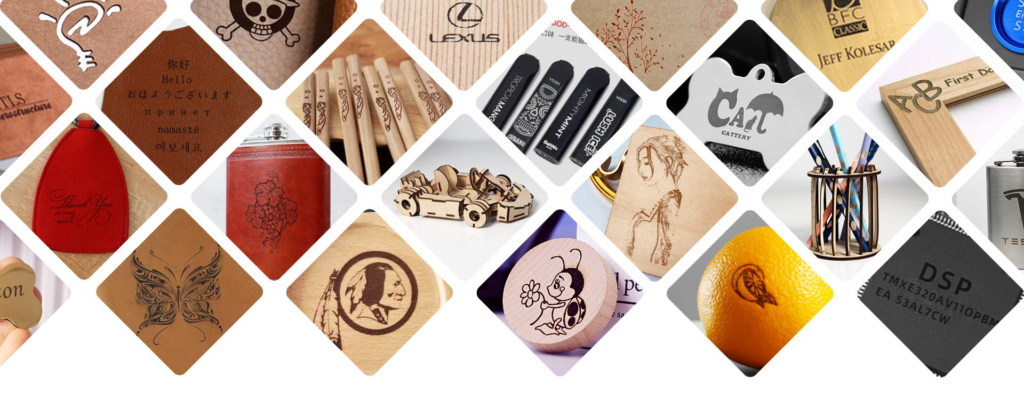
Gifts and Personalization: Custom gifts such as engraved jewelry, photo frames, and keepsakes.
Home Decor: Personalized home decor items like engraved wooden signs, glassware, and coasters.
Corporate Gifts: Customized awards, plaques, and promotional items for businesses.
Fashion Accessories: Engraved leather goods, keychains, and watches.
Industrial Applications: Marking and labeling components, tools, and equipment.
Factors Affecting Income
Niche and Product Type: Specializing in high-demand niches like wedding gifts, corporate awards, or promotional items can lead to higher profits.
Marketing and Sales Channels: Utilizing platforms like Etsy, Amazon, or a dedicated e-commerce website can expand reach and increase sales.
Operational Efficiency: Efficient workflow and use of advanced machines can reduce production time and increase output, leading to higher earnings.
Case Study: ComMarker Laser Engraver Helped Me Succeed in My Business
John became a laser engraver by chance after purchasing a ComMarker B4 fiber laser engraver online. He gained significant attention by focusing on personalized wedding gifts and leveraging social media marketing. Within two years, he expanded his business, invested in a more powerful fiber laser engraver, and began catering to corporate clients.
9.Is It Hard to Learn Laser Engraving?
The Learning Curve
Learning laser engraving is generally accessible, especially with the availability of comprehensive resources and user-friendly equipment. However, the difficulty can vary based on prior experience with similar technologies and the complexity of the projects.
Key Learning Components
Understanding the Equipment: Familiarity with the laser engraver’s hardware and software is crucial. Commarker laser engravers come with intuitive interfaces and detailed manuals.
Material Knowledge: Different materials (wood, metal, acrylic, glass, etc.) require different settings for optimal engraving results. Understanding how to adjust settings like power, speed, and focus is essential.
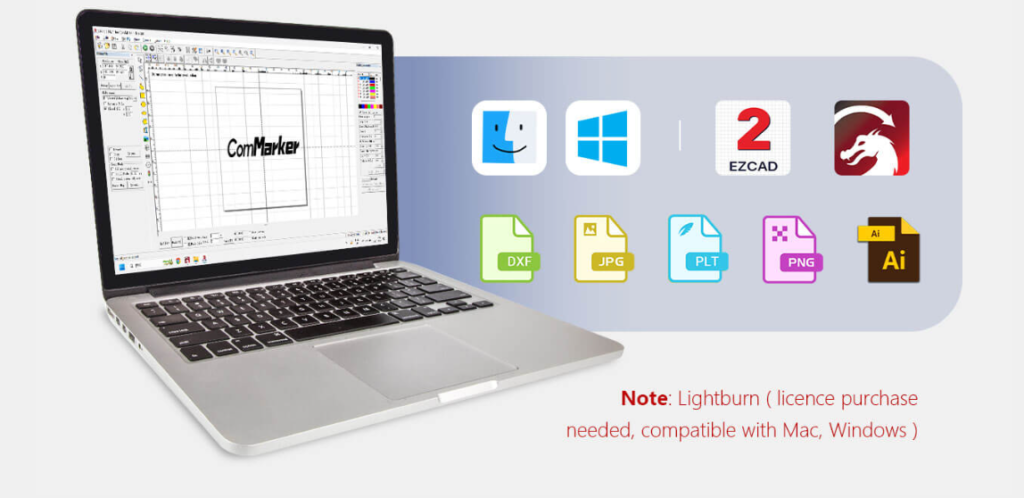
Laser Engraver Software: Basic graphic design skills are beneficial for creating custom designs. Software such as EZCAD2, and LightBurn are commonly used in laser engraving.
Learning Resources
There are numerous resources available to help beginners learn laser engraving:
- ComMarker Laser Engravers Online Tutorials and Courses: Websites like YouTube offer tutorials ranging from beginner to advanced levels.
- Manufacturer Resources: Many laser engraver manufacturers provide detailed guides, video tutorials, and customer support to help users get started.
- Community Support: Joining forums and social media groups dedicated to laser engraving can provide valuable insights and troubleshooting tips from experienced users.
Common Challenges and Solutions
Initial Setup
Setting up a laser engraver for the first time can be daunting. However, ComMarker laser engravers provide step-by-step setup guides and customer support to assist with any issues.
Material Settings
Different materials require specific settings for engraving and cutting. Beginners often struggle with finding the right settings. Using test pieces and ComMarker laser engravers’ recommended settings can help alleviate this challenge.
10.How Long Does It Take to Learn Laser Engraving?
Factors Influencing Learning Duration
The time it takes to learn laser engraving depends on several factors:
- Prior Experience: Individuals with a background in graphic design, CNC machining, or similar fields may learn faster.
- Complexity of Projects: Simple projects, like engraving text on wood, can be learned quickly, while complex multi-material projects may take longer to master.
- Learning Resources: Access to high-quality tutorials, courses, and community support can significantly speed up the learning process.
Structured Learning Plan
Week 1: Getting Started
- Set up the laser engraver following ComMarker’s instructions.
- Learn basic operations, including powering on the machine, loading materials, and running test engravings.
- Explore the user manual and ComMarker resources.
Weeks 2-4: Material Testing and Settings
- Experiment with different materials (wood, acrylic, metal) to understand how they respond to engraving.
- Document settings for each material (power, speed, focus) for future reference.
- Join online communities to seek advice and share experiences.
Months 2-3: Design Software
Start with basic design projects using software like Inkscape or Adobe Illustrator.
Follow online tutorials to learn essential design techniques.
Gradually take on more complex projects as confidence grows.
Ongoing Learning
Continue to refine skills through practice and experimentation.
Stay updated with new techniques and trends by participating in forums and attending workshops.
Explore advanced features of your laser engraver and software.
12.Do Laser Engravers Use a Lot of Electricity?
Types of Laser Engravers
Diode Lasers: These are generally less powerful and consume around 20 to 40 watts, making them suitable for light-duty engraving on softer materials.
CO2 Lasers: These are more powerful, consuming between 40 to 150 watts, and are suitable for engraving and cutting a wide range of materials, including wood, acrylic, and glass.
Fiber Lasers: These are used for high-precision engraving on metals and consume around 20 to 100 watts.
Factors Affecting Electricity Usage
- Laser Power: Higher wattage lasers consume more electricity but can engrave faster and handle tougher materials.
- Usage Time: The more frequently the laser engraver is used, the higher the electricity consumption.
- Cooling Systems: Some laser engravers have cooling systems that also contribute to power usage.
Estimating Electricity Costs
To estimate the electricity cost of operating a laser engraver, consider the following:
- Calculate the Power Usage: Multiply the laser engraver’s wattage by the hours of operation per day.
- Determine the Kilowatt-Hour (kWh): Divide the power usage by 1,000 to convert it to kilowatt-hours.
- Electricity Rate: Multiply the kWh by your local electricity rate to estimate the cost.
Tips to Minimize Power Consumption
- Efficient Use: Plan and batch your engraving tasks to minimize idle time and make the most of each operation.
- Regular Maintenance: Keep your laser engraver well-maintained to ensure it operates efficiently and doesn’t consume extra power.
Final Thoughts: Make the Right Investment
A laser engraver is more than a tool—it’s a creative engine. Whether you’re marking stainless steel tags, customizing glassware, or engraving detailed patterns on wood and leather, having the right machine saves time, improves quality, and grows your income.
👉 Ready to choose the best machine for your needs?
Explore ComMarker’s Laser Engraver Collection and start building your creative business with confidence.
Related Articles:
 Laser Engraver for Sale: How to Find the Right Machine for Your Budget and Projects
 Best Laser Engraver for Small Business in 2026: Complete Buying Guide & Machine Comparison
 Laser Engraved Earrings: The Ultimate Guide to Crafting Profitable Designs
 What is the Best Laser Engraver for Glass Engraving: UV vs CO2 vs Fiber vs Diode