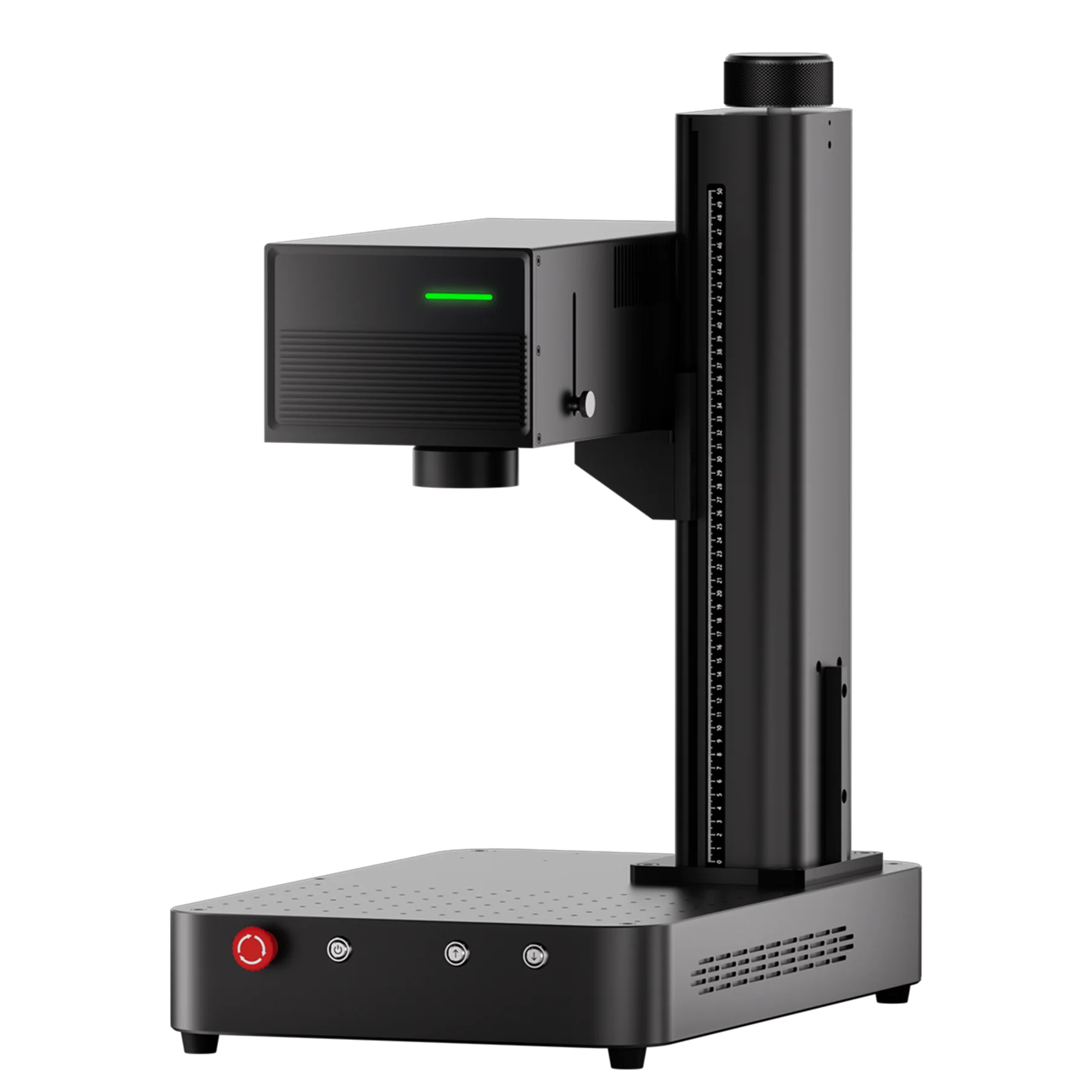
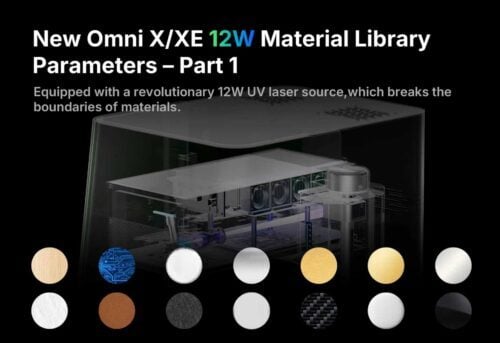
If you’re using the ComMarker Omni X/XE 12W UV laser engraver, you may have already discovered that changing the lens changes everything. After publishing Part 1 (70×70mm lens parameters), many users asked:
“Why can’t I use the same engraving settings with the 250mm lens?”
Great question—and the answer is important if you want clean, consistent engraving across glass, metal, acrylic, tumblers, wood, leather, and more.
This Part 2 guide explains how the 250×250mm field lens behaves, why it needs its own material library, and how to use the newly optimized parameters for the best engraving results.
Why the 250mm Lens Requires Different Settings
Switching to a larger lens dramatically changes how a UV laser interacts with materials:
1. Larger field = larger spot size
A bigger spot slightly lowers detail density unless compensated with correct frequency and speed.
2. Lower power density
The same 12W laser spreads energy over a wider area → requiring adjusted passes and slower speeds.
3. Higher sensitivity to heat
Certain materials (glass, acrylic, stainless steel, coated tumblers) respond differently and need controlled parameters to prevent:
-
Burning
-
Melting
-
Ghosting
-
Negative-photo effects
This is why an independent 250mm material library is essential—and why Part 2 completes the full Omni X/XE parameter series.
250mm Material Library Overview
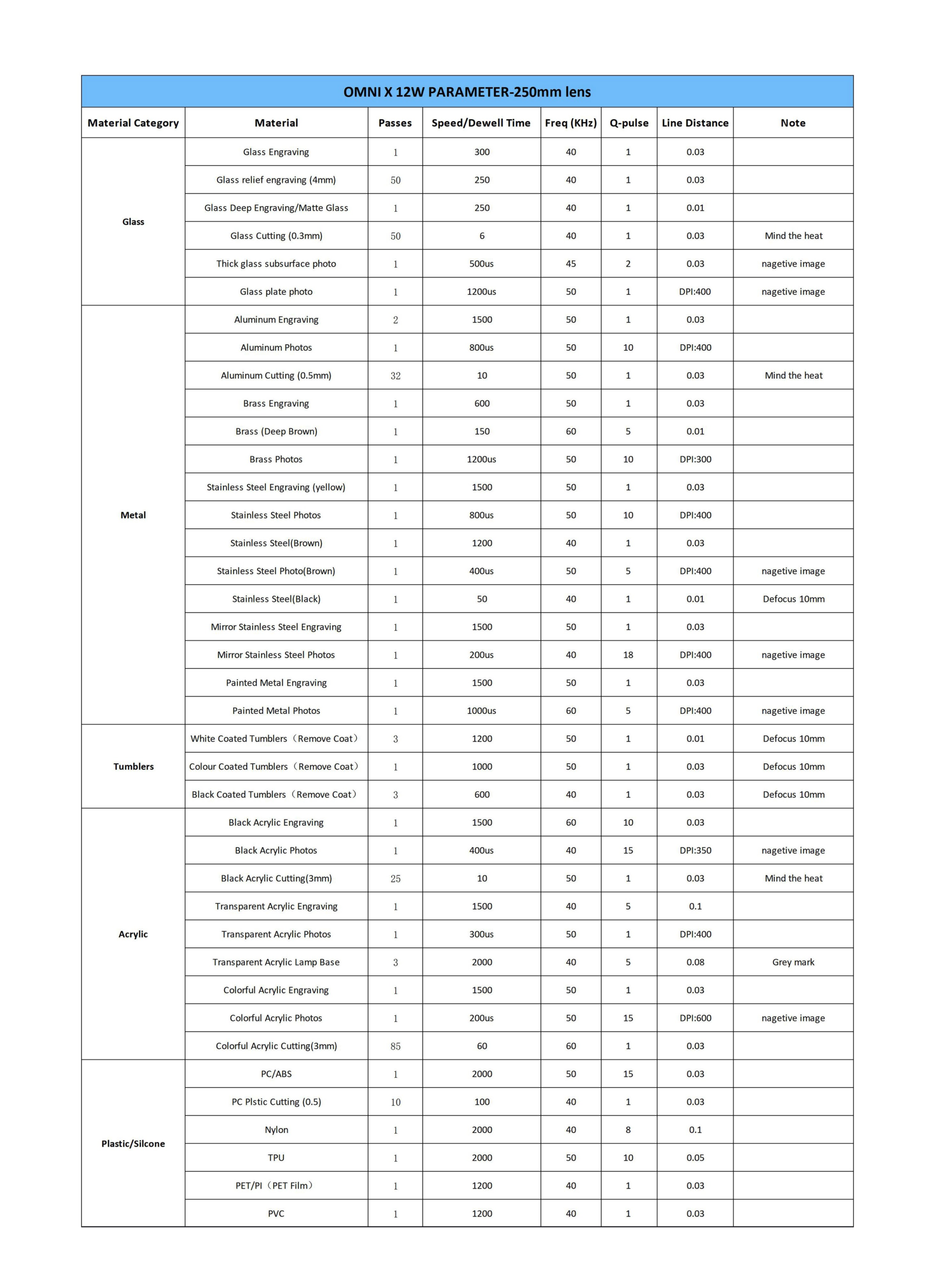
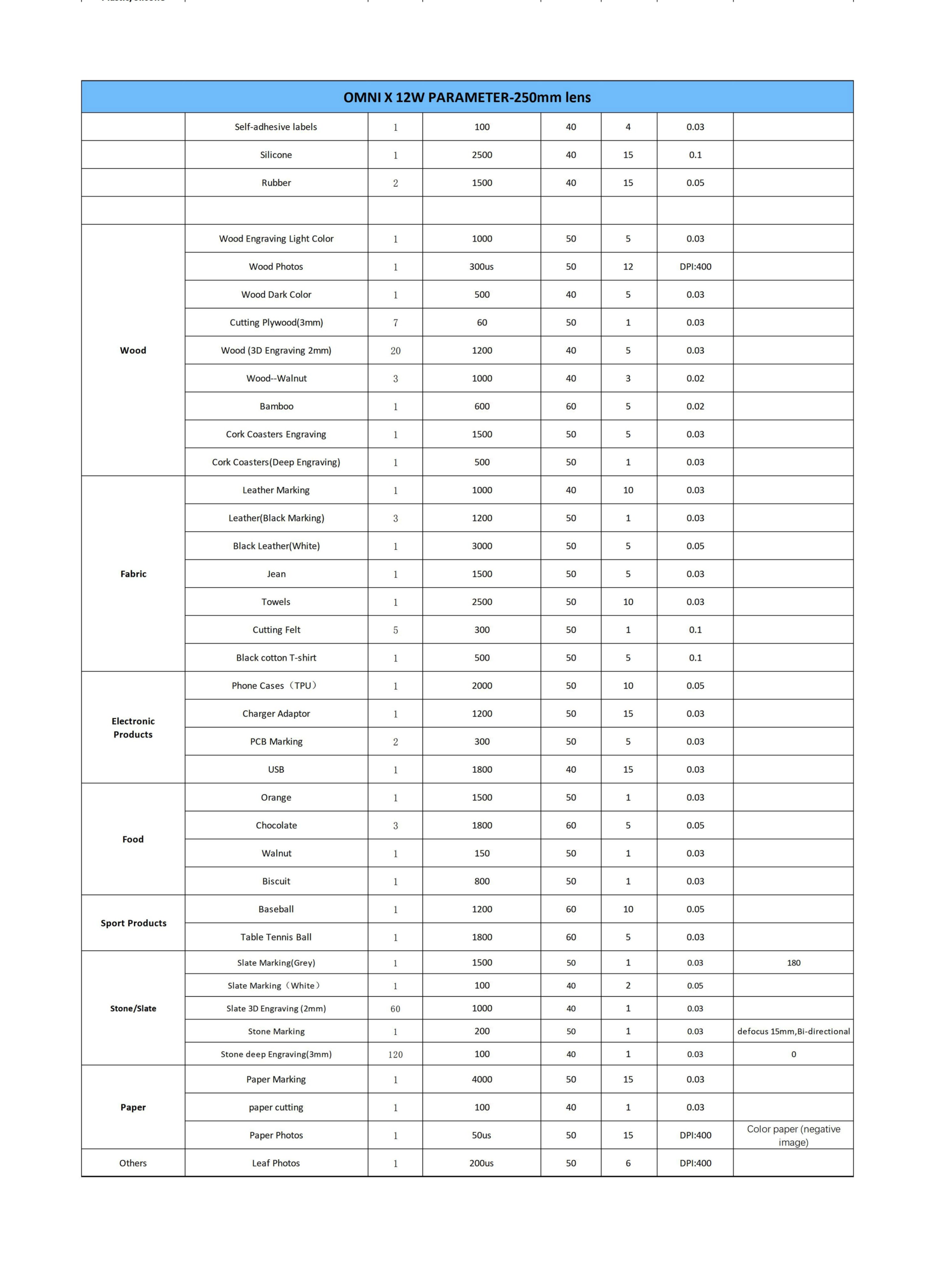
Below is a summarized walk-through of what you’ll see in the full parameter tables (you will insert your two screenshots here):
1. Glass Engraving (Subsurface, Photo, Matte, Cutting)
The 250mm parameters optimize:
-
3D subsurface dot clarity
-
Glass photo contrast
-
Matte/deep engraving
-
0.3mm thin-glass cutting
-
Heat control
Notes include:
-
“Mind the heat”
-
“Negative image” corrections
-
DPI recommendations
2. Metals (Aluminum, Brass, Stainless Steel)
Supports:
-
Clean line engraving
-
Deep engraving
-
Photo-grade stainless steel
-
Brown/black stainless effects
-
Jewelry and tags
Key adjustments:
-
Higher frequency for polished steel
-
Defocus (+10mm) for coated metals
-
DPI400 for stainless steel photos
3. Tumblers & Coated Metals
Includes:
-
White coated
-
Black coated
-
Color coated
Important notes:
-
Powder-coat removal requires slow speed + defocus
-
Photo engraving requires DPI300–400
4. Acrylic (Black, Transparent, Lamp Bases, Cutting)
The UV laser performs exceptionally well here.
Highlights:
-
Clear photo engraving on black acrylic
-
Transparent acrylic photo settings
-
Clean cuts for 3mm sheets
-
“Grey mark” notes for lamp bases
5. Plastics & Silicone
Includes:
-
PC / ABS
-
Nylon
-
TPU
-
PET film
-
PVC
UV lasers melt plastic faster than CO₂ lasers →
250mm parameters control this with:
-
Lower frequency
-
Moderate speed
-
Single-pulse settings
6. Wood (Light, Dark, 3D, Walnut, Bamboo)
The 250mm lens handles:
-
Photo engraving
-
3D carving (2mm depth)
-
Thin plywood cutting
-
Cork engraving
Up to 20 passes may be used for deep wood engraving.
7. Leather, Fabric & Textiles
For:
-
Leather logo work
-
Black leather marking
-
Denim
-
Towels
-
Felt
Using:
-
Higher frequencies (40–60 kHz)
-
Controlled speed to avoid burnt edges
8. Electronics (PCBs, Chargers, USB, Phone Cases)
UV lasers excel at precision marking on:
-
TPU (phone cases)
-
PCB circuit labeling
-
USB drives
These settings focus on contrast and clean edges.
9. Food Engraving (Fun Tests)
Even food is included:
-
Orange
-
Biscuit
-
Walnut
-
Chocolate
Chocolate uses 3 passes, 60 kHz to avoid burning.
10. Stone, Slate & Paper
The 250mm lens can engrave:
-
Slate photos
-
Stone deep engraving (3mm)
-
Paper cutting
-
High-DPI paper photos (DPI400)
How to Use the 250mm Material Library
Follow these tips for best results:
✔ Use DPI exactly as listed
Most photo settings use:
-
DPI300
-
DPI400
-
or multi-dot (5–15)
✔ Apply defocus if required
Many stainless steel and tumbler settings require:
+10mm defocus
This increases contrast and prevents overburn.
✔ Don’t copy parameters from the 70mm lens
They are not compatible.
✔ Watch heat on acrylic & glass
Follow “Mind the heat” notes in the chart.
✔ Q-pulse is usually 1
Exceptions are high-DPI or brown/black stainless finishing.
Conclusion
This second part of the Material Library series provides the complete, optimized settings for the 250×250mm lens of the Omni X/XE 12W UV laser engraver.
With accurate parameters for more than 15 material categories, you can now achieve:
-
Cleaner engraving
-
Better contrast
-
Correct photo reproduction
-
Reduced heat distortion
-
More consistent results across large surfaces