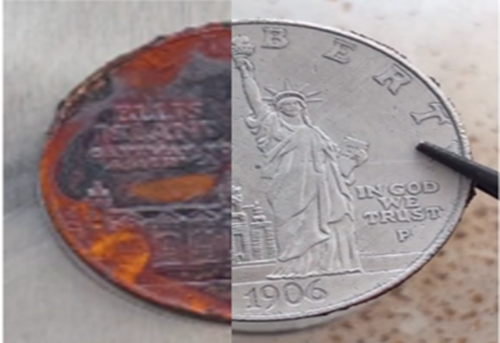
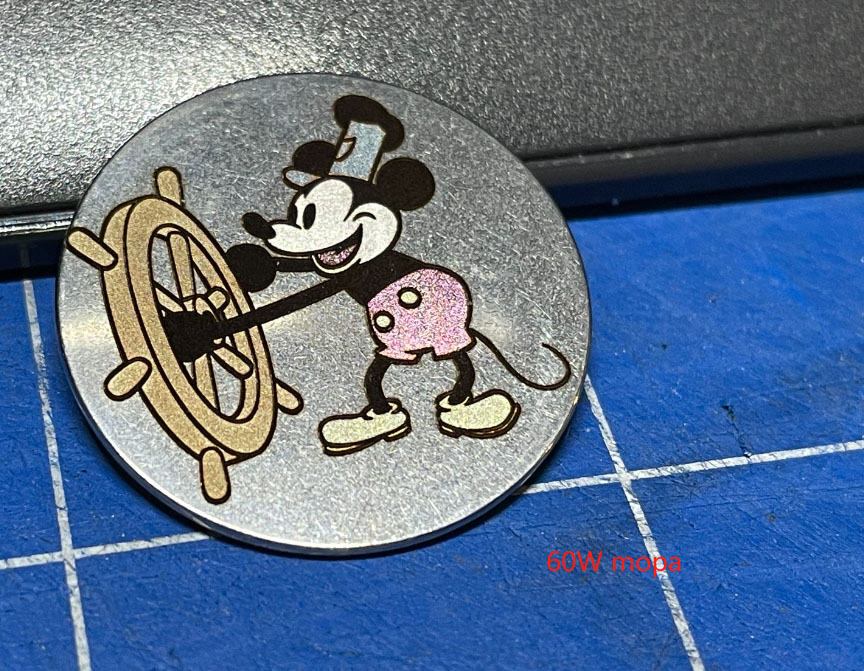
Have you ever picked up an interesting stone on a trip and thought, “This looks interesting”? Or maybe a customer asked if you could carve Quartz for their need.
Laser engraving makes it possible to transform ordinary stones into meaningful, long-lasting pieces, from personalized jewelry to making pet memorial stones.
This guide explains how does laser engrave rocks works, which desktop laser machines are best suited for engraving stone, and practical laser settings.
How Does Laser Engraving Stone Work?
Stone is an inorganic, non-metal material. When you laser engrave rocks:
The laser beam focuses on the stone surface and generates instant heat.
The surface is ablated or fractured by the laser, forming the laser engraved design.
Choosing the Best Laser Engraver for Rock Engraving
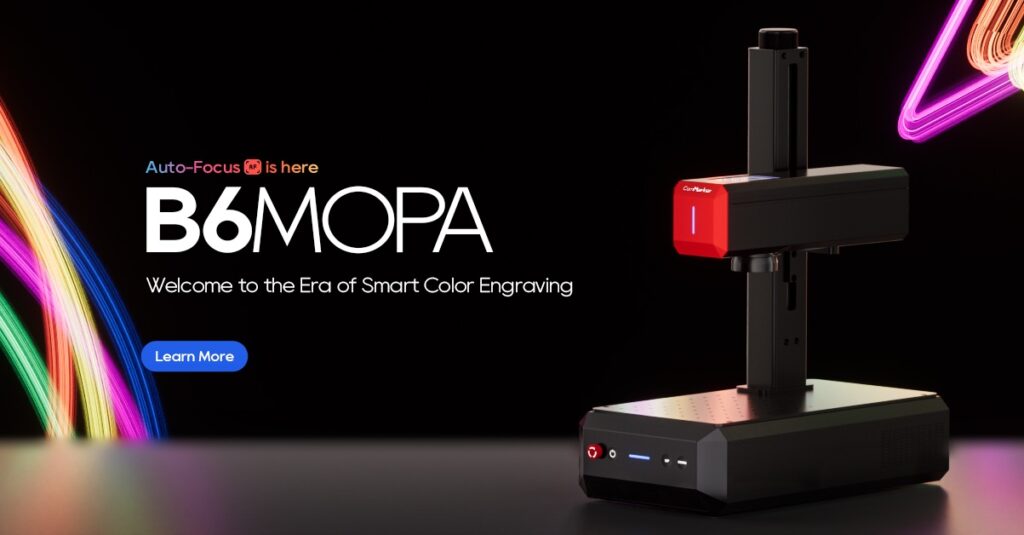
Fiber Laser Engravers (Powerful and Deep Stone Marking)
Fiber laser engravers use a high‑energy laser beam that can vaporize stone surfaces quickly, creating deep, high‑contrast marks with strong clarity.
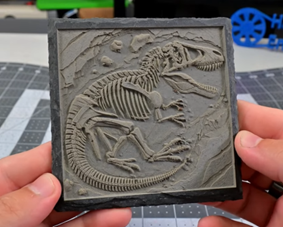
They can engrave text, logos, and stone relief sculptures, making them well‑suited for applications such as memorial stones, engraved slate coasters, or detailed home decorative pieces.
Best for: businesses that need powerful stone engraving, industrial marking, and custom stone sculpture projects.
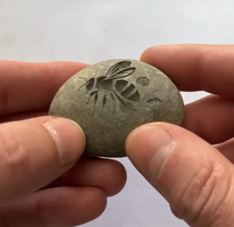
(Engraved by ComMarker Titan)
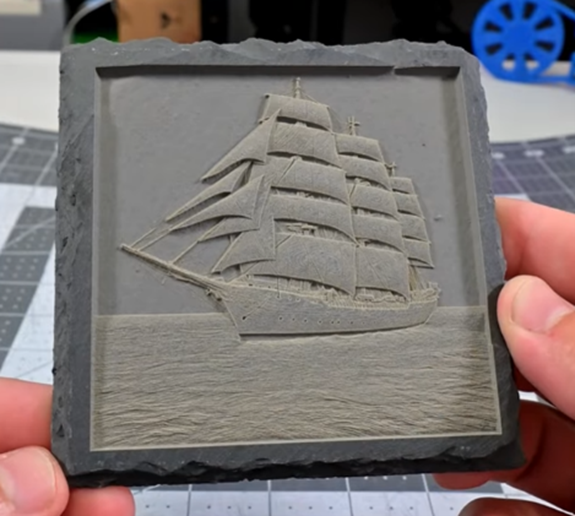
(Engraved by ComMarker B6)
UV Laser Engravers (Ultra-Fine Precision Option)
UV laser engraving machines use short wavelength (~355nm) enables extremely precise cold marking. Minimizes thermal damage, making it ideal for delicate or sensitive materials.
It can produce very fine markings, though it is less efficient for deep engraving compared to fiber laser engravers. Commonly used on personalized crystal jewelry, Quartz, ceramic and specialty surfaces where high detail is important
Best for: high-detail graphics, micro-marking, glass or ceramic items, and premium customization that prioritizes precision over depth. Laser engrave a gemstone.
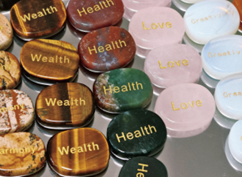
(Engraved by ComMarker Omni X-painted after engrave)
Best Types of Stone for Laser Engraving
Not all stones react the same way to laser power. Choosing the right material is critical for achieving strong contrast and professional results.
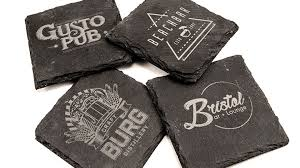
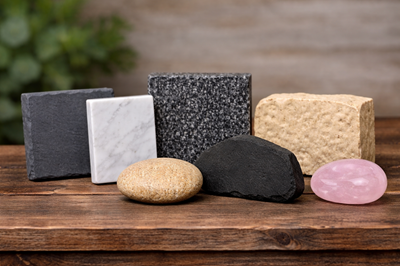
Slate Engraving: A dark, fine‑grained rock that engraves with a clear contrast and is ideal for coasters, photo plaques, signage, and decorative keepsake.
Marble Engraving: A smooth, polished rock excellent for luxury plaques, detailed designs, memorial pieces, and déco.
Granite Engraving: A hard, durable rock suited for engraved memorial stones, house number plaques, and text‑intensive keepsake.
River Rocks & Pebbles: Naturally shaped rocks used for personalized keepsakes, pocket stones, and small gift items.
Basalt: A dark volcanic rock with fine texture, great for decorative stones and artistic engraved piece.
Limestone & Sandstone: Softer rocks with a rustic look, perfect for engraved signage, textured plaques, and rustic home décor.
Natural Crystal \ Quartz : While generally cut and polished rather than engraved like slate or marble, crystal blocks or quartz pieces can be laser marked with names and patterns.
Best laser setting for laser engraving stone
ComMarker B6 60W MOPA Fiber laser engraver– Slate Engraving Settings 1h45min
Speed: 2000 mm/min
Max Power: 90%
Min Power: 20%
Frequency: 130 kHz
Q-Pulse Width: 250 ns
Bi-directional scanning: Enabled
Negative Image: Enabled
Line Interval: 0.05 mm (508 DPI)
Scan Angle: 0°
Image Mode: 3D Sliced
Number of Passes: 65
Fill all shapes at once & Fill groups together: Enabled
Fill shapes individually: Disabled
Dot Width: 0.080
Enable Cleanup Pass: Enabled
Enable Dump Pass: Disabled
Ramp Length: 0.00
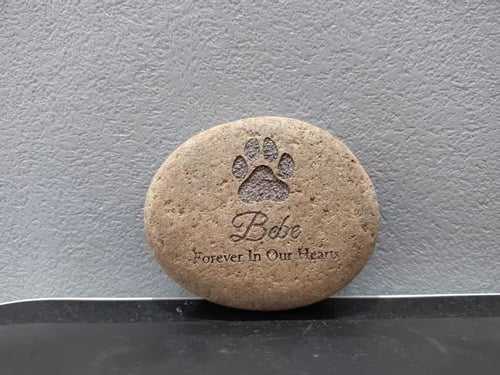
ComMarker Omni X UV laser engraver 6W 70mm lens- Stone Deep Engraving Settings-4mm depth
Passes 256
Speed 1000
Freq 40
Pluse width 1
Interval 0.02
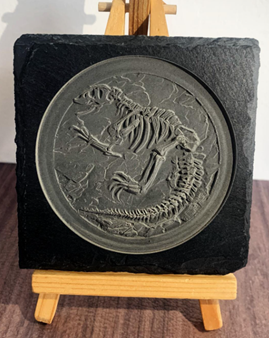
ComMarker Omni X UV laser engraver 12W 250mm lens- Slate Deep Engraving-2mm depth
Passes 60
Speed 1000
Freq 40
Pluse width 1
Interval 0.03
ComMarker Omni X UV laser engraver 12W 250mm lens- Quartz Laser Marking
Passes 1
Speed 300
Freq 40
Pluse width 1
Interval 0.03
Practical Techniques for Better Results
Optimize Your Artwork: Vector graphics or high contrast grayscale images deliver sharper detailed engraving.
Safety Reminder: Stone engraving produces dust and fumes. Always use proper ventilation and wear laser safety eyewear.
Stay Focused: When engraving deeply in LightBurn, lower the laser head by about 1 mm every 30 minutes. This helps keep the focus sharp as material is removed. ComMarker Studio automatically adjusts this during 3D relief engraving, ensuring consistent focus during laser engraving.
Real 2.5D Laser Engraving Task Dragon on Slate
Check detailed step in: 2.5D Laser Engraving
Key takeaway
Laser engrave stone transforms ordinary rocks into lasting stories. With the right machine, proper settings, and a solid understanding of material behavior, you can turn a simple rock into a personalized keepsake, a meaningful memorial, or even a profitable laser engraving business.