Small businesses need custom packaging without high MOQs, setup fees, or excess inventory.
A laser engraver lets you buy standard packaging and personalize it on demand: adding logos, names, or artwork to bags, boxes, bottles, tags, and tins.
The best laser depends on the packaging material and the finish you want. Choose UV for premium, fine-detail marking; fiber lasers for metal packaging; and CO₂ lasers for fast marking non-metal materials.
This guide covers what you can customize, which laser fits each application, and how small businesses can turn on-demand packaging personalization into a practical business opportunity.
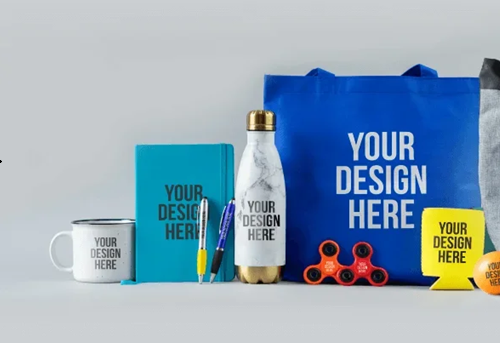
Why Use a Laser for Custom Packaging In-House?
Traditional custom packaging often makes the most sense at high volumes. But small brands, makers, and gift businesses may only need a few dozen packages at a time. A desktop laser makes small-batch customization much more practical.
Small-Batch Customization
Need 10 wedding jewelry boxes, 50 paper bags, or 20 perfume bottles? You can customize each item without ordering hundreds of identical packages.
Personalization Without New Tooling
Change the digital design instead of making a new mold or printing plate. Add a different logo, name, message, or pattern whenever a new order comes in.
Make Packaging Part of the Brand
Laser engraving can turn ordinary packaging into part of the product experience. For example, engrave a brand logo on a paper bag, personalize a jewelry box, or add a design directly to a perfume bottle. These applications can give small brands a more distinctive presentation.
Faster Changes for Small Businesses
Products, promotions, and customer requests can change frequently. A digital laser workflow lets you update the artwork and move directly to the next package instead of ordering new printed packaging.
One Machine, More Packaging Ideas
A desktop laser can be used across different packaging materials and products—from paper bags and wooden jewelry boxes to glass perfume bottles and metal tags. This flexibility makes it useful for businesses that produce small quantities and frequently create new designs.
What Material and Packaging Can You Customize with a Desktop Laser?
For many small businesses, the better opportunity is personalizing ready-made packaging. Here are some of the most practical applications.
1. Laser Engraving Paper Bags
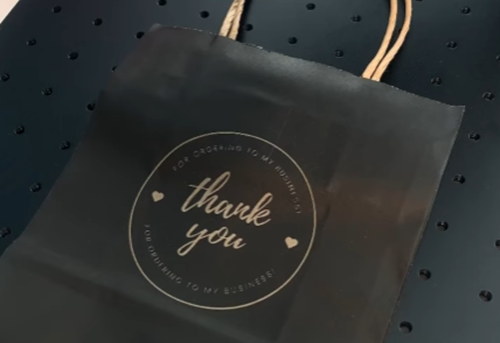
Buy blank paper bags and add logo, artwork, or seasonal designs in-house. This works well for boutiques, gift shops, bakeries, and handmade brands that need small or frequently changing batches.
Example: Add a branded logo or decorative pattern to a standard paper shopping bag.
Machine: ComMarker Omni X 6W UV Laser
Starting settings: S: 1000 / F: 30 / Q: 5 / D: 0.03
2. Laser Engraving Fabric Packaging
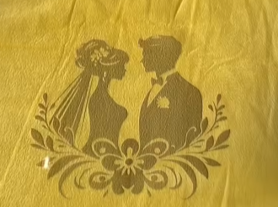
Fabric packaging such as velvet jewelry bags can be customized with logos, initials, names, or decorative designs.
Best for: Jewelry brands, wedding gifts, handmade products, premium gifts, and personalized orders.
Example: Add a branded logo or decorative pattern to a standard velvet jewelry bag.
Machine: ComMarker Omni X 6W UV Laser
Starting settings: S: 1500 / F: 30 / Q: 5 / D: 0.03 / Pass: 2
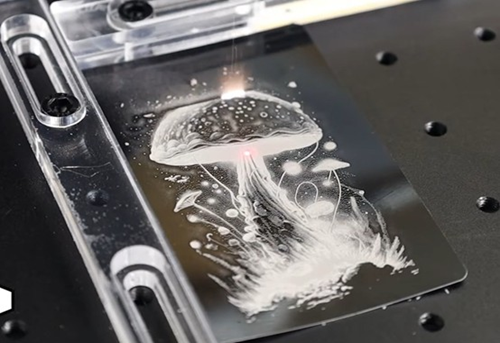
Glass bottles can be personalized with logos, product names or customer details. This is especially useful for perfume brands, cosmetics, beverage businesses, and gift sellers that need small batches or personalized products.
UV lasers are worth considering for glass because they can produce fine, detailed marks with controlled surface interaction.
Example: Add a logo or fragrance name directly to a glass perfume bottle.
Machine: ComMarker Omni X 6W UV Laser
Starting settings: S: 1600 / F: 40 / Q: 1 / D: 0.04
Tip: Fill the engraved area with an acrylic marker, then wipe off the excess paint from the surrounding surface for a sharper, higher-contrast finish.
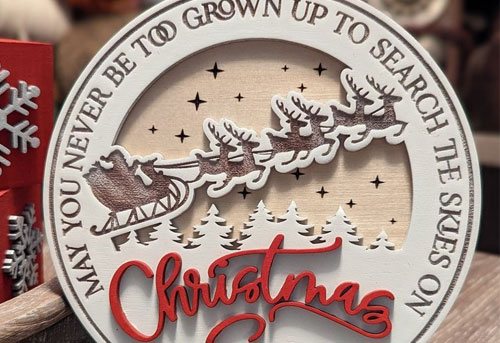
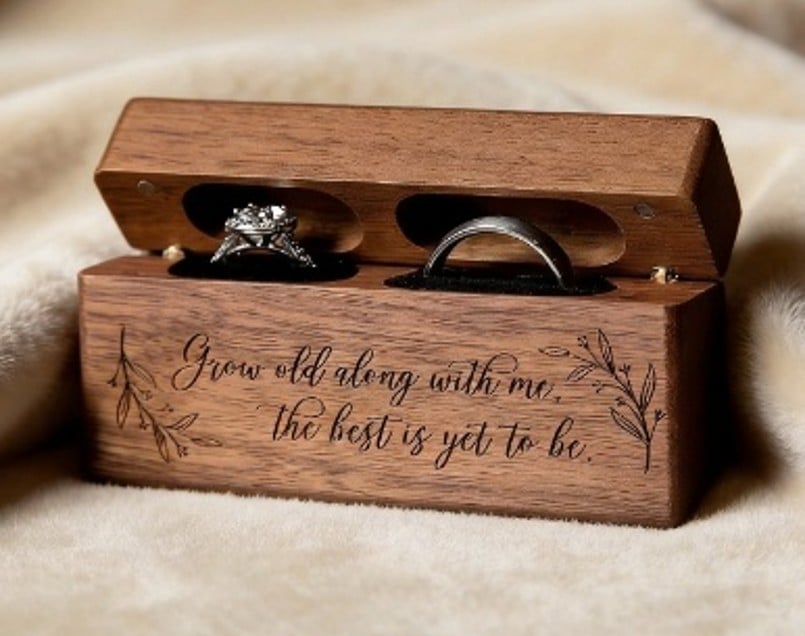
4. Laser Engraving Wooden Jewelry Boxes
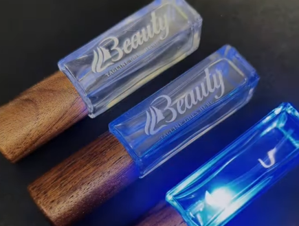
Wooden gift and jewelry boxes can be customized with logos, names, initials, or decorative patterns.
Best for: Jewelry brands, handmade products, wedding gifts, and premium gift packaging.
Example: Engrave a logo or personalized message on a wooden jewelry or gift box.
Starting settings: S: 1000 / F: 40 / Q: 15 / D: 0.03
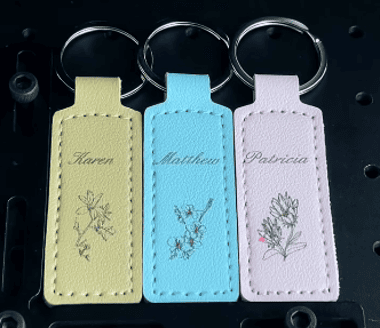
5. Laser Engraving Leather Tags
Leather and suitable leatherette tags can add a personalized touch to gift packaging, jewelry, handmade products, and retail orders.
Example: Engrave logos or names on three leather tags in one batch.
Machine: ComMarker Omni X 12W UV Laser
Lens: 250 mm
Starting settings: S: 1000 / F: 40 / Q: 10 / L: 0.03
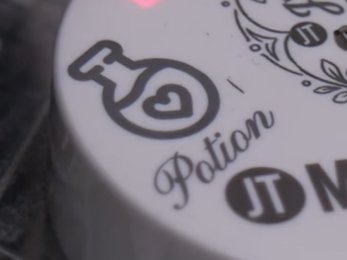
6. Laser Engraving Plastic Caps
Plastic caps used on cosmetics, personal-care, and other consumer products can be customized with logos, product names, or decorative patterns. For small brands, direct marking can provide an alternative to labels for selected packaging components.
Example: Add a logo or decorative design directly to a plastic cap.
Machine: ComMarker Omni X 6W UV Laser
Lens: 150 mm
Starting settings: S: 1000 / F: 40 / Q: 25 / L: 0.05
7. Laser Engraving Metal Tins
Metal tins are commonly used for candles, cosmetics, food products, and other small consumer goods.
A fiber laser can add logos, product names, decorative patterns, or other branding directly to suitable metal surfaces.
Example: Create a black logo on a stainless steel jar.
Machine: ComMarker B6 MOPA 60W
Starting settings: Speed: 500 mm/s | Power: 61% | Frequency: 25 kHz | Pulse Width: 200 ns | Line Interval: 0.025 mm

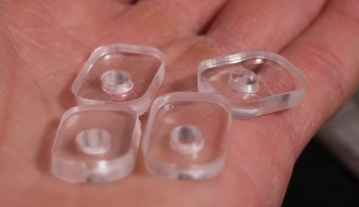
8. Laser-Cut Packaging Inserts
A desktop laser can also cut sheets into custom inserts, holders, and supports. This allows small businesses to create packaging that fits their products without ordering custom boxes.
Application: Custom Acrylic product holders
Machine: ComMarker COX CO₂ Laser
Settings: 140mm lens, 100% power, speed 20, freq 5
Best suited for: Small-batch packaging, gifts, electronics, collectibles, and premium products
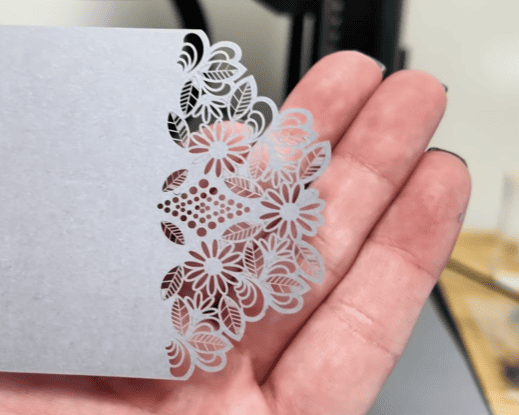
9.Laser-Cut Packaging
A desktop laser can also cut cardboard or wood to make custom box or bags.
Application: Custom box die cutting
Machine: ComMarker COX CO₂ Laser
Settings: 140mm lens, 60% power, speed 100, freq 10
5 Steps to Choose a Desktop Laser for Your Packaging Need
1.What materials do you use?
Choose the laser based on your main materials:
| Packaging Material | UV | CO₂ | Fiber | Typical Applications |
| Paper / Cardboard Marking | ★★★ | ★★☆ | ☆☆☆ | Bags, boxes, inserts, tags |
| Wood Marking | ★★★ | ★★☆ | ☆☆☆ | Gift boxes, inserts, tags |
| Leather Marking | ★★★ | ★★☆ | ☆☆☆ | Pouches, tags, cases |
| Glass Marking | ★★★ | ★☆☆ | ☆☆☆ | Bottles, jars |
| Plastic Marking | ★★★ | ★★☆ | ★☆☆ | Caps, containers |
| Metal Marking | ★★★ | ☆☆☆ | ★★☆ | Tins, tags, metal packaging |
| Coated Materials | ★★☆ | ★★★ | ★★☆ | Branding and decorative marking |
2.Do you need to mark or cut?
For logos, names, and personalization, smaller wattage galvo is sufficient for fast engraving speed. If you want to cut boxes, inserts, or other packaging components from sheet material, choose a gantry laser with large engraving area.
3.How large are your packages?
Make sure the working area and lens options fit your largest packaging.
4.What shapes do you need to process?
Flat packaging is straightforward. Cylindrical items may require a rotary attachment, while irregular surfaces may benefit from a jig, flexible fixture, or 3D marking capability.
5.What safety setup do you need?
Laser safety requirements depend on the machine’s classification. An enclosed Class 1 system can simplify operation, while open Class 4 systems require appropriate protective measures and controlled access.
Which Laser Is Best for Your Packaging?
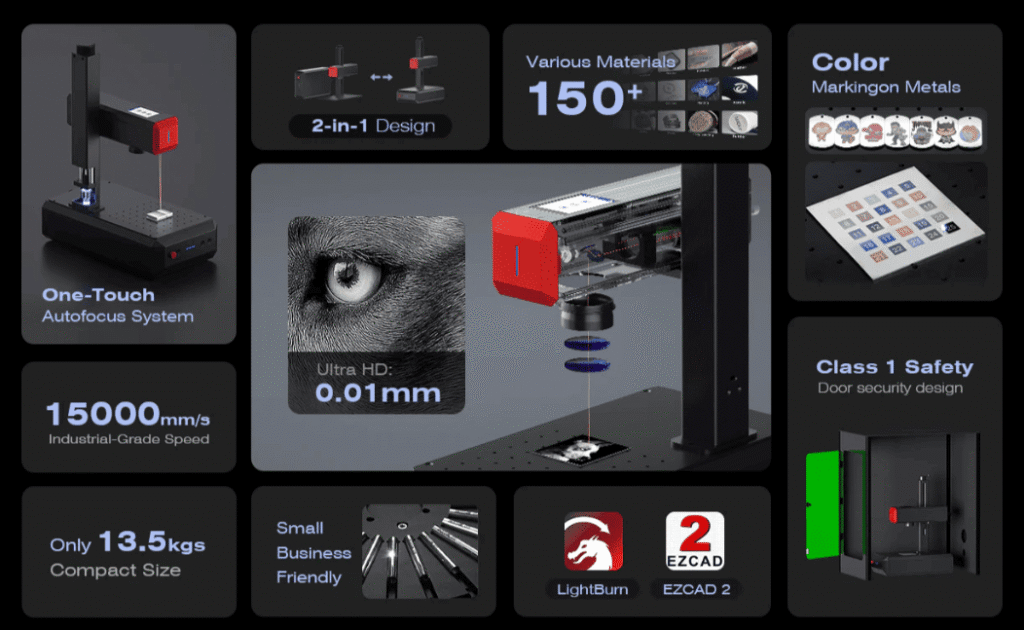
Choose Fiber / MOPA Fiber for metal packaging
Fiber lasers use a 1064 nm wavelength and are designed mainly for fast, permanent marking and engraving on metals.
MOPA offers pulse control, which enables more marking effects, including high-contrast black marking, fine details, and color marking on suitable metals.
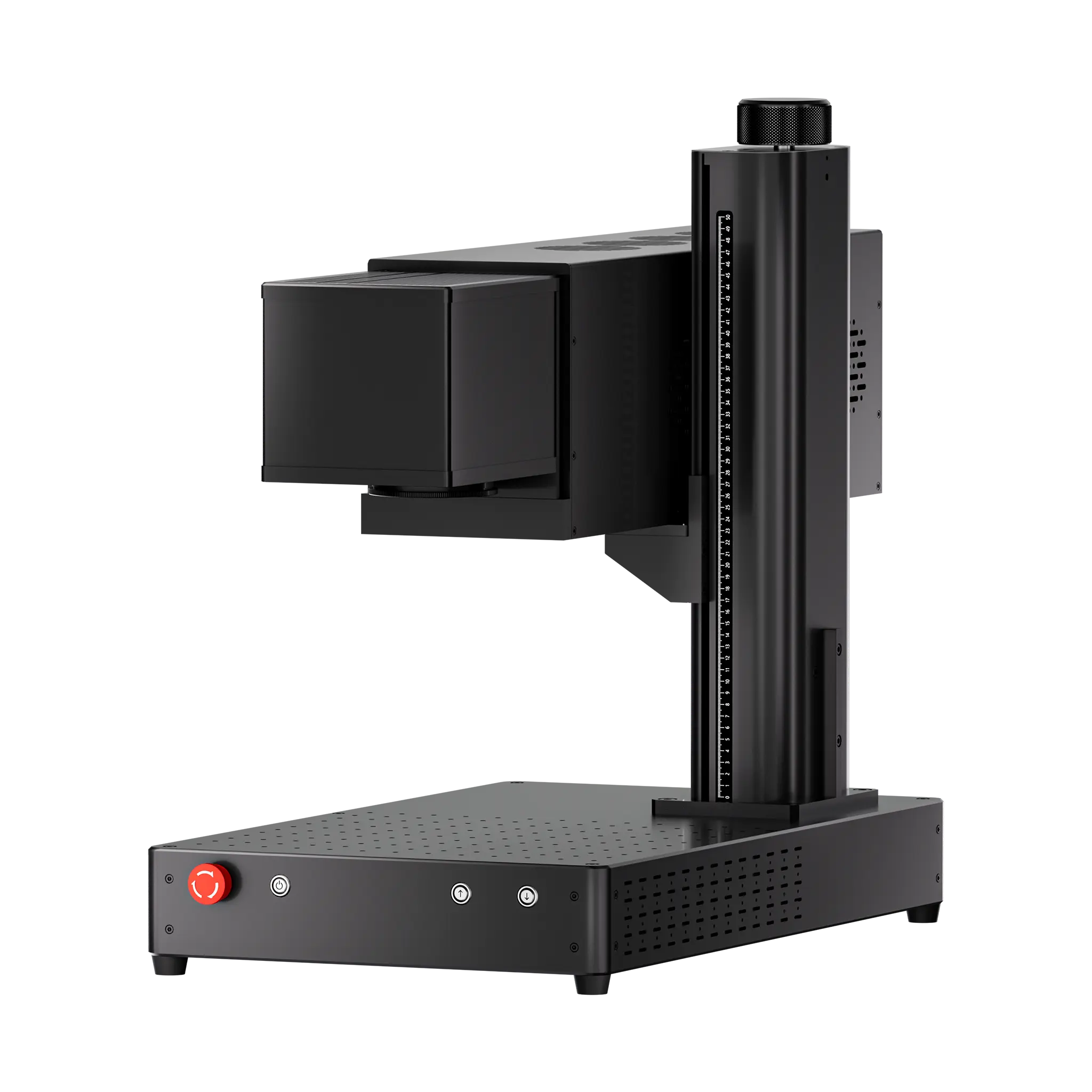
ComMarker B6 MOPA Fiber Laser
• Precision: 0.015 mm laser spot
• Max speed: 15,000 mm/s
• Materials: Stainless steel, aluminum, brass, copper, gold, silver, and other suitable metals
Best for: Metal engraving, color metal marking, deep engraving
Choose UV for fine-detail personalization
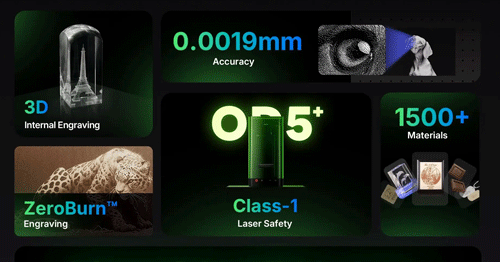
UV lasers use a 355 nm wavelength and are designed mainly for precise, high-resolution marking on glass, plastics, paper, leather, and other sensitive materials.
Their shorter wavelength enables fine details with reduced heat impact, making them suitable for delicate surfaces and detailed branding.
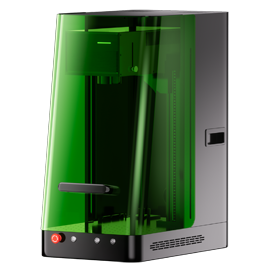
ComMarker Omni X UV Laser
• Precision: 0.0019 mm laser spot
• Max speed: 10,000 mm/s
• Materials: Glass, plastics, paper, leather, wood, ceramics, and other suitable materials
• Features: LiDAR autofocus, ZeroBurn™ technology, 3D internal engraving, Class 1 enclosed design
Best for: Glass bottles, plastic caps, leather tags, fine-detail branding
Choose CO₂ for faster processing and acrylic cutting
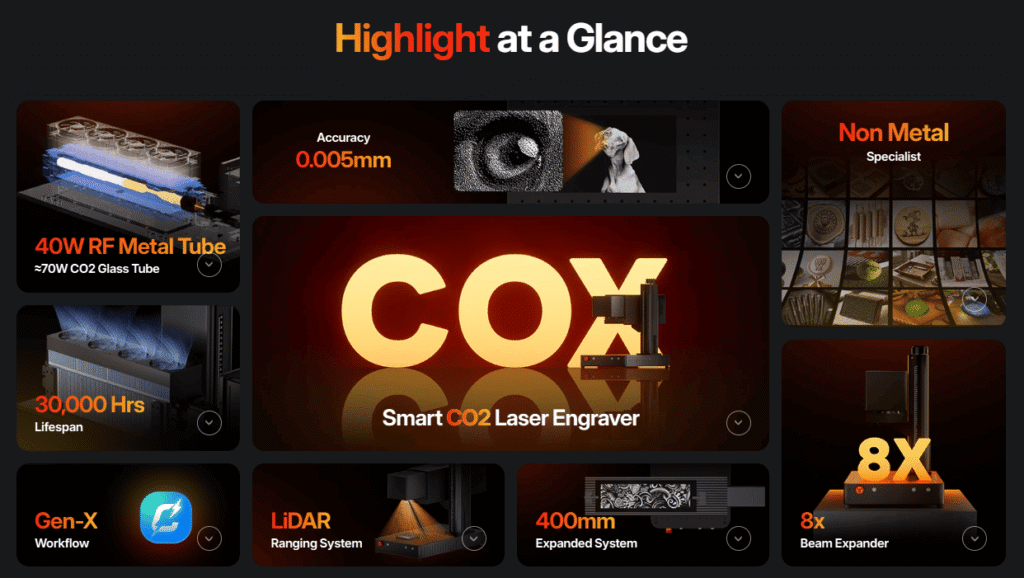
CO₂ lasers use a 10600 nm wavelength and are designed mainly for cutting and engraving non-metal materials such as wood, paper, cardboard, leather, acrylic, and fabric.
ComMarker COX RF CO₂ Laser
• Precision: 0.005 mm laser spot
• Max speed: 15,000 mm/s
• Materials: Wood, paper, cardboard, leather, acrylic, fabric, and other suitable non-metal materials
• Features: RF laser tube, galvo scanning, engraving and cutting capabilities
Best for: Custom boxes, packaging inserts, tags, and decorative packaging
How to Customize Packaging with a Laser: A Step-by-Step Workflow
Step 1: Buy standard packaging
Start with blank bags, boxes, bottles, tins, or containers.
Step 2: Create your artwork
Prepare a logo, name, product information, or personalized design.
Step 3: Test the material
Run a small test because paper, coatings, glass, plastics, and metals respond differently.
Step 4: Create a jig if needed
For repetitive or irregular packaging, a simple jig can make positioning faster and more consistent.
Step 5: Batch your orders
Once the settings are established, process multiple packages in one job.
Step 6: Package and ship
Now your standard packaging has become customized packaging without requiring a large custom order.
Is In-House Packaging Customization Worth It?
Outsourced packaging cost
= Packaging + setup/customization fees + shipping + minimum-order inventory
In-house personalization cost
= Blank packaging + laser processing + labor + electricity + maintenance
Real-world fragrance engraving prices show how quickly customization costs can add up. Existing suppliers charge from $50 per perfume bottle for a complex design, while simple engraving costs $9 per bottle.
With a $3,299 ComMarker UV laser, a laser equals approximately 66 outsourced engravings at $50 each, or 367 engravings at $9 each,before accounting for in-house operating costs.
For small batches, frequent personalization, and on-demand orders, owning a laser can turn recurring customization fees into an in-house production capability.
Turning Packaging Customization into a Business
A laser engraver can become more than an in-house packaging tool—you can also use it to offer small-batch packaging customization as a service.
• Find local clients: Work with jewelry makers, gift brands, boutiques, wedding businesses, and other small brands.
• Let clients supply the packaging: You provide the laser equipment, setup, and processing without carrying packaging inventory.
• Charge per job: Price by piece or batch, with an optional artwork setup fee.
• Target small orders: Focus on personalized and limited-run packaging that traditional suppliers may not prioritize.
Final Thoughts
In-house packaging customization gives small businesses greater control over cost, quantity, personalization, and turnaround time. Choose the ComMarker laser that matches your packaging needs:
• Choose ComMarker B6 Fiber / MOPA Fiber for metal engraving on tins, tags, and metal packaging.
• Choose UV for premium detail engraving on glass, plastic, leather tags, and other sensitive materials.
• Choose CO₂ for fast engraving and cutting of paper, cardboard, wood, and other non-metal packaging materials.
With the right laser, you can customize packaging on demand, avoid high MOQs, reduce inventory risk, and even turn packaging customization into an additional service.
Ready to bring packaging customization in-house? Explore ComMarker laser engravers and find the right machine for your business.
FAQ
Can I personalize packaging one piece at a time?
Yes. Digital laser workflows make one-off and small-batch personalization possible, although production speed depends on the design, material, machine, and setup.
Can I start a packaging customization business with a desktop laser?
Yes. A small laser studio can provide packaging personalization services to jewelry brands, gift businesses, boutiques, cosmetic companies, wedding businesses, and other small brands.
Is laser engraving better than printed packaging?
Not universally. Printing can be more efficient for very large quantities of identical packaging. Laser personalization becomes more attractive when you need small batches, frequent design changes, variable information, or direct marking on suitable packaging materials.
Is laser engraving safe for food packaging?
Do not assume that a packaging material is food-contact safe simply because it can be laser processed. Food-contact applications can have specific material and regulatory requirements, and the suitability of the complete packaging system must be evaluated for its intended use.
What Laser Is Best for Glass Packaging?
A UV laser is generally a strong choice for marking glass packaging, especially for fine logos, text, and decorative details. Results depend on the glass, coating, curvature, and surface finish, so always test the actual packaging before production.
Can You Laser Engrave Cardboard Packaging?
Yes. CO₂ lasers are commonly used to engrave and cut cardboard, paperboard, and suitable packaging sheets. They can create logos, patterns, text, perforations, and custom inserts. Always check the material composition and coatings before processing.
Can You Laser Engrave Plastic Packaging?
Yes, but results depend on the plastic type, additives, color, and coating. UV lasers are often suitable for fine-detail marking, while CO₂ lasers can work with certain plastics. Always verify material compatibility and test the exact packaging before production.