Can you laser engrave aluminum? Yes.
If you’re engraving aluminum products for your business, you’ve likely seen different results. Some are clean white marks. Some are deep engraved textures. Others have a dark, premium finish.
In this guide, we will share how laser engraving aluminum works. How to get different results on aluminum, how to deep engrave and cut, and what’s the best laser engraver for aluminum engraving.
White Marking on Anodized Aluminum and Matte aluminum
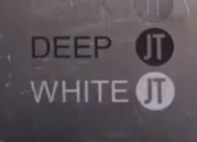
White marking is the most common result in laser engraving anodized aluminum.
When you engrave anodized aluminum, the laser removes the dyed surface layer and reveals the natural aluminum beneath. The result is a bright, high-contrast mark that looks clean and professional.
When you laser engrave Matte (sandblasted) white anodized aluminum, the sandblasted aluminum surface is slightly melted, resulting in a brighter engraved appearance.
This is why anodized aluminum is widely used for product labels, aluminum tags, business cards, and engraved plates.
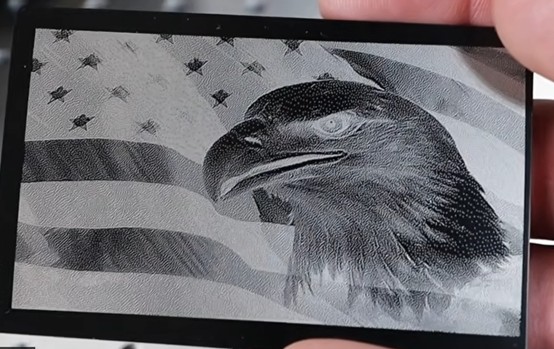
How to achieve white marking on anodized aluminum:
1. Place your material on the engraving bed.
If you want a crisp white finish, black anodized aluminum sheets are especially effective because they provide the strongest contrast and readability.
2.Focus the laser on the material
3.Import your design and setting
• ComMarker Omni X 6W UV laser Engraving Settings for Black Aluminum Business Card: Frequency 35, Q Pulse 1, Speed 1800, Line 0.008, Scan Angle 45°, 2 Passes
• For polished white mark on grey aluminum using ComMarker B6 MOPA fiber laser 60W: Speed: 1000 mm/s; Power: 33%; line 0.03; Q pulse 200; frequency 48
4.Preview the position and start the engraving process
Black Marking on Aluminum
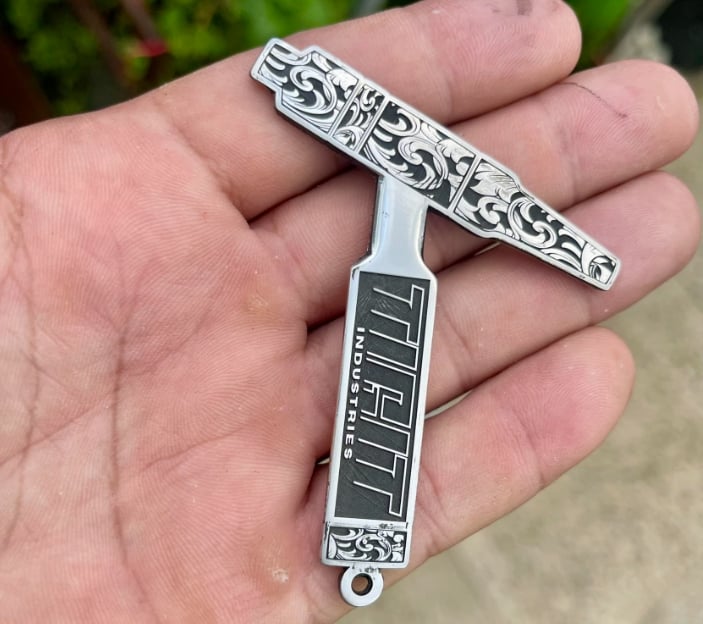
Black marking on aluminum is caused by surface oxidation and microstructure changes brought by laser energy. This increases light absorption and reduces reflectivity, creating a darker appearance.
There are two primary ways to achieve this effect.
One is to apply a marking compound or spray before engraving. This is common in applications involving painted aluminum, powder-coated aluminum, or specialty coated plates.
The other is using fiber laser engraver and anodized aluminum. High-temperature laser processing changes the surface oxide into a nano-scale structure, which increases light absorption and creates a dark effect.
If your goal is a dark logo, serial number on aluminum, fiber laser, especially MOPA fiber laser are best laser engraver to achieve this effect.
How to achieve black marking on anodized aluminum:
1.Place your material on the engraving bed.
2.Focus the laser on the material
3.Import your design and setting
• ComMarker B6 60W MOPA Fiber laser aluminum engraving Settings-110 lens
Option 1: Power: 100%; Speed: 500 mm/s; Frequency: 30 kHz; Pulse width: 10 ns; Line interval: 0.01 mm
Option 2: Power: 80%; Speed: 500 mm/s; Frequency: 200 kHz; Pulse width: 4 ns; Line interval: 0.01 mm
Option 3:
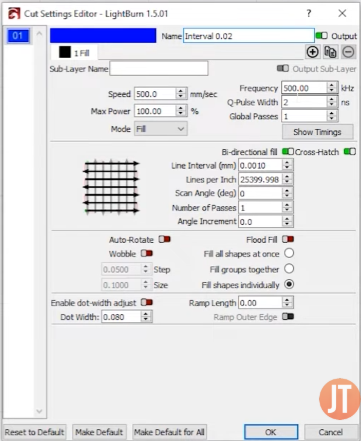
*Aluminum black engraving with out laser engraving paint only shows black in certain angles.
• ComMarker B4 50W Fiber laser aluminum engraving Settings – 110 lens
1000 mm/s, 48%, 25 kHz, 0.025 line interval, crosshatch 45°, 5 passes
1500 mm/s, 54%, 45 kHz, 0.02 line interval, crosshatch 45°, 1 pass
4.Preview the position and start the engraving
Deep Engraving and Relief 3D Laser Engraving Aluminum
Deep engraving on aluminum is a more advanced form of laser processing.
Some users need depth for engraved labels on industrial parts, while others prefer a embossed effect for decorative applications.
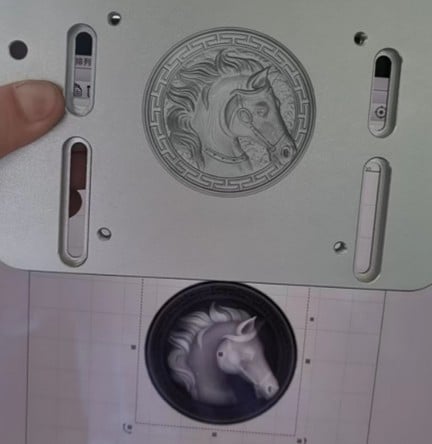
For true depth, fiber laser engraving is the standard choice for aluminum because metals absorb its wavelength more efficiently than other types of laser. By removing material layer by layer, a fiber laser engraver produces a clear 3D relief effect on the surface.
This is why laser power plays an important role. Higher wattage allows more material to be removed per pass, making it possible to achieve deeper engraving in less time.
How To Deep Engrave Aluminum with Fiber Laser Engraver
1.Import a grayscale image for the embossing design. Or import the pattern you want to deep engrave.
2.Secure the blank and press focus. Check the thickness before engraving to make sure it supports your desired depth.
3.Import the laser engraving parameters
• ComMarker B4 20W Fiber laser aluminum deep engraving Settings – 110 lens: Power 70%; Speed 800 mm/s; Frequency 43 kHz; line interval 0.025.
Note: Approximately 256 passes are required to reach a depth of around 3 mm, with a total processing time of about 5.5 hours.
4.Press Start to begin engraving.
Laser Cutting on Aluminum
With a fiber laser, thin aluminum can be cut using multiple passes and proper parameter control.
Laser power also matters for metal cutting. The higher wattage you have, the deeper a single cut can achieve.
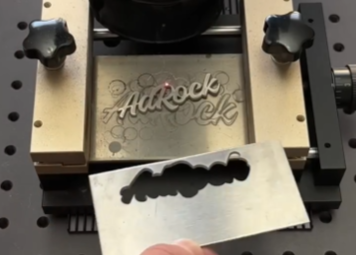
How To Cut Aluminum with Fiber Laser Engraver
1.Import a vector design into laser engraving software.
2.Secure the material using a metal holder and focus the laser on the material.
3.Set the parameters for fiber laser cutting metal
• ComMarker B4 50W Fiber laser cutting aluminum 2mm Settings: Power 90%; Frequency 34 kHz, 0.3 wobble, 10 passes
• ComMarker Titan 200W MOPA Fiber laser cutting aluminum 1.5mm thick Settings: Power 95%; Frequency 240 kHz; Pulse 200; line interval o.03.
5.Press Start to begin cutting.
6.Polish the surface for smoother finish.
Aluminum Products You Can Laser Engrave
Aluminum is used across a wide range of products.
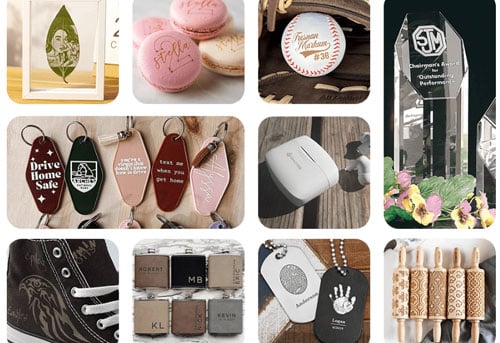
With a fiber aluminum laser engraving machine, you can mark common items such as aluminum business cards, laser engraved aluminum plates, ID tags, and industrial labeling.
More specialized applications include rack panels, custom plaques, and branded components. Decorative and premium items such as engraved signage, plaques, and custom panels are also popular.
Final Thoughts
Laser engraving aluminum becomes much easier once you understand the basics of white marking, black marking, and deep engraving.
With a ComMarker laser engraver, you can expect fast, clean, high contrast results every time.