Are you struggling to get clean, professional marks on your knives? Or maybe you’re looking to craft your own blades?
Choosing the right laser engraver for knives depends on what you want to engrave, how much detail you need, which parts of the knife you want to personalize, and how efficiently you need to work.
Below, we break down five features that matter when choosing a laser engraver for knives and explain how each one can affect your engraving results and your business.
Feature 1. Laser Power: How Deep and How Fast Can You Engrave?
Laser power affects how quickly a laser can remove material from a metal surface.
For knife makers, the difference becomes especially noticeable when you work on deep engraving, textured designs, or batch production.
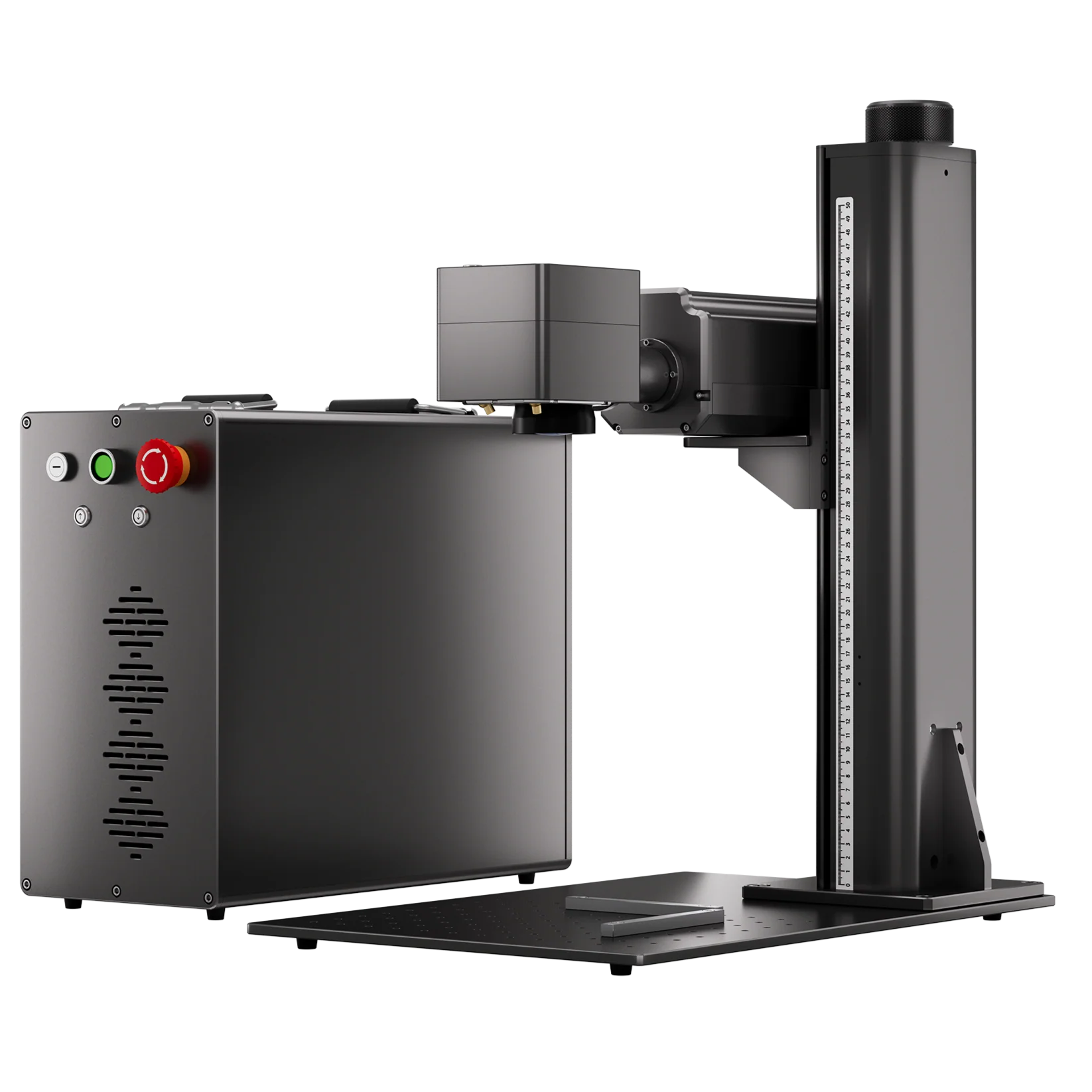
For example, we tested deep engraving on hardened tool steel using two ComMarker B6 fiber lasers:
|
ComMarker B6 20W Fiber Laser Parameters: Speed 120 mm/s, 100% power, 25 kHz, fixed pulse width 140 ns; 20 main engraving rounds + multiple 90° crosshatch rounds + cleaning path. Time for 4 rounds: 9 minutes |
ComMarker B6 60W MOPA Fiber Laser Parameters: Speed 700 mm/s, 90% power, 35 kHz, pulse width 200 ns; multiple 90° crosshatch rounds + cleaning path. Total time: 3 minutes |
Why Does This Matter to Your Business?
A 20W laser may be sufficient for occasional personalization, but when it comes to an order to engrave the same logo with depth on 100 knife blades, a 60W MOPA fiber laser gives you more capacity to handle larger orders, shorten turnaround times, and take on more business.
200W Fiber Laser: Unlock More Money-Making Opportunities
Meanwhile, upgrading to a 200W ComMarker Titan fiber laser gives you the power to take on more demanding knife-making projects, including:
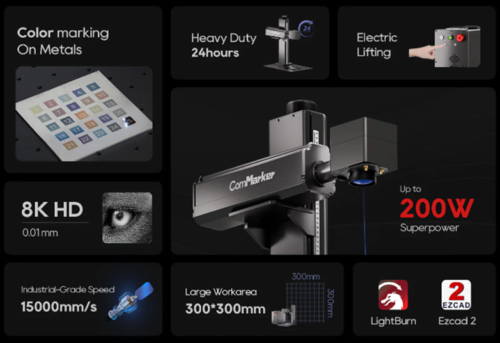
• Drill pin holes with precision
• Cut stainless steel blades up to 5 mm through multiple passes
Simple text engraving on a knife may be charged at $10–$13, while a custom-made knife can sell for $120 or more.
A higher-power fiber laser can help you complete demanding work faster, expand the range of knife customization services you offer, and take on higher-value projects with greater revenue potential.
Feature 2. Spot Size: How Small and Detailed Can You Mark?
Knife blades often have limited engraving space. Logos, text, and decorative patterns may need to be reduced in size to fit, making fine detail especially important.
A smaller laser spot can produce finer lines and smaller details, helping you maintain clarity when engraving compact designs.
A UV laser’s 355 nm wavelength and small laser spot allow it to produce precise marks with relatively low thermal impact that expands the engraving precision.
Spot Size and Engraving Quality
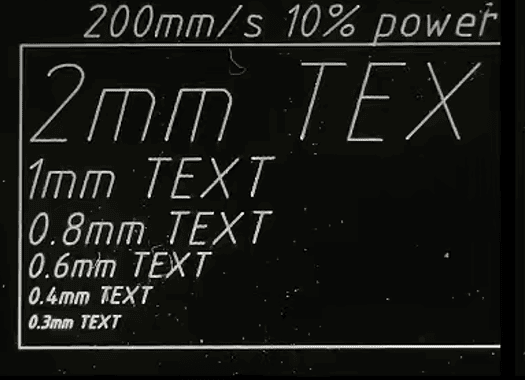
The ComMarker Omni X UV laser offers a 0.0019 mm spot size, while the ComMarker B6 MOPA fiber laser has a 0.01 mm spot size.
In practical testing, both lasers produced readable 0.03 mm text on aluminum, but the UV laser maintained finer lines and sharper details at this scale.
 |
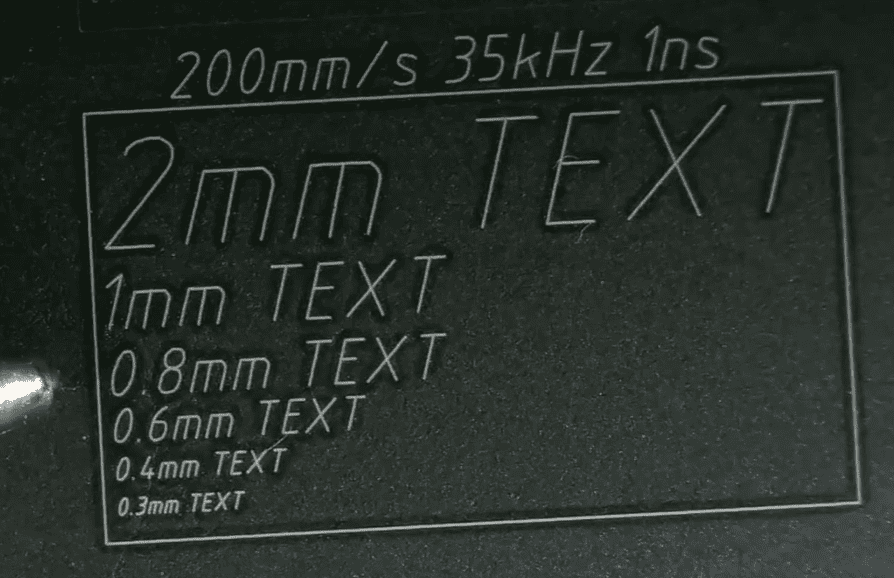 |
| fiber laser small text marking test on aluminum | UV laser small text marking test on aluminum |
Why Does This Matter to Your Business?
If your customers want fine lettering, detailed artwork, or pattern, a UV laser with smaller spot size can help you achieve finer engraving and offer more premium customization with greater pricing potential.
Feature 3. Laser Type: Can It Handle the Parts You Mark?
A knife may contain multiple materials. You may work with a stainless-steel blade, a wooden or plastic handle, and a leather sheath.
Choosing the right laser technology determines which parts you can personalize, what effects you can create, and what customization services you can offer.
Fiber & MOPA Fiber Laser: Stronger for Metal Processing
For bare metal knife blades, a fiber laser is usually the most effective choice.
The ComMarker B6 MOPA fiber laser offers greater control over how the laser interacts with metal, making it suitable for a wide range of knife-making applications, including:
1. Metal marking for crisp logos, names, serial numbers, and maker’s marks
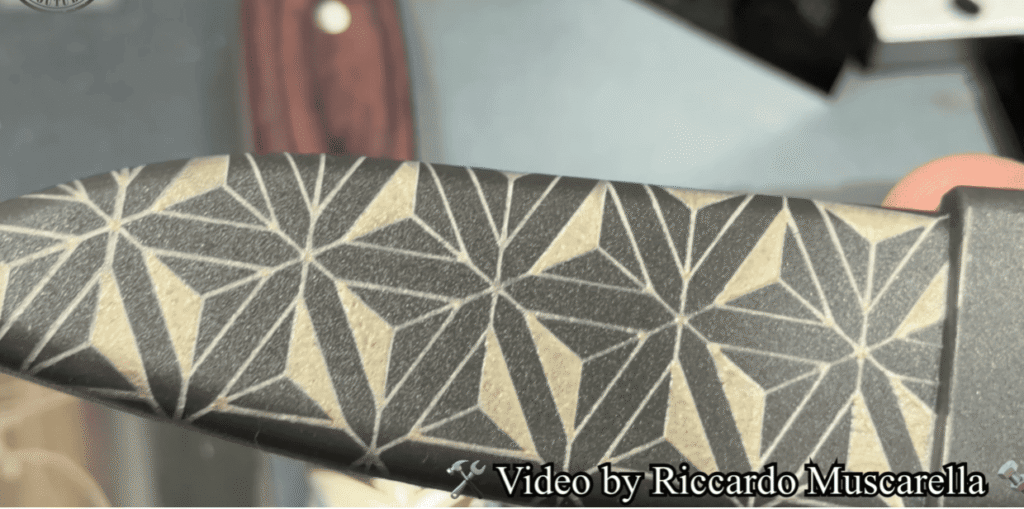
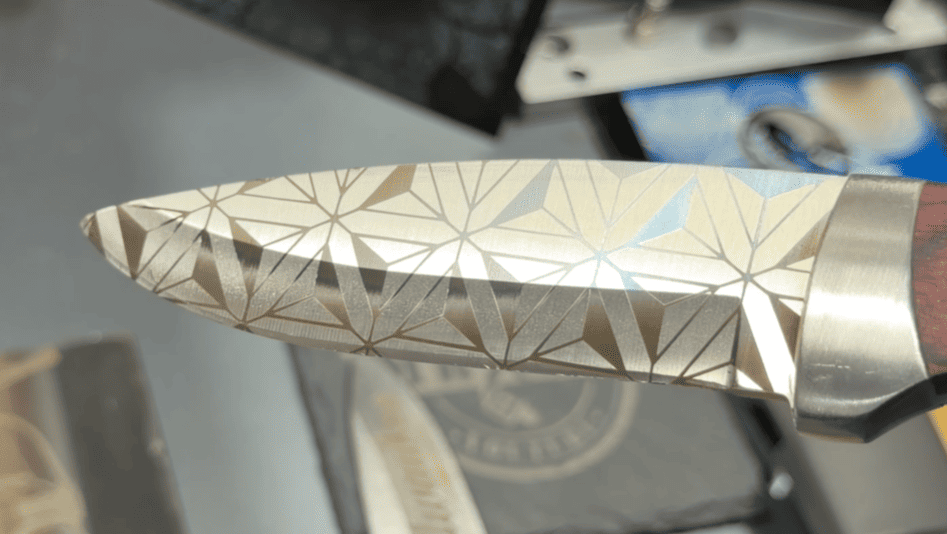
2. Color marking for eye-catching colored logos, patterns, and decorative designs
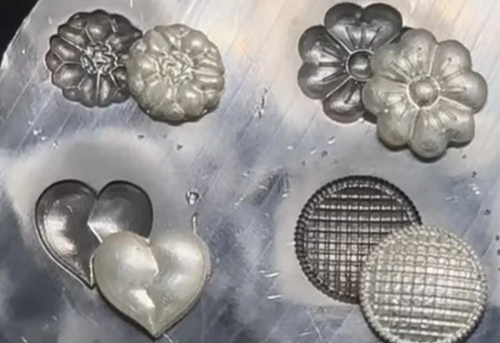
3. Deep engraving for recessed logos and textured patterns
4. Metal cutting for small knife components and openings
The ComMarker B6 MOPA can process a wide range of metals used in knife blades and components. It can also mark certain plastics and leather, giving you more flexibility to customize different parts of a knife.
For demanding metal blade work including deep engrave and color marking, the ComMarker B6 MOPA is a strong option when you need more than simple surface marking.
 |
 |
UV: Finer Processing and Greater Material Versatility
A UV laser is a strong choice when fine detail, lower thermal impact, and material versatility matter more than deep metal engraving.
With a 0.0019 mm spot size and 355 nm wavelength, the ComMarker Omni X is well suited to precision work across a wide range of materials, including:
1. Broad material versatility with support for 1,500+ materials including metal, plastic, wood…giving knife makers more options for customizing
2. 16k HD Fine-detail marking for small text, logos, and delicate patterns
3. Low-thermal-impact processing (Cold process) for materials and blanks where excessive heat can affect the quality
Choose UV when fine detail and material versatility are more valuable: its fine spot and broad material compatibility make it a strong option for detailed personalization across blades, handles, and sheaths.
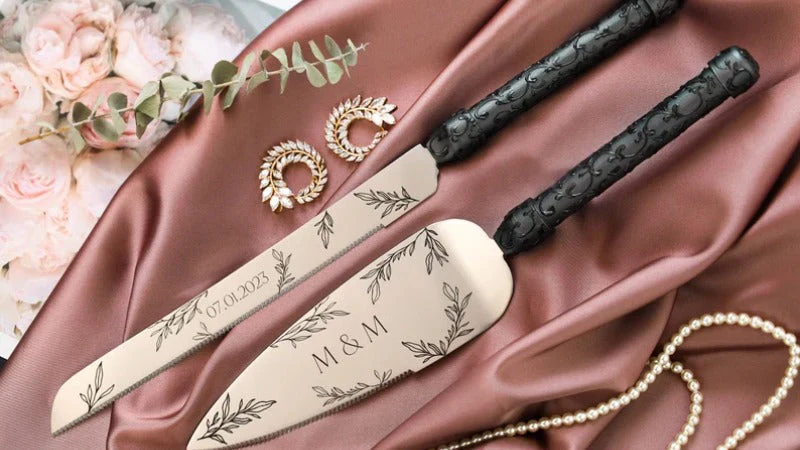
However, UV is better suited to fine surface marking and precision work than deep metal engraving. When you need substantial material removal or deeper engraving on a metal blade, a fiber or MOPA fiber laser is generally the better choice.
Feature 4. Working Area: Can You Engrave in One Pass?
Knife sizes vary, but many common knives have blades measuring 10–25 cm long.
A larger field lets you place a longer blade inside the engraving area and complete a larger design without splitting the artwork into multiple sections.
ComMarker B6 MOPA: 300 × 300 mm Working Area
With the optional 300 × 300 mm lens, the ComMarker B6 MOPA provides enough working area to accommodate multiple full-size knife blades or larger designs in a single setup.
This means you can engrave a long logo, relief like deep engraving, or decorative pattern across a larger section of the blade in one single pass.
ComMarker Omni X: 250 × 250 mm Working Area
The 12W ComMarker Omni X offers a standard 250 × 250 mm working area. With the Slide Extension, the working range can reach 250 × 400 mm, which is also large enough for many common knife blades and longer finish.
Why Does This Matter to Your Business?
A larger working area helps you finish long-blade jobs faster or process multiple smaller pieces in batches. It reduces repositioning and segmented engraving, saving processing time while lowering the risk of alignment errors, rework, and wasted materials.
Feature 5. Ease of Use: How Easy Is It to Get Started?
Ease of use matters because a complicated workflow can increase your learning curve and setup time.
A typical knife engraving workflow looks like this:
Import the design → position the knife → set parameters → preview → engrave.
The software included with the laser can make this process easier, especially for beginners.
• ComMarker B6 MOPA: Supports professional laser engraving software including LightBurn and EZCAD, giving experienced users more control over their engraving workflow.
• ComMarker Omni X: In addition to LightBurn, it supports ComMarker Studio for a more straightforward workflow for users who are new to laser engraving.
With its user-friendly design and simplified setup, the Omni X help beginners get started with laser engraving faster without having to learn complex laser software first.
Choose software you are familiar with to get started faster.
Quick Summary: Fiber vs. UV — Which One Should You Choose?
|
Feature |
ComMarker B6 MOPA Fiber Laser |
ComMarker Omni X UV Laser |
|
Best choice when… |
You mainly engrave metal blades and need depth, speed, or color effects |
You prioritize fine detail, material versatility, and lower thermal impact |
|
Engraving depth |
★★★★★
Better for deep metal engraving and material removal |
★★
Better suited to fine surface marking. Capable for wood deep engraving. |
|
Fine details |
★★★
Capable of engraving small text, logos, and patterns |
★★★★★
Producing 16K HD finer details with smaller spot size |
|
Color marking |
★★★★★
Capable for color marking on compatible metals |
★★
Limited compared with MOPA fiber |
|
Material range |
★★★
Strong on metals; can also mark certain plastics and leather |
★★★★★
Including metals, plastics, wood, leather, glass, ceramics, and more |
|
Working area |
Up to 300 × 300 mm with the appropriate lens |
Up to 250 × 250 mm; Up to 250 × 400 mm with Slide Extension |
Final Thoughts: Choose the Right Laser for Your Knife Business
The best laser engraver for knives depends on what you need to process and what results you want to achieve.
• Choose a MOPA fiber laser when you mainly work with metal blades and need deep engraving, color marking, fast processing, or higher production capacity.
• Choose a UV laser when you prioritize fine details, lower thermal impact, and the flexibility to customize different materials such as metal, plastic, wood, leather, glass, and ceramics.
Once you know which processing capabilities matter most to your knife business, you can choose a laser that fits your current work while giving you room to take on more customization projects.
Explore ComMarker laser engravers and find the right machine for your knife engraving needs.
Frequently Asked Questions About Laser Engraver for Knives
What Can You Make with a Knife Laser Engraver?
A knife laser engraver can create more than simple logos. Common applications include:
- Maker’s marks and identification: Names, initials, logos, serial numbers, and model numbers.
- Decorative engraving: Animal motifs, geometric patterns, Celtic-inspired designs, custom illustrations, and fine-line artwork.
- Functional markings: Measurement scales, model information, and reference markings.
- Deep engraving and textures: Higher-power fiber lasers can create recessed designs and textured surfaces on metal blades.
What Laser Power Do I Need to Engrave Knives?
For simple surface marking, lower-power lasers may be sufficient. Higher power is more suitable for deep engraving and higher production throughput.
Can Laser Engraving Damage a Heat-Treated Knife?
It can if excessive heat is introduced. Use appropriate parameters and test on the same or equivalent material, especially near the cutting edge.
Can a Fiber Laser Engrave Wood or Leather?
Some fiber lasers can process certain non-metal materials, but they may not be the best choice. Compare fiber, UV, and CO₂ lasers based on the materials and results you need.
Can I Engrave G10 With a Laser?
G10 is a glass-fiber/epoxy composite and should not be assumed to be laser-safe. Check its composition and SDS, follow manufacturer safety guidance, and use appropriate exhaust before processing.
Can CO₂ or Diode Lasers Engrave Bare-Metal Knives?
Generally, not directly. Fiber lasers are the more suitable choice for bare-metal knife blades, while CO₂ and diode lasers can be useful for certain non-metal or coated materials.