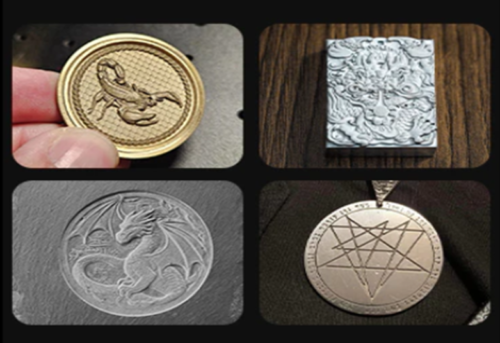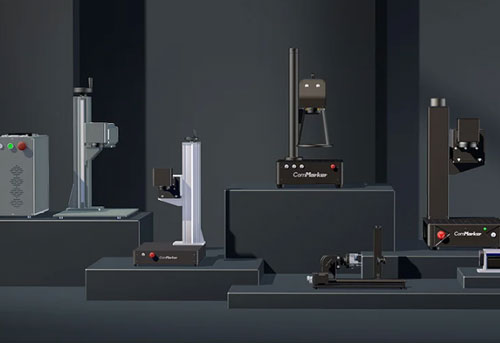
Starting a Laser Engraving Business is exciting. You can imagine personalized gifts, custom signs, or products designed around your own ideas. But owning a machine doesn’t automatically give you a profitable laser engraving business.
If your laser engraving business is not going well, the problem might be selling products with weak demand, underpricing custom orders, producing work too slowly, or struggling to reach the right customers.
Here are 5 common reasons laser engraving businesses struggle, and what you can do to address each one.
5 Common Laser Engraving Business Problems
1. Bought a Machine Before Finding Customers
A laser engraver can make keychains, cutting boards, signs, tumblers, and countless personalized products. But having many possible products doesn’t mean you have a market for them.
Your target customers may already have plenty of affordable options, or you may be developing products that people admire but aren’t willing to buy.
How to fix it: Research a specific market before investing more
If you sell local, start with a customer group. You might target local businesses that need branded merchandise, pet owners looking for memorial gifts, or manufacturers that require permanent part identification.
Research what these customers already buy, what they pay, and what existing products or services fail to provide. Whenever possible, look for buying signals stronger than positive feedback, such as quotation requests, paid sample orders, or repeat purchases.
If you plan to sell online, marketplace research can help you identify potential opportunities. Etsy sellers, for example, can use Marketplace Insights to explore search terms, search activity, and listing competition.
Use this information to develop and test product ideas:
• Are customers actively searching for products in this category?
• Which product types, customization options, or occasions appear in relevant searches?
• Are there specific customer groups whose needs are not being served well?
• Can you offer a meaningful advantage in design, quality, convenience, or service?

2. Your Products Look Like Everyone Else’s
Personalized keychains, engraved cutting boards, signs, and drinkware are popular product categories, but they can also be highly competitive.
The problem becomes more difficult when you rely entirely on downloaded laser files. If many sellers use the same design and offer similar customization, customers may have little reason to choose your product over a cheaper alternative.
How to fix it: Differentiate your offer in a market with proven demand
You can differentiate through a more specific audience, a practical improvement, or a better customer experience.
For example, specialize in products for a particular hobby or profession. You might also offer better material options, more thoughtful packaging, easier personalization, or a more reliable ordering process.
Developing your own designs and product combinations can give customers a clearer reason to choose you.

3. Your Prices Cover Materials but Not the Work
One of the most common pricing mistakes is calculating the cost of the blank and adding a markup without accounting for the work required to complete the order.
One-off custom orders can become unprofitable when they require a new layout, multiple rounds of revisions, special materials, or rush delivery without charging enough to cover the extra work.
Suppose a customer orders a personalized wooden gift. Your costs may include the blank, artwork preparation, file cleanup, testing, machine time, finishing, packaging, platform fees, and labor. If a test piece fails or the customer requests multiple design revisions, the cost rises further.
How to fix it: Calculate the full cost of each job
A useful laser engraving pricing formula is:
Final Price = Materials + Machine Time + Labor + Design + Setup + Risk + Overhead + Profit
Your pricing method should also reflect the job. Use minimum charges for small jobs, per-piece pricing for repeatable products, volume pricing for bulk orders, and project-based quotes for complex work.
Review your prices when material costs, production times, fees, or labor requirements changes.
For a more detailed breakdown, see How to Price Laser Engraving: Costs, Rates, Minimum Charges & Profit for detailed guides on calculating different laser engraving task cost.

4. Customers Can’t Find You, and Orders Don’t Repeat
A good product still needs a reliable way to reach customers.
Some laser engraving businesses depend almost entirely on marketplace listings, social media posts, or craft fairs.
These channels can work, but relying on a single source of orders leaves a business vulnerable when traffic drops, competitors increase, or seasonal demand changes.
Another problem is building a business around one-off sales without developing repeat customers.
How to fix it: Choose sales channels that match your target market and create reasons for customers to return
If you sell personalized gifts directly to consumers, focus on relevant marketplace listings, strong product photography, clear customization options, customer reviews, and seasonal planning. Choosing the right platform matters, too. See Suitable platform to sell your laser engraving products
If you provide engraving services to local businesses, direct outreach, local search visibility, sample demonstrations, and relationships with commercial customers may be more effective.
You can also encourage cross-selling by introducing existing customers to related products. For example, include samples of other products with complete orders when the cost makes sense. This gives customers an opportunity to discover your wider product range and may create additional sales opportunities.

5. Your Machine Can’t Reliably Produce the Results Customers Expect
A laser machine might fail to achieve the required engraving depth or contrast, have a working area that is too small for the product, process orders too slowly to meet production targets, or produce inconsistent results on certain materials and surface finishes.
Different substrates, coatings, finishes, and additives can respond differently to laser processing.
How to fix it: Test the actual product before investing
Define the requirements of your typical orders: materials, dimensions, marking quality, processing time, production volume, and acceptable finishing work.
Where possible, test representative materials and finished products through a supplier or an existing laser engraving service before purchasing equipment.
You can check:
• Material compatibility: Can the laser achieve the desired results on the actual material and surface finish?
• Mark quality: Do the text, QR codes, graphics, engraving depth, and contrast meet the required standards?
• Cycle time: How long does each item take from loading and setup to processing, cleaning, inspection, and packaging?
• Repeatability: Are the results consistent when processing multiple items in succession?
• Total production cost: Are the combined costs of processing time, consumables, rework, labor, and post-processing reasonable?
How to Choose the Right Laser for Your Business
|
Your Main Application |
Laser Type to Consider |
Important Trade-Off |
|
Cutting and engraving large or thick wood, acrylic, leather, and other compatible non-metals in batch |
Gantry CO2 laser
|
Efficient for many non-metal cutting applications, but smoke residue and charred edges may require cleanup. Standard CO₂ lasers cannot directly engrave bare metal. |
|
Marking, deep engraving, or producing specialized marks on metal products |
|
Offers versatile metal processing and adjustable pulse control, but is not a universal solution for non-metal materials. |
|
Fine marking on compatible plastics, glass, and heat-sensitive materials |
|
Supports detailed marking with reduced thermal impact on suitable materials, but cutting capacity is limited on many desktop UV systems. |
|
Processing thin materials where fine details and minimal thermal damage are priorities (such as leather and glass) |
|
Can produce fine details on suitable materials, but cutting performance depends on material type, thickness, and the required edge quality. |
|
Removing coatings from products (such as coated metal tumblers) |
ComMarker COX RF CO2 galvo laser
|
Can remove certain coatings without substantially engraving the underlying metal |
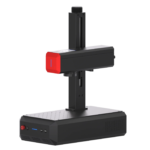
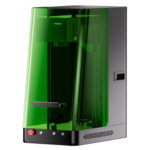
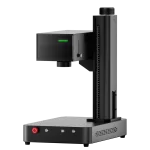
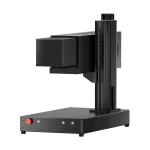
Choose a machine that meets the needs of 80% of your core business orders.
If equipment limitations are holding back your production, our Best Laser Engraver for Small Business in 2026: Complete Buying Guide & Machine Comparison explains how to match laser types to your materials, applications, and production goals.
Looking for New Customers? Try These Markets
If your existing products aren’t selling or you’re considering changing your business model, here are some markets worth exploring. Here are some markets worth considering and the engraving services you could offer them:
|
Customer group |
Potential engraving services |
What to research |
|
Local businesses and corporate buyers |
Branded merchandise, employee gifts, awards, nameplates |
Order quantities, budget, deadlines, artwork requirements, and reorder frequency |
|
Manufacturers and machine shops |
Serial numbers, part numbers, QR codes, data plates, component marking |
Material types, mark durability, readability, specifications, repeat volumes, and turnaround |
|
Wedding and event businesses |
Personalized gifts, guest favors, plaques, awards, decorations |
Seasonal demand, order sizes, design approval, lead times, and customization needs |
|
Pet owners |
Memorial items, keepsakes, customized accessories |
Buying occasions, preferred designs, acceptable pricing, and how customers discover products |
|
Golf clubs and pro shops |
Personalized golf club heads, ball markers, bag tags, and other golf accessories |
Local golf communities, tournament orders, customization demand, and suitable marking methods |
|
Schools, sports teams, clubs, bands, and local organizations |
Team gifts, plaques, trophies, branded merchandise |
Annual events, budget cycles, order quantities, personalization, and repeat opportunities |
For more ideas, check 19 Profitable Laser Engraving Business Ideas Most Sellers Overlook
Quick Decision Guide: How to Decide Your Next Step?
Not enough customers? Validate demand, research new markets, and improve your marketing before investing in more equipment.
Getting orders but making little profit? Review your pricing, labor costs, design time, rework, and production workflow as a whole.
Can’t deliver the results customers want? Test whether process adjustments can solve the problem. If not, consider equipment better suited to your applications.
Have more orders than you can handle? Evaluate cycle times, batch sizes, labor requirements, and machine capacity to see whether upgrading would improve profitability.
Final Thoughts
A laser engraving business rarely fails for just one reason. Weak demand, low pricing, inefficient production, and the wrong equipment can all affect profitability. The key is to identify your biggest bottleneck before investing more time or money.
Start by validating demand, differentiating your offer, calculating the full cost of each job, and building a reliable way to attract and retain customers. Then identify whether your biggest constraint is demand, profitability, workflow, or equipment capability.
When equipment becomes the limiting factor, choose a laser that matches your most common materials, applications, and production needs.
Explore ComMarker’s laser engravers to compare laser solutions and find equipment that fits your business goals.
Related Articles:
 How to Promote Your Small-Scale Laser Engraving Business: Effective Marketing Strategies
 How to Make Leaf Portraits: Secrets of Leaf Carving Business
 What Jewelry Can You Make with a Fiber Laser Engraver? Ultimate Guide for Jewelry Stores
 Best Laser for Metal Jewelry Engraving: Which One Makes the Most Money in 2026?