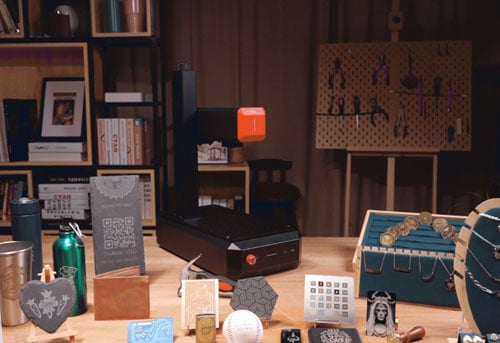
Setting the correct parameters is one of the most important steps in UV laser engraving—especially when you work across materials like glass, metal, acrylic, plastics, leather, stone, or food.
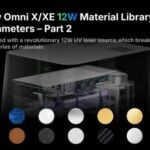
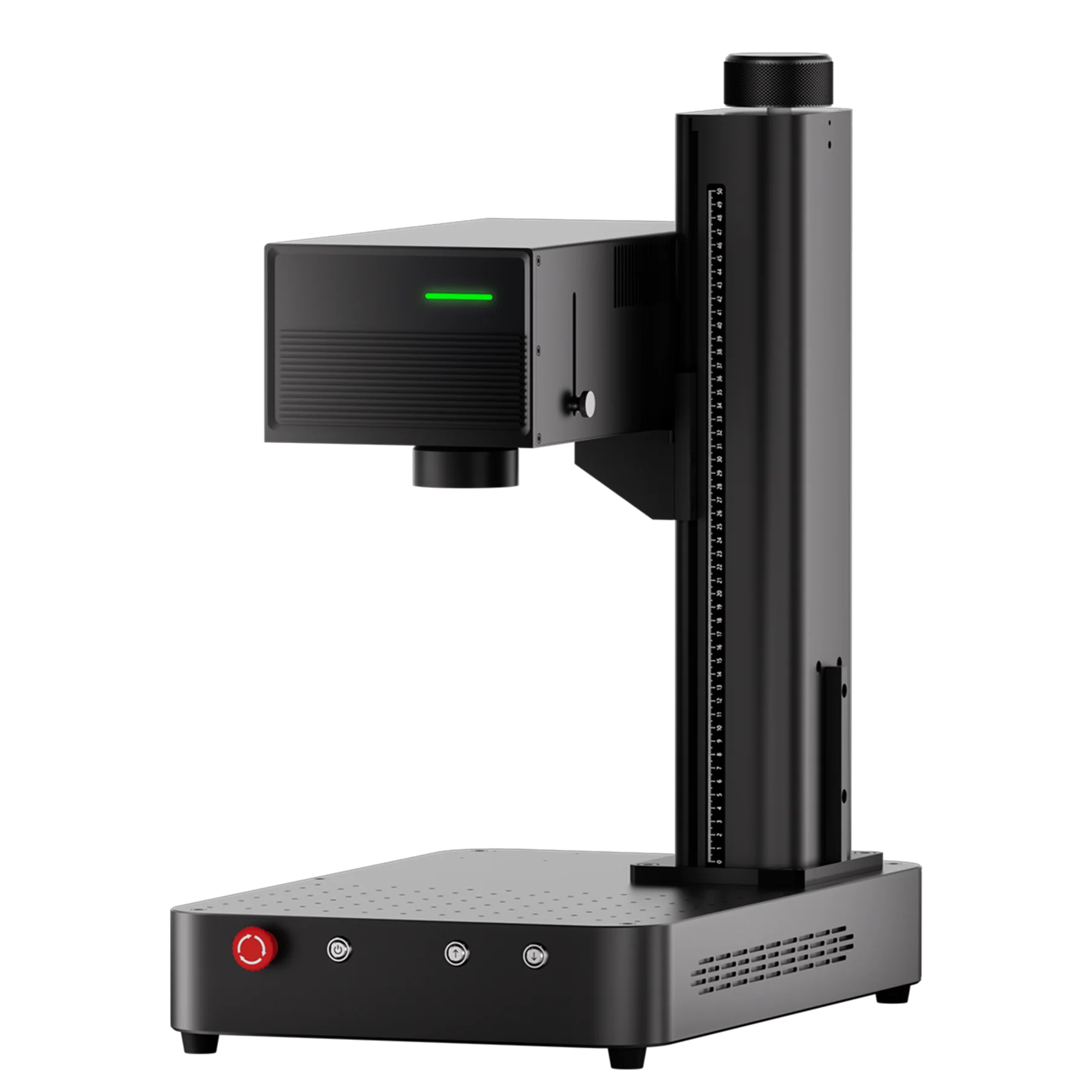
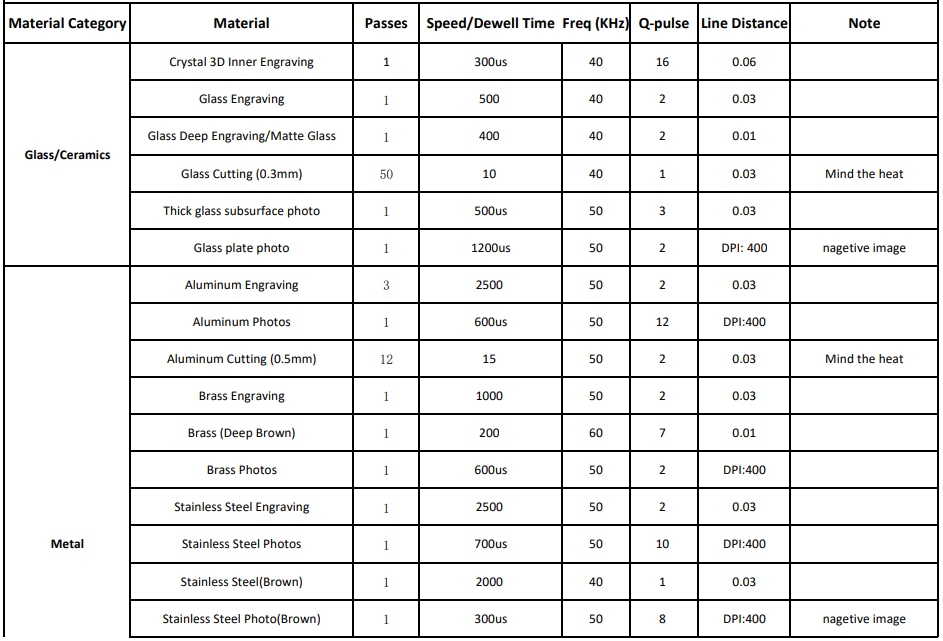
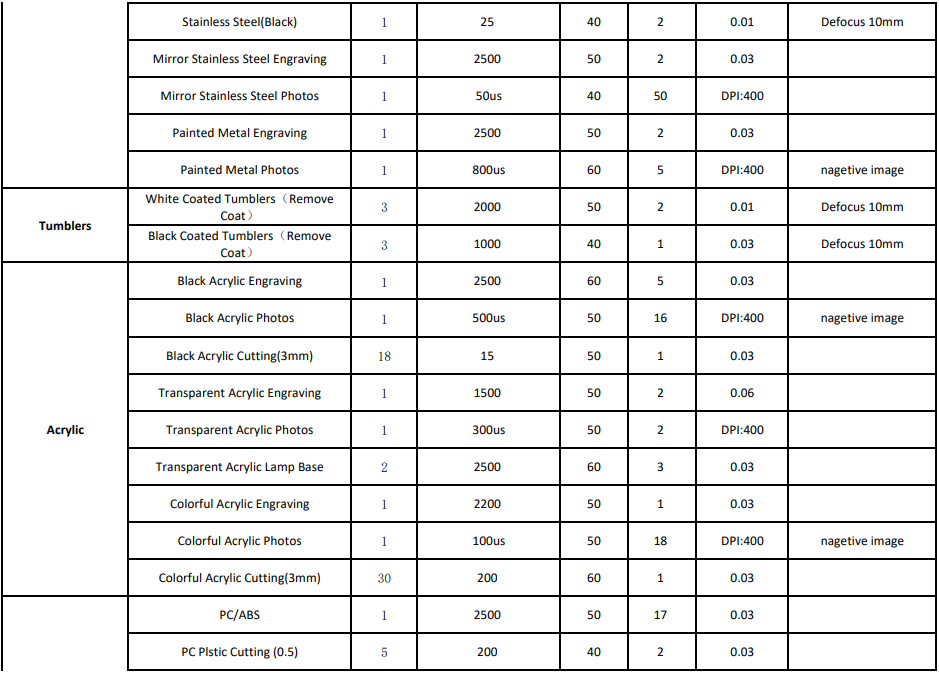
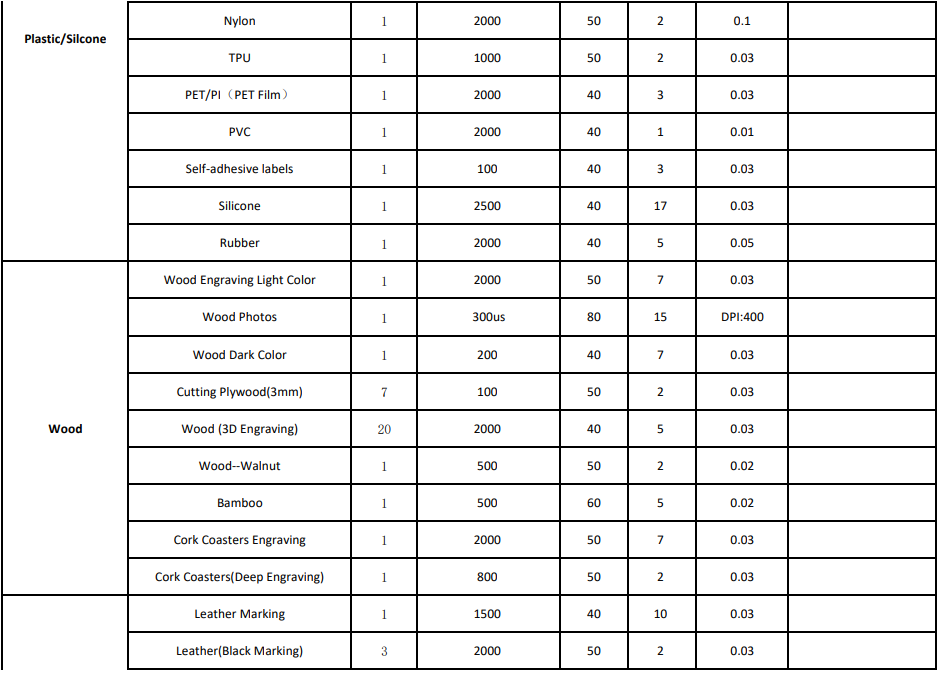
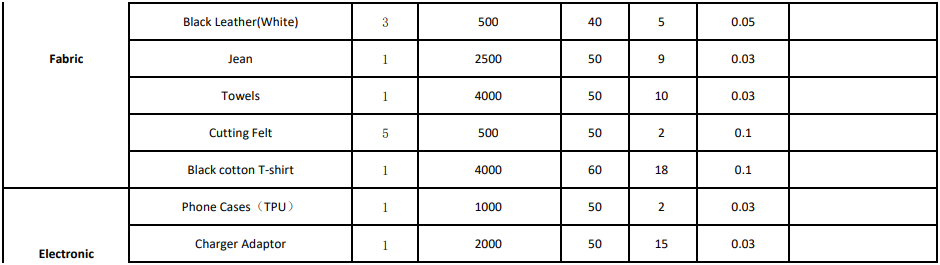
To help creators achieve consistent, high-quality engraving results, we are releasing the official ComMarker Omni X/XE 12W – 70×70mm Field Lens Material Library, which provides recommended settings for over 20+ material categories. This guide explains how to use the material library, what each parameter means, and how it improves your engraving workflow.
What Is a Laser Engraving Material Library?
A material library is a predefined set of engraving parameters optimized for specific materials. Instead of manually testing multiple settings, you can input the recommended values and get highly consistent results on:
-
Metal (stainless steel, brass, aluminum)
-
Glass & crystal
-
Acrylic (black, transparent, colored)
-
Plastics & silicone
-
Wood & bamboo
-
Leather & fabric
-
Stone & slate
-
Food, sports goods, electronic accessories
This saves significant time and reduces the chance of overburning, under-marking, or damaging the material.
What Parameters Are Included in the Omni X/XE 12W Material Library?
The material library includes highly detailed settings tailored to the Omni X/XE 12W UV laser with the 70×70mm field lens, including:
-
Speed / Dwell Time
-
Frequency (kHz)
-
Pulse width (Q-pulse)
-
Line distance
-
Recommended passes
-
Special notes (defocus distance, DPI, heat warnings)
Example materials and parameters (from the official library):
Glass / Crystal
-
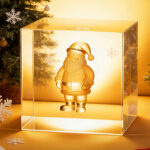
Crystal 3D inner engraving → 300 µs, 40 kHz, Q-pulse 16, line distance 0.06
-
Thick glass photo engraving → 500 µs, 50 kHz, Q-pulse 3
Metal
-
Aluminum engraving → 2500 speed, 50 kHz, Q-pulse 2
-
Stainless steel black marking → Defocus 10mm
Acrylic
-
Black acrylic photos → 500 µs, 50 kHz, DPI 400
-
Transparent acrylic photos → 300 µs, Q-pulse 2
Wood
-
Light wood → 2000 speed, 50 kHz, Q-pulse 7
-
Walnut → 500 speed, Q-pulse 2
Leather & Fabrics
-
Leather marking → 1500 speed, Q-pulse 10
-
Black T-shirt → 4000 speed, 60 kHz
This level of detail ensures reliable performance without guesswork.
How to Use the Material Library in ComMarker Studio
Once the library file is published, you will be able to:
1. Download the Material Library
2. Apply Recommended Parameters
-
Speed / dwell time
-
Frequency
-
Pulse width
-
Line distance
-
Pass count
-
Special notes (defocus, DPI)
3. Run a Preview & Test Sample
Even with optimized parameters, we recommend running a small preview (especially on coated metals or thin acrylics).
Why a UV Laser Needs Precise Material Parameters
UV laser engraving behaves differently from fiber or diode lasers.
A UV beam:
-
Is highly absorbed by transparent materials
-
Creates extremely fine micro-details (0.0019 mm spot)
-
Engraves with minimal heat impact
-
Can engrave photos, inner glass images, micro-text, high-contrast metals
Because of this precision, incorrect settings can easily lead to:
-
Over-frosting
-
Insufficient marking
-
Burn marks on plastics
-
Deep cracks in glass
-
Melting on acrylic
-
Overheating on metals
This is why a professional, pre-tested material library is essential.
Upcoming Release: Omni X/XE 12W 250×250mm Material Library
After releasing the 70×70mm lens library, we will also publish the full 250×250mm lens material library.
The parameters for the larger field lens will differ due to:
-
Lower energy density
-
Larger spot size
-
Larger engraving area
-
Different optimal DPI and line spacing
Stay tuned for this update if you’re using the 250mm lens for larger projects, signage, or production-scale engraving.
Conclusion
The new Omni X/XE 12W UV Laser Material Library (70mm) is designed to help creators, makers, and businesses achieve consistent, high-quality laser engraving results without time-consuming testing.
With precise settings for dozens of materials—from stainless steel and glass to acrylic, leather, wood, and even food—you can produce cleaner marks, sharper photos, and more reliable cuts across all supported materials.