A MOPA fiber laser can create blue, gold, purple, and other colors on stainless steel by controlling the oxide layer formed on the metal surface. Unlike standard fiber lasers, MOPA systems allow independent adjustment of pulse width and frequency, giving better control over color laser engrave on metal.
So how does it actually work?
What laser machines can produce color?
Which materials are suitable?
And how do you achieve stable, repeatable results?
In this guide, we will break down everything you need to know about color laser engraving. From the principle behind to practical steps for real production.
What Is Color Laser Engraving?
Two main physical mechanisms made laser engrave metal with color:
- The laser heats the metal surface in air, forming a very thin oxide film. Light reflecting from the top and bottom of this film interferes, enhancing some wavelengths and cancelling others.
- The surface develops periodic micro or nano scale features interact with visible light by diffraction and scattering. Creating structural colors that depend on the pattern’s geometry.
In many practical cases, the result is determined by the combination.
Why MOPA Fiber Laser Engravers Best for Color Engraving
Fiber Laser Engravers work at a wavelength that metals readily absorb. With MOPA system adjusting pulse width and frequency, they offer finer heat control than standard Laser Engravers. Therefore making stable, repeatable color effects on metals like stainless steel.
Check more about the difference between a Standard fiber laser and a MOPA fiber laser.
Meanwhile, Ultraviolet (UV) Laser Engravers can also produce simialr effect. Since their frequency and pulse can be adjusted to control laser beam, visible colors can be created on metal surface. Although they are not typically used for metal color engraving, and the result is less repeatable.
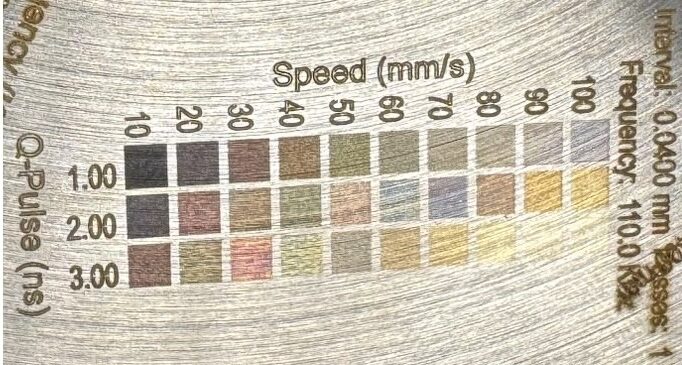
(ComMarker Omni 1 UV laser engraver color engraving)
CO₂ laser engraving machine use long wavelength that metals tend to reflect rather than absorb efficiently, while diode laser engravers typically have lower power and less precise beam quality. Therefore, these two laser types can’t provide metal engraving capabilities as strong as fiber laser systems.
MOPA Fiber Laser Stainless Steel Color Marking Settings
Color marking is not achieved by one universal parameter. Each stainless steel surface, lens, and machine requires testing.
The following settings are starting points for a ComMarker B6 60W MOPA Fiber Laser on 304 stainless steel.
| Parameter | Recommended Range |
|---|---|
| Power | 60% |
| Speed | 600–900 mm/s |
| Frequency | 135.0 kHz |
| Pulse Width | 8.00ns |
| Passes | 1 |
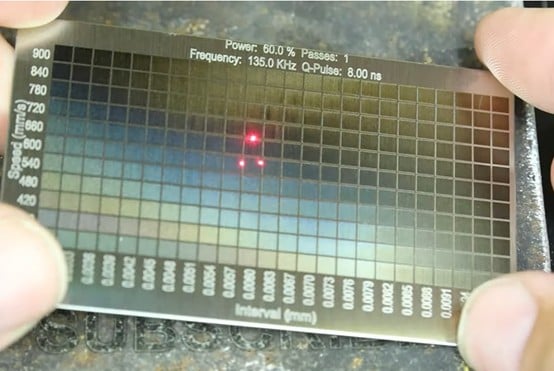
| Line Interval | 0.003-0.01(24 Columns) |
A test matrix is recommended before production because different combinations create different oxide thicknesses and therefore different colors.
How to Color Engrave Stainless Steel with a MOPA Fiber Laser
Step 1: Choose the Right Material
For reliable color laser engraving, select metals that form stable oxide layers. The most suitable material is 3mm thick stainless steel sheets, but you can also choose from below:
Best Choices:
Stainless Steel: Produces vibrant, repeatable colors; mirror or polished finishes work best.
Titanium: Highly heat‑reactive, wide color range, ideal for jewelry or high-end metal items.
Limited or Unstable Materials:
Aluminum: Hard to produce oxide colors; better for deep or white engraving.
Copper & Brass: High thermal conductivity makes color control difficult.
Plastics, Glass, Stone: Cannot form oxide colors naturally without laser ink.
Tip: Always use clean, oil-free, smooth surfaces for consistent results.
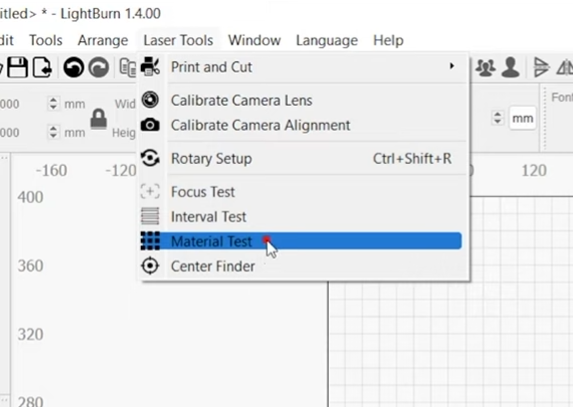
Step 2: Create a Color Test Matrix
- Engrave a grid of color engraving parameter using material test.
- Record the parameters of the colors you desire.
This becomes your reference color chart for future projects.
 |
 |
Step 3: Prepare Your Design in Layers
Import your vector design into LightBurn. Separate the design areas into different layers in your laser software.
Tips: A vector file is a type of image made of lines and shapes. You can make one by drawing or tracing your design in a program like Inkscape (free) or Adobe Illustrator and then saving it as SVG, AI, or DXF so your laser software can read it.
Step 4: Input the laser engraving settings to each layer
Apply the selected color settings from your test grid to each layer accordingly.
- Power (percentage)
- Frequency (kHz)
- Pulse width (ns)
- Passes
- Speed (mm/s)
- Interval (mm)
Even small changes can shift colors dramatically.
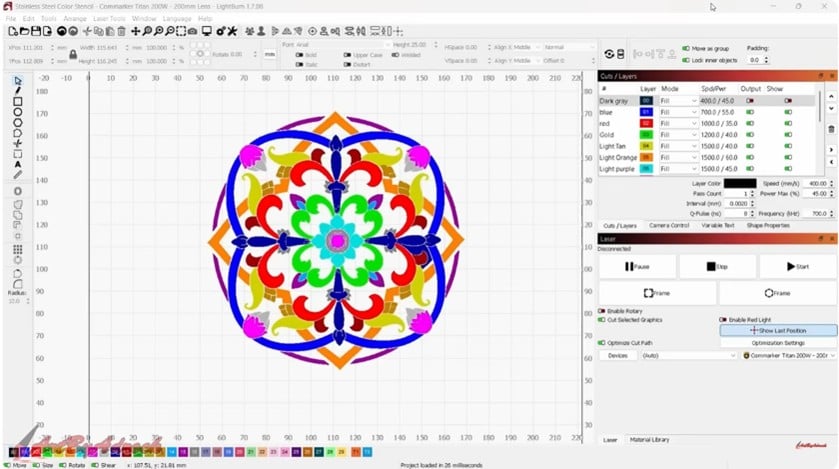
Step 5: Engrave & Evaluate
- Ensure proper focus
- Keep material level and steady
- Maintain stable environment temperature
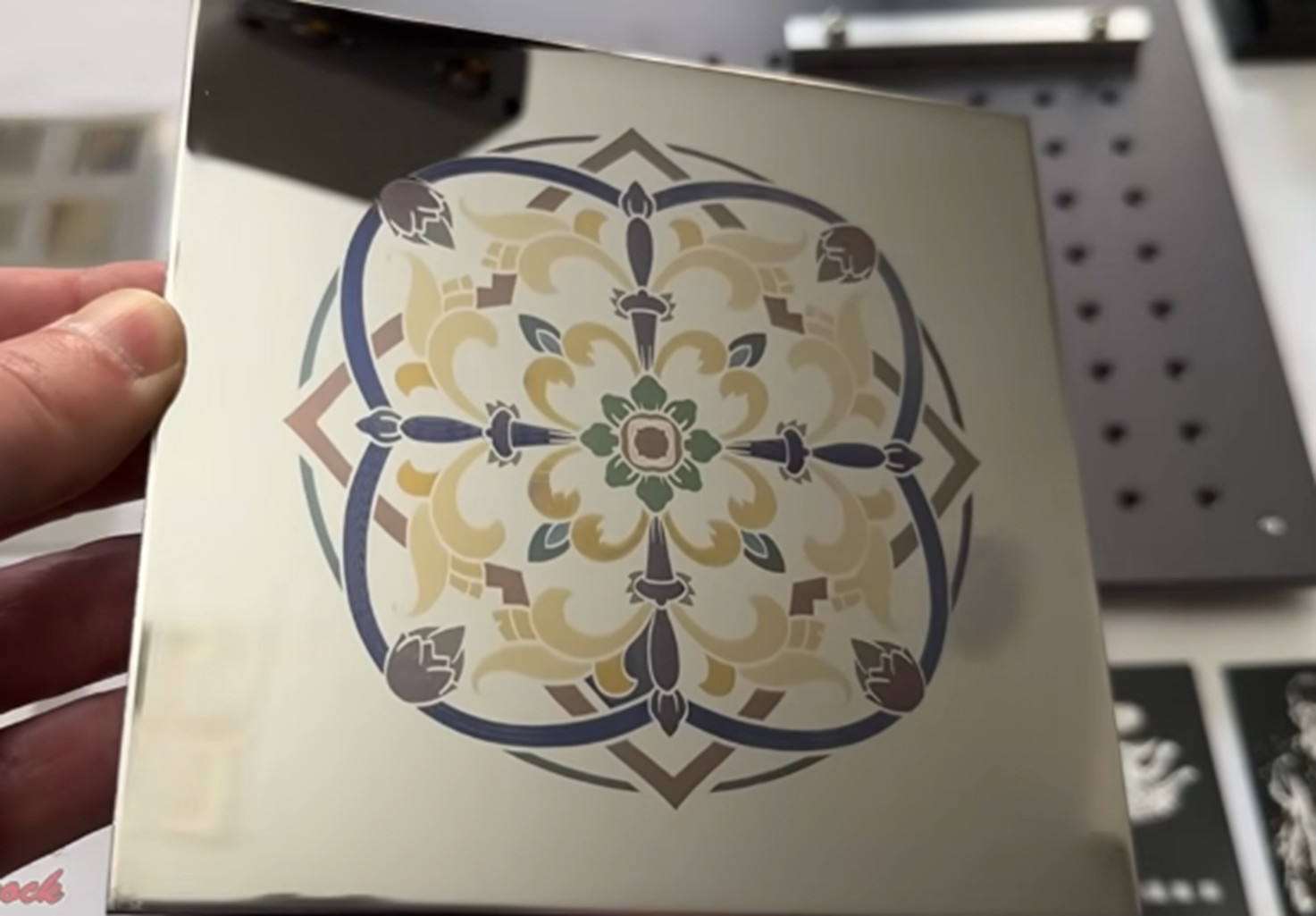
After engraving, allow the workpiece to cool down before picking it up.
How You Can Use Color Laser Engraving in Your Business
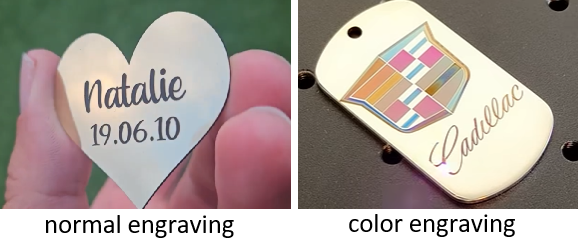
Color engraving metal is more than just a gimmick. You can make:
- Premium branding plates
- Custom jewelry
- Industrial tags
- Consumer electronics
The more you can offer, the more chance you can get orders and gain profit.
Recommended Machine for Stainless Steel Color Marking
For repeatable stainless steel color marking, a MOPA fiber laser with adjustable pulse control provides better heat management and parameter flexibility than a standard fiber laser.
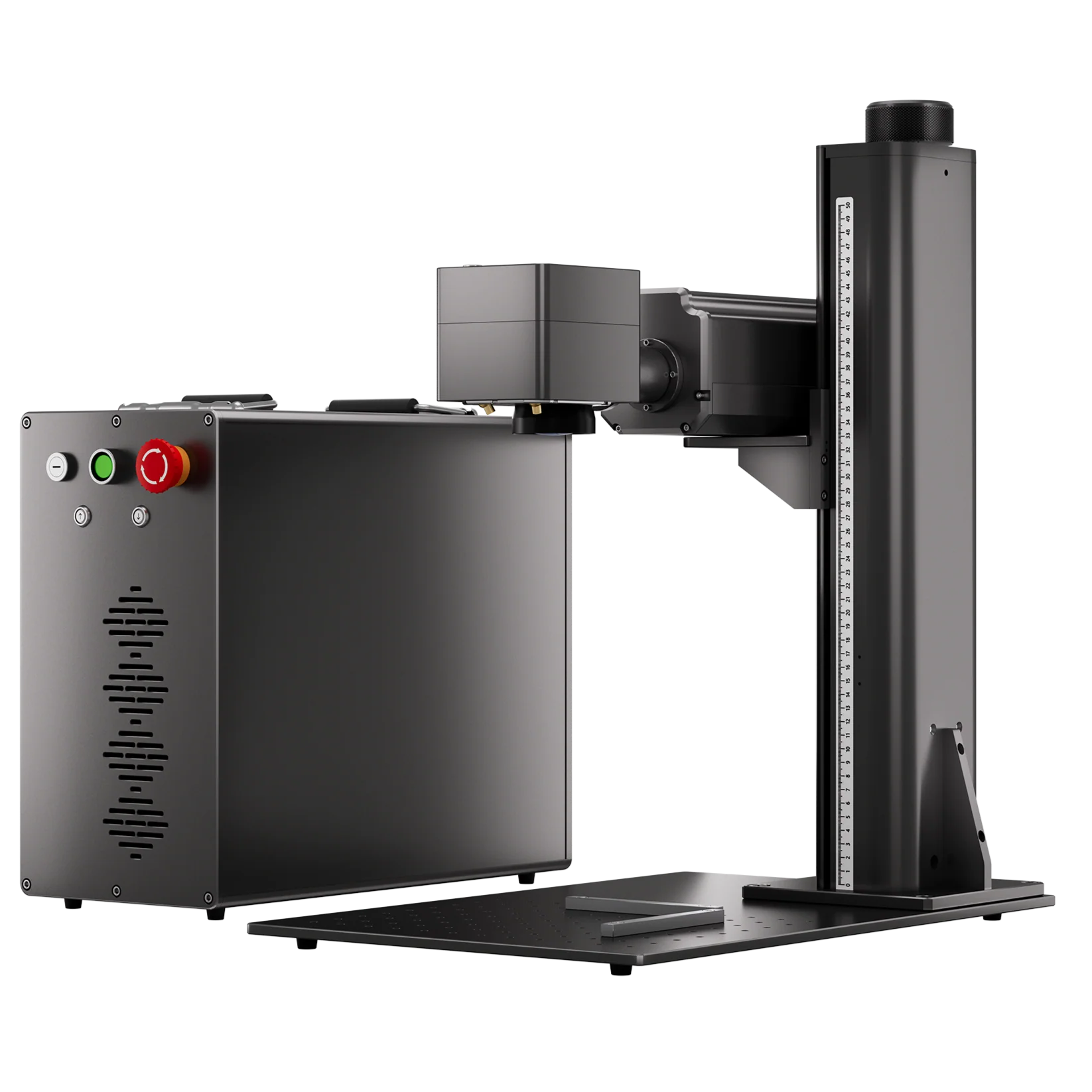
ComMarker B6 MOPA Fiber Laser Engraver: Better Control for Metal Color Marking
Key features that make the B6 MOPA suitable for stainless steel color marking:
• Adjustable Pulse Width & Frequency for Color Testing
The JPT MOPA laser source allows independent adjustment of pulse width and frequency, helping users control heat input and create different oxide layers for color effects on stainless steel.
• 60W Power for Color Marking & Deep Metal Processing
The B6 60W MOPA combines color marking capability with deep engraving performance, allowing businesses to handle stainless steel color marking, metal engraving, and other applications with one machine.
• Precision Galvo System for Detailed Color Designs
A precise galvo scanning system helps maintain consistent line spacing and clean edges, which is important for detailed logos, patterns, and filled color areas.
For larger industrial applications requiring higher power for deeper engraving and metal processing, the ComMarker Titan MOPA Fiber Laser provides additional capability.
Final Takeaway: Ready to Bring Color to Your Metal Engraving Works?
MOPA fiber laser color marking stainless steel is not simply about increasing laser power. The key is controlling heat precisely through pulse width, frequency, speed, and power adjustments.
With proper parameter testing, a MOPA fiber laser can transform ordinary stainless steel into premium, colorful products.