If you are looking for a new laser engraver, or you already own one but feel limited by its capabilities, you’re not alone.
Many hobbyists and small laser engraving business start with a simple diode laser engraver. As the business grow, you may notice slower processing, burn marks, or other quality issues.
Problems that can frustrate both you and your customers.
When considering an upgrade, you might wonder what machines others have chosen. The problem is, every user has different needs and upgrade paths.
How do you know which laser engraver is the best fit for your workflow?
In this guide, we’ll cover all laser engraver upgrade info you need to know. Including laser type, power, working area, and other key features of what to look for when buying a laser engraver.
So you can find the best laser engraver that truly supports your own business growth.
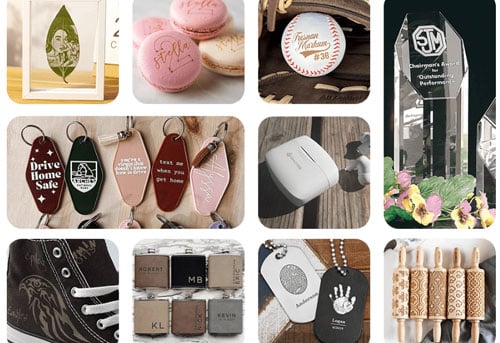
1.Why Consider a Laser Engraver Upgrade?
Before diving into the sea of fancy laser engravers on Amazon, it’s important to understand why your current machine might be holding you back:
- Material and Quality limitations: Your current system may struggle with glass, wood, metal or some specific materials that customers bring. Leaving burn marks, lack of detail or inconsistent results.
- Limited Working Area: Small workspaces may force you to split larger projects into multiple sessions or even decline certain orders
- Slow Production Speed: A 20W fiber laser engraver spends hours cutting metal. Entry-level diode systems run below 500–800 mm/s. As batch orders increase, slow processing speed limit business growth.
- You need more function for orders: If customers request batch items, 3d inner glass engraving, or industrial-grade marking but your current machine can’t support this.
A successful laser engraver upgrade can improve material compatibility, production speed, and engraving precision, helping your business or hobby handle bigger or more complex jobs.
2.So, What Kind of Laser Engraver Do You Actually Need?
An upgrade isn’t about buy laser engraver. It should solve the actual production limitation and bring more opportunities. Below are the most common upgrade paths.
UV Laser Engraver (High Precision for Various Materials)
UV lasers use a cold marking process which breaks molecular bonds with ultra-short wavelengths. That means No burn marks on wood, Clean marks on acrylic, No uneven cracks on glass.
When Is UV laser engraving machine the Smart Investment?
A UV laser engraver is ideal if you want to:
- Offer photo-quality engraving
- Expand into premium product market
- Work with delicate materials (glass cups, leather wallet, coated metal tumblers, plastics)
- Need consistent, repeatable results across different materials
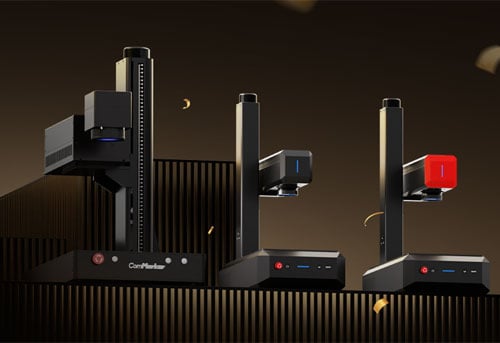
What Makes the UV Laser Engraver ComMaker Omni X Series Stand Out for best UV laser engraver?
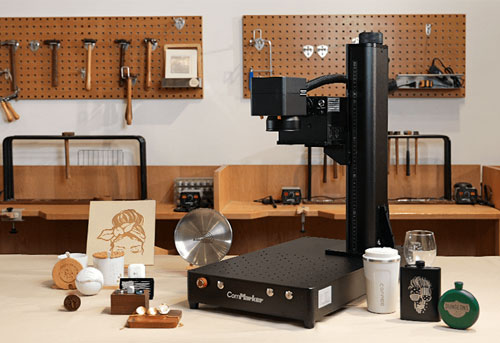
16K Ultra-HD Engraving Precision: With a 0.0019mm laser spot size and Zeroburn™ technology, it delivers ultra-clean engraving for fine photo details and micro text. Perfect for luxury product customization.
25× Faster Production Speed: Powered by a galvo system reaching up to 10,000mm/s, it reduces production time compared to typical 400mm/s diode machines.
Surface & Inner Glass Engraving: Create high-margin crystal and glass designs. Including internal 3D engraving that standard laser engravers cannot achieve.
1500+ Material Compatibility: From everyday items to specialty materials, UV technology expands your service offerings without needing multiple machines.
Fiber Laser Engraver (Built for Metal Cutting & Marking)
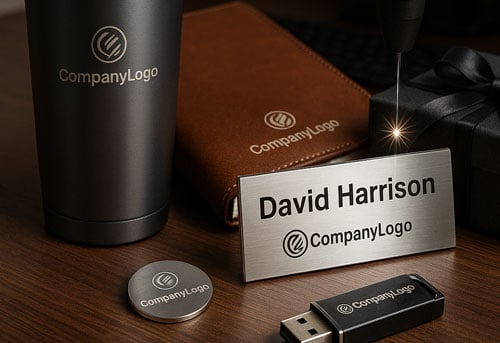
If your orders are shifting toward metal tasks, such as Stainless steel tags with names & QR codes, Aluminum plates, challenge coin laser engraving, or material cutting job, then choosing a fiber laser engraver for metal is the right path to extend your capability.
Should I upgrade to a Fiber laser engraver? Yes if you need:
- True Metal Marking Power: Offers Deep metal engraving, High-contrast industrial marking, and Long-lasting compliance marks.
- Batch Production: With engraving speed up to 15,000mm/s, you get higher profit margin by fulfilling bulk orders like laser engraved cattle tags, or industrial labeling.
- Heavy Metal Cutting Ability: A 100W fiber laser can cut 0.5mm stainless steel in 10sec but a 5W UV laser engraver may take over an hour. If you’re making item from metal sheets, fiber dramatically improves efficiency.
- Fiber vs MOPA: MOPA fiber lasers add pulse control, deliver cleaner finish and Color marking capability, but at a higher investment.
Why Choose the ComMarker B6 MOPA fiber laser engraver?
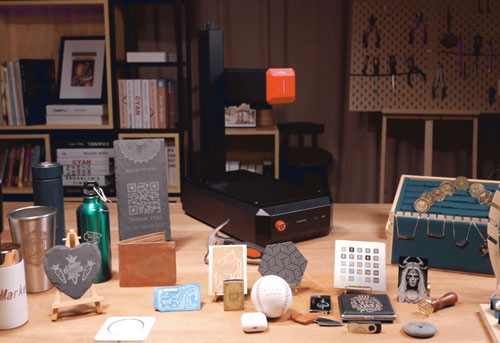
Compact desktop size: Weight from 13.5kg, delivering industrial fiber performance in a portable desktop format.
Color Marking Ability: Advanced MOPA pulse control allows B6 to offer high-contrast color marking on metal, enabling more product opportunities.
Auto-Focus Technology with LED Touch Screen: Ensures fast setup, precise calibration, and consistent professional results even for laser engrave beginners.
15,000mm/s SpeedMax™ Engraving: High-Speed Galvo System increases production efficiency, allowing you to complete more jobs in less time.
CO2 Laser Engraver (Best for Organic Materials & Large Format Work)
If you are receiving more orders on wooden door plate, batch acrylic keychains and leather patche, CO2 laser engraver is the correct option.
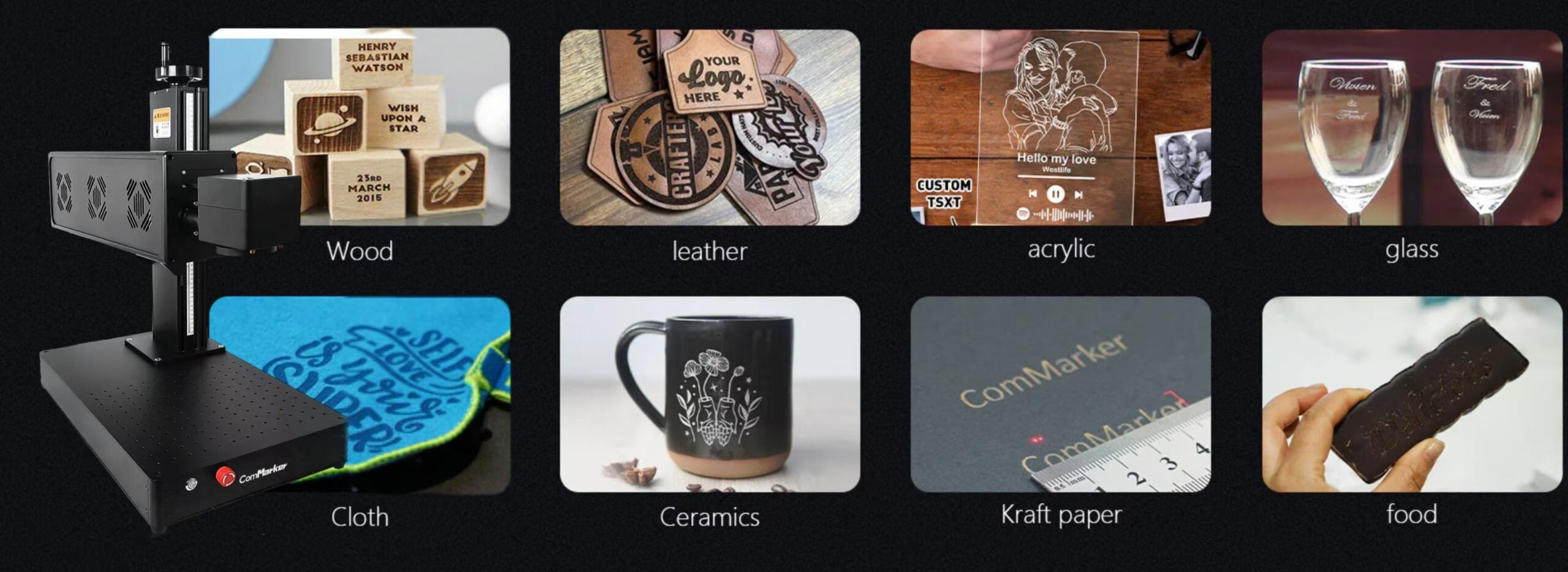
Upgrade to a CO2 Laser Engraver if you need:
Strong Cutting Capability on Non-metal Materials: CO2 laser engravers can cut thick wood (1~3mm) and transparent acrylic with smooth edge.
Large Work Areas: Expandable with gantry systems for bigger projects.
Batch Production Friendly: Perfect for wood and acrylic keychains.
Diode Laser Engraver (Great for Everyday Projects and Budgets)
If you’re just getting started or working with tight budgets, a second diode laser engraver can increase productivity.
Why Choose a Diode Laser Engraver?
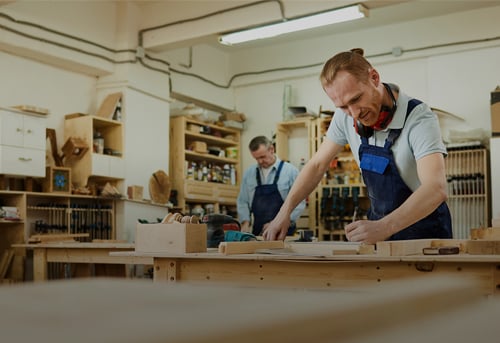
Portable and lightweight: Easy to fit into home workshops or small studios.
Operating two Machines Same Time: Double production efficiency.
3.Power Upgrade Matters more When
If you’re running a business, choose laser power that aligns with your production goals when:
Batch Production or Cutting Too Slow: Increase wattage to finish single job faster by taking fewer engraving passes.
Need Deeper Engraving: Chop more unwanted pieces every single pass.
For example:
5w vs 10w laser engraver: Cutting an 8mm basswood board with a 5W UV laser engraver takes twice as long as a 10W model uses.
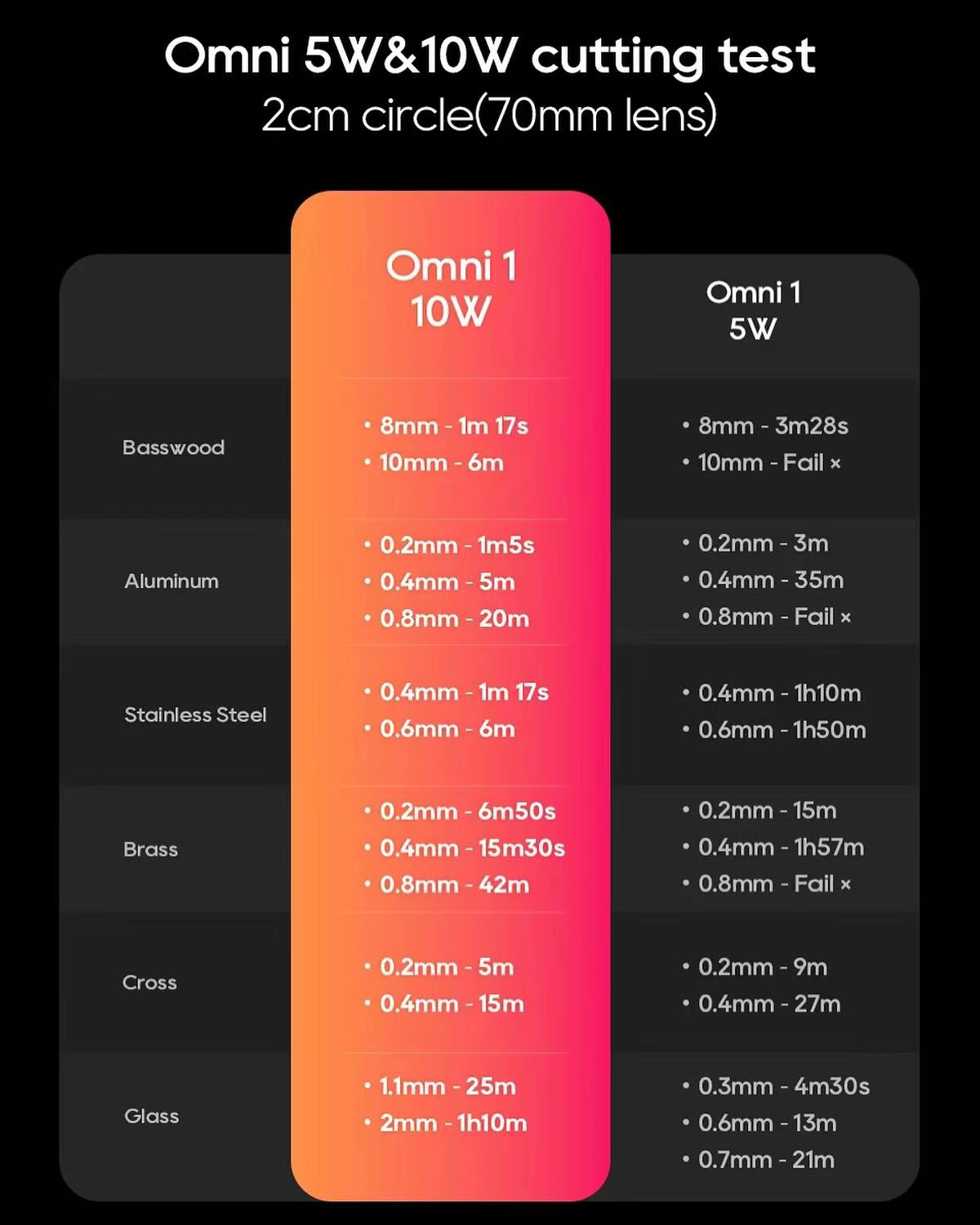
For diode or fiber upgrades, doubling wattage usually means fewer passes and there for shorter processing time. If you want to see how 20W, 50W, 100W, and 200W fiber laser engraver differ in speed, depth, and suitability for metal engraving, check this guide on how different fiber laser wattages affect engraving performance.
4.If you need larger Working Area, Mind these
Small desktop laser engravers are fine for personalized items, but large-format projects or batch orders need more room.
Laser systems affect working area
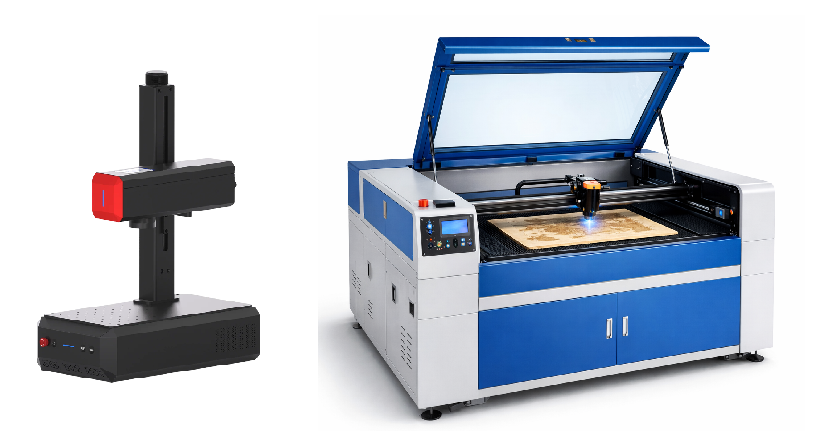
Gantry (X-Y) Systems:
Move the laser head across the bed. Therefore slow (600mm/s). but best for large orders. However, these machines takes spaces, handling 915 × 610 mm, but taking 1440 × 900 × 1048 mm room. Common for CO2 and diode laser machines.
Galvo Systems:
Use mirrors to redirect the laser beam. Best for speed (15000mm/s) and precision on small items. Perfect for small shops and home studio. With a slide extension, a 12w ComMarker Omni X can engrave 400*250mm with 500*310*670mm machine size. Mainly for UV laser engraver, fiber and some CO2 laser engraving machines. For a galvo laser, larger engraving areas require higher laser power to maintain strong, precise edges and avoid blur.
5.Upgrade Methods You can Choose
There are multiple ways for users to upgrade their existing laser engraver.
Upgrade Kit
Many users DIY-modify their machines and laser companies offer modules for customers.
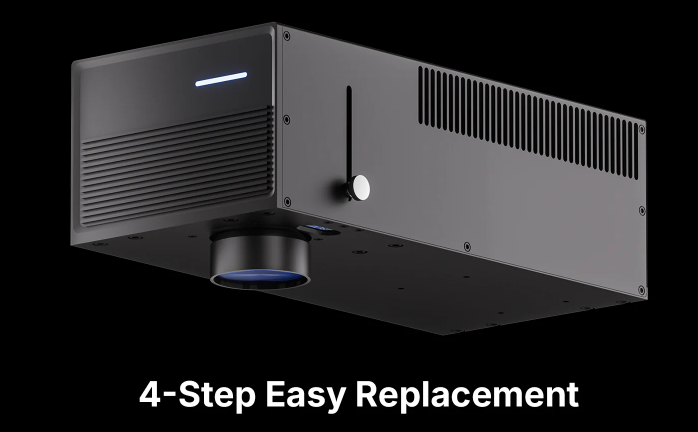
The ComMarker Omni X UV Laser Upgrade Kit allows users to upgrade from 6W to 12W with the original UV machine platform. Which gives the system higher power, cutting depth, and wider engraving area (150mm to 250mm).
Laser Engraver Accessories
You can add more capabilities to your existing machine with accessories.
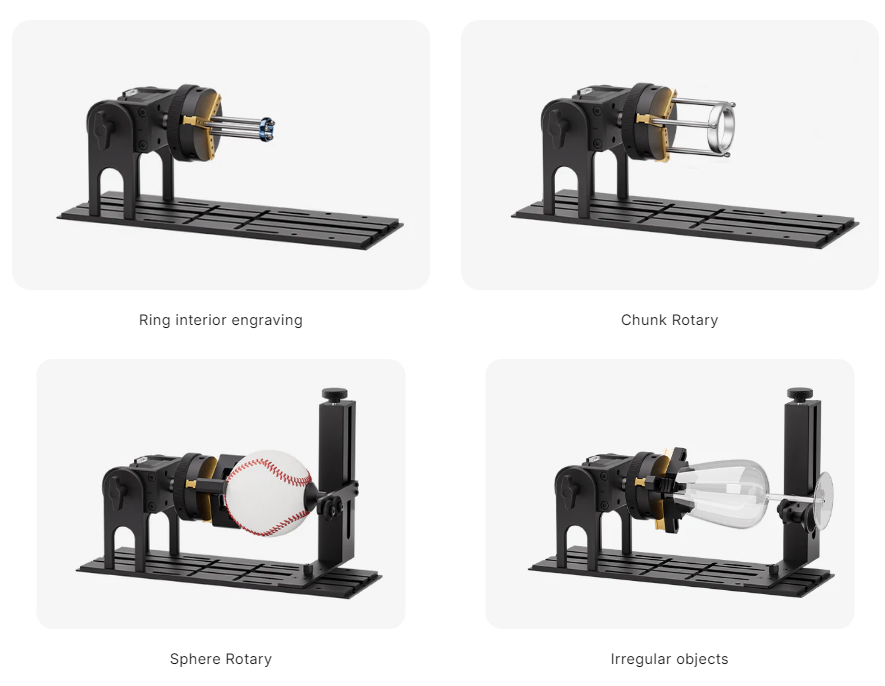
Rotary Attachment (From flat marks to 360° Engraving): A ComMarker R5 Multi‑Functional Rotary lets you engrave bottles, cups, balls, rings, and other curved objects.
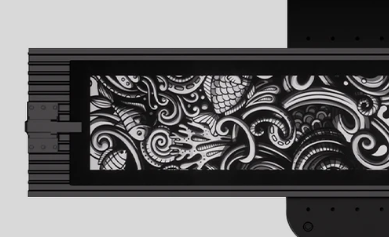
Slide extension (Roll as engraving works): The ComMarker Slide Extension expands the engraving area to 250%. Up to 250×400mm, ideal for long panels, industrial parts, and more.
or Invest in a New Machine
Having a second machine offers benefits that an add‑on kit or attachment can’t provide on their own:
- Larger work area, new material capability, faster processing speed and higher stability from a new laser type.
- Support for running two machines same time for higher productivity
6.Choose laser engraving software you are familiar with
This is an important but easily overlooked aspect when purchasing a machine.
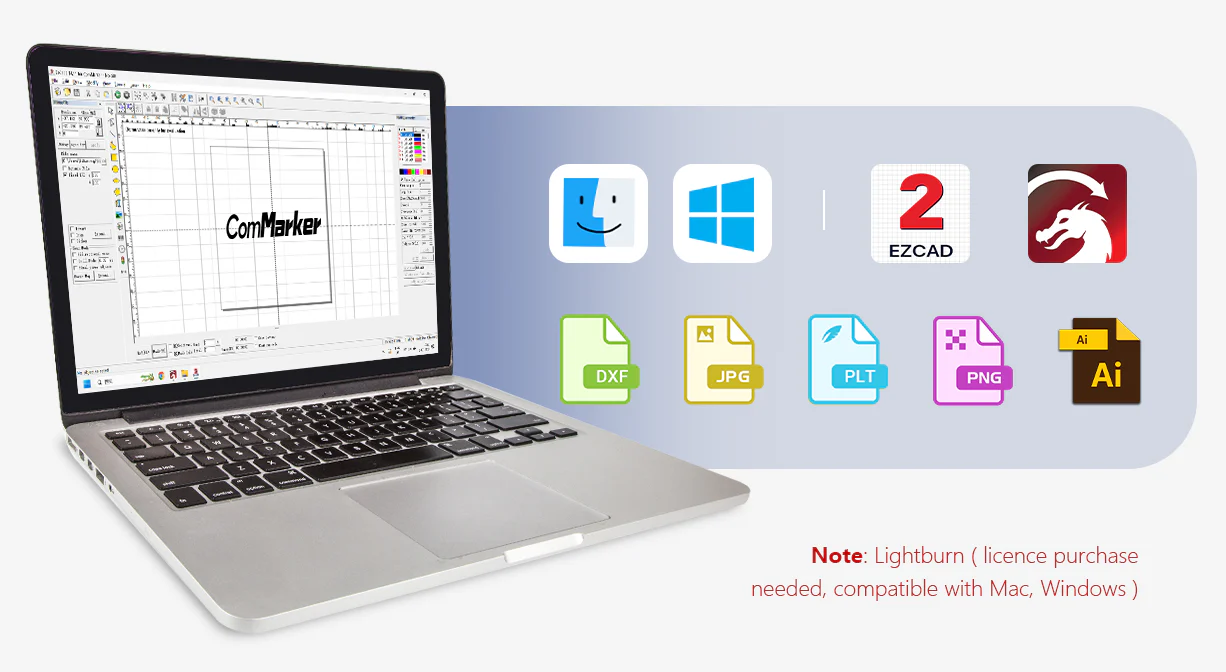
Choosing a machine that supports the software you are familiar with can shorten the break-in period for a new machine, allowing you to get into production faster.
All ComMarker models support the classic laser engraving software Lightburn, providing consistent user experience.
Meanwhile, laser engraver manufacturers are also developing their own software. You can download and familiarize beforehand to ensure you are comfortable with its operation.
7.Still Confused for which upgrade is right for your workflow?
Wondering between laser types:
UV lasers vs diode lasers: UV lasers excel at high-detail marking (small text, logos, and delicate materials), while diodes are budget-friendly and work well on wood, leather, and transparent acrylics.
UV lasers vs fiber lasers: If your work is mainly surface engraving on plastics, glass, and electronics, UV often wins for detail. For heavy-duty metal marking (0.5mm above), fiber laser engravers are stronger.
UV lasers vs CO₂ lasers: UV lasers can’t cut as thick but deliver cleaner, more precise marks on sensitive substrates compared to CO₂ laser engravers. Choose CO2 for thick wood and acrylic batch cutting.
Fiber laser vs CO₂ laser: For high-volume engraving of tumblers, or cutting wood items, CO₂ is safer and more versatile. For metal pieces or industrial parts, fiber lasers are the go-to choice.
Split fiber vs compact fiber laser: Compact fiber laser engravers are more portable, while split fiber lasers support higher power choices (up to 200w).
To make it even easier:
If you want crazy detail on plastics or glass: Go UV laser engravers
If you work mostly cutting wood and large acrylic: Choose CO₂ lasers.
If metal marking and cutting matters most: Select Fiber or MOPA fiber, especially if deep, permanent metal cutting are needed.
If you want budget versatility: A new diode machine, allows you to operate at double speed with two laser engraving machines.
Final Thoughts: Upgrade with Purpose, Grow with Confidence
Your laser engraver should never be the reason you turn down an opportunity.
When speed slows you down, materials feel limiting, or quality falls short of your expectations, it signals that a growth decision needs to be made.
The right upgrade expands what your business can achieve.
Upgrade when you are ready to move forward and choose equipment that keeps up with your ambition.