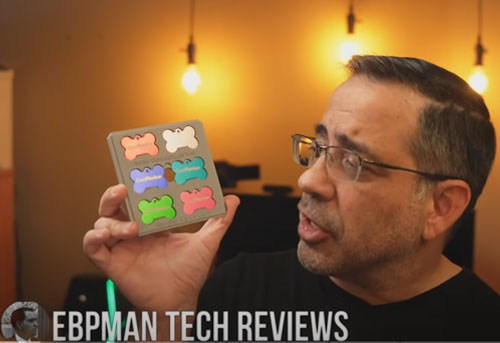
If you’ve been searching for a laser engraver that delivers ultra-fine detail, works on metal without prep, cuts cardstock cleanly, or even engraves 3D images inside glass, you’ve probably noticed more and more people talking about UV laser engraving.
But what makes UV lasers so different?
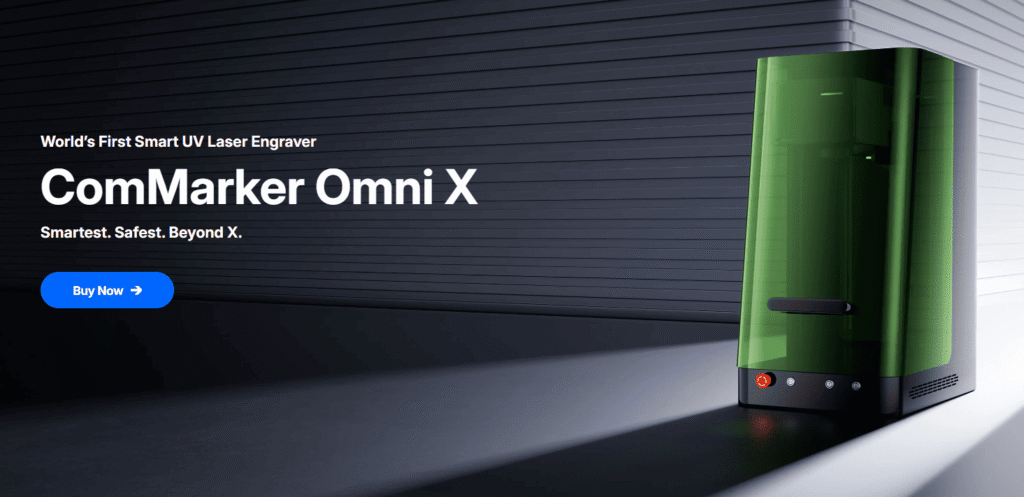
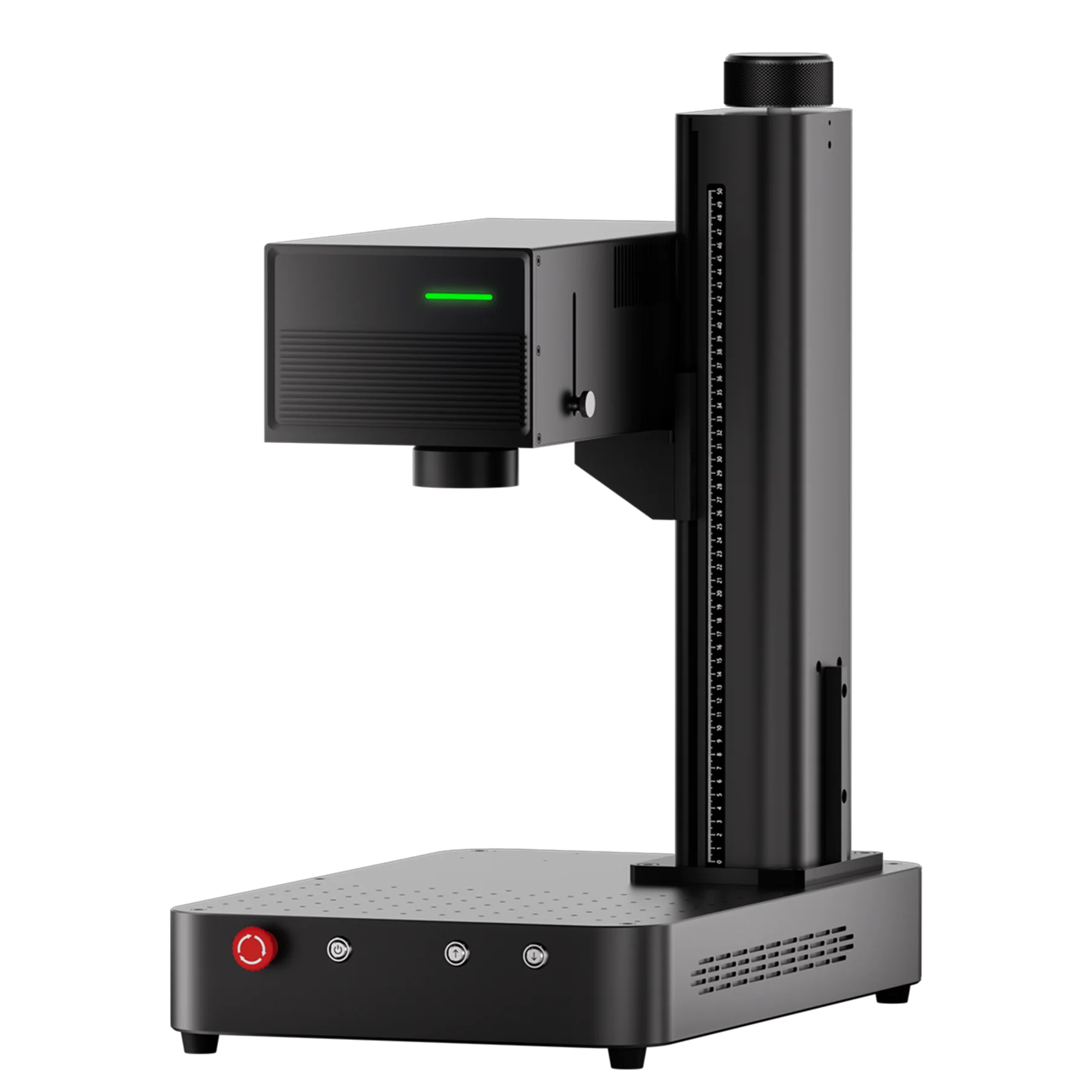
In this article, we break down the differences using real engraving results from the ComMarker UV XE, and compare those results directly with what you can expect from CO2, fiber, and diode lasers.
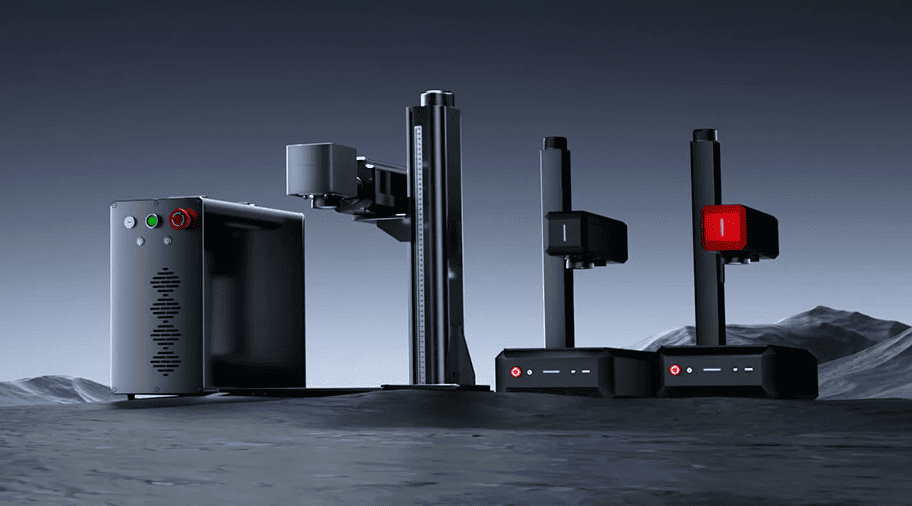
What Makes UV Laser Engraving Different?
Most beginners start with CO2, diode, or fiber lasers. But UV lasers operate on a completely different wavelength, and that wavelength changes everything.
Key advantages of UV laser engraving:
-
Cold marking = zero burning or charring
Perfect for wood, plastics, acrylic, and paper. -
No metal prep required
UV lasers engrave bare metal with crisp contrast. -
Extremely fine detail and sharp edges
Text and designs stay clean even at micro sizes. -
Compatible with more materials
Including many plastics other lasers melt or damage. -
3D sub-surface glass engraving
Something CO2, fiber, and diode lasers simply cannot do.
If you sell personalized items, create premium gifts, or need precise industrial marking, UV technology immediately stands out.
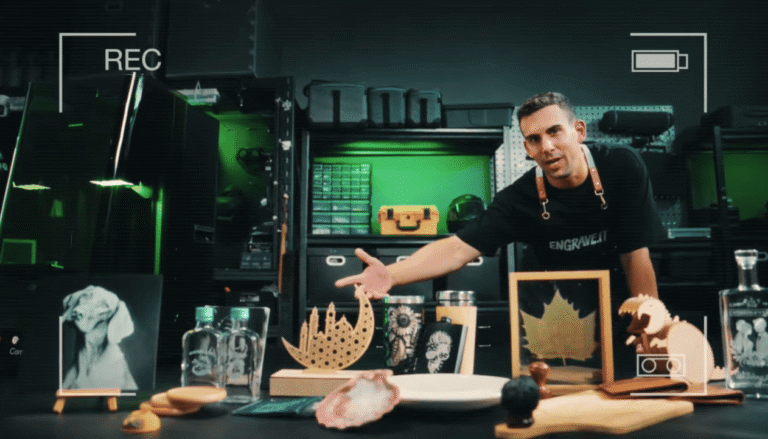
(Items Made with ComMarker Omni X UV laser engraver)
UV Laser Engraving on Metal: Real Results Without Prep
ComMarker Omni X Metal Engraving (No Prep Needed)
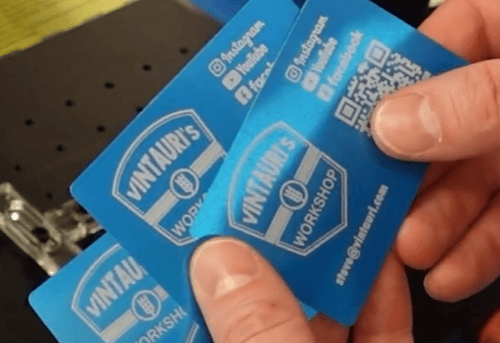
Engraving a metal business card took two seconds.
The lines were razor-sharp with flawless detail.
Perfect for:
-
Business cards
-
Dog tags
-
Tools
-
Knives
-
Jewelry blanks
UV lasers shine especially on polished or anodized metal.
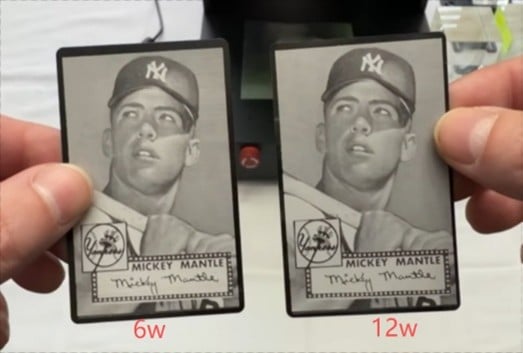
(6W and 12W UV laser engraved metal business card)
UV Laser vs Fiber Laser: Which Is Better for Metal Engraving?
If your primary goal is to engrave metal postcards, the ComMarker Omni X UV laser engraver uses a 0.0019mm laser spot size to provide 16K HD resolution.
Fiber lasers, on the other hand, have a 0.01mm laser spot size and offer 8K HD resolution.
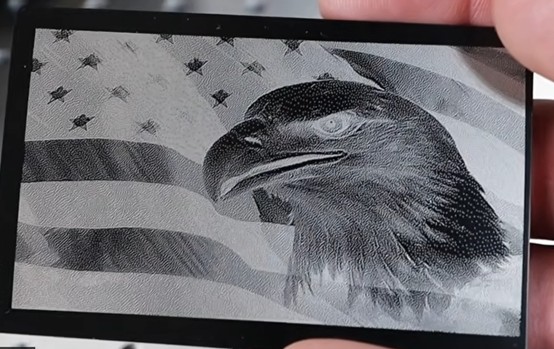
(fiber laser engraved metal business card)
When it comes to metal 3D engraving and metal cutting, fiber laser engraver is often the first choice for industrial production. They are fast, efficient, and excellent for deep marking on metal.
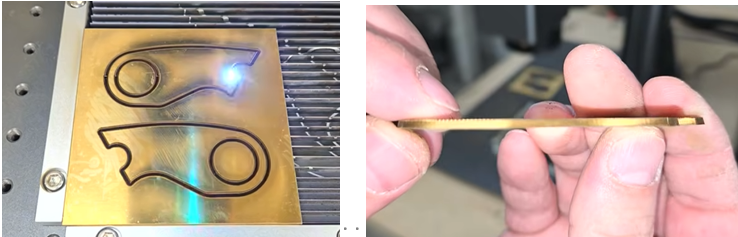
(ComMarker Titan fiber laser engraver cutting brass)
Wood Engraving and Paper Cutting:Clean Detail, No Burning
Because UV uses cold light, the machine engraves wood without dark burn marks.
Even tiny lines and textures look incredibly clean.
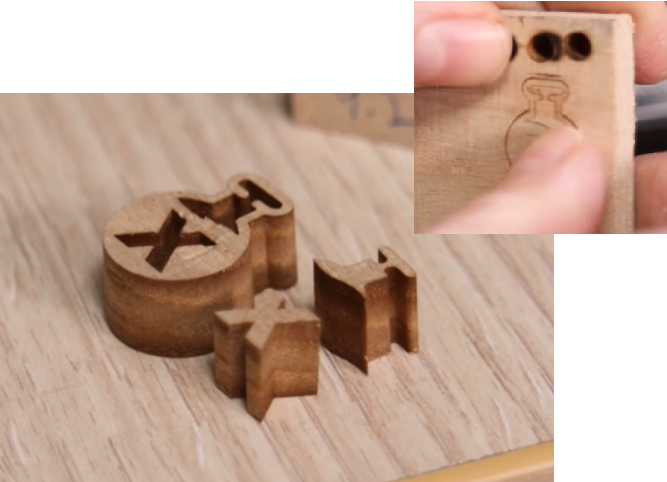
(9mm Paulownia wood laser cutting with 12w UV laser engraver)
The UV XE cut an intricate gatefold invitation in about 1.5 minutes—with no yellowing or melted edges.
This alone makes UV engraving ideal for:
-
Wedding invitations
-
Paper crafts
-
Pop-up cards
-
Detailed paper art
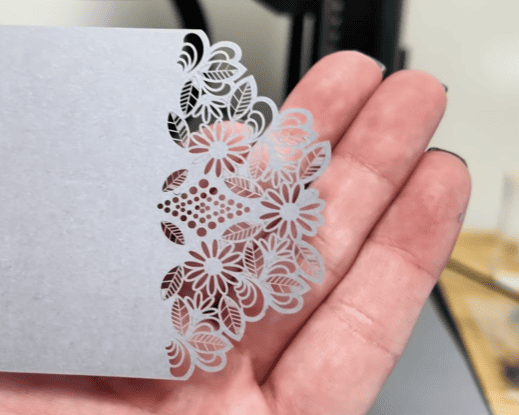
(ComMarker Omni XE UV laser paper cutting)
UV Laser vs Diode Laser: Is UV a Big Upgrade on Wood Engraving and Paper Cutting?
Yes, and for many users, it is a major upgrade.
Diode lasers are often a good starting point for hobby users, but they usually struggle with:
•Clean text
•Clean edges on delicate materials
•Consistent marking on challenging surfaces
•High-end finish quality
UV lasers deliver much sharper results and more reliable engraving quality. If you are moving from a diode machine and need better detail or more material flexibility, a UV laser can make a noticeable difference.
UV Laser Engraving on Ceramics
I tested large ceramic plates, and the clarity was stunning.
UV engraving maintains high contrast without melting or cracking the glaze.
If you customize gifts or kitchenware, this is a major selling point.
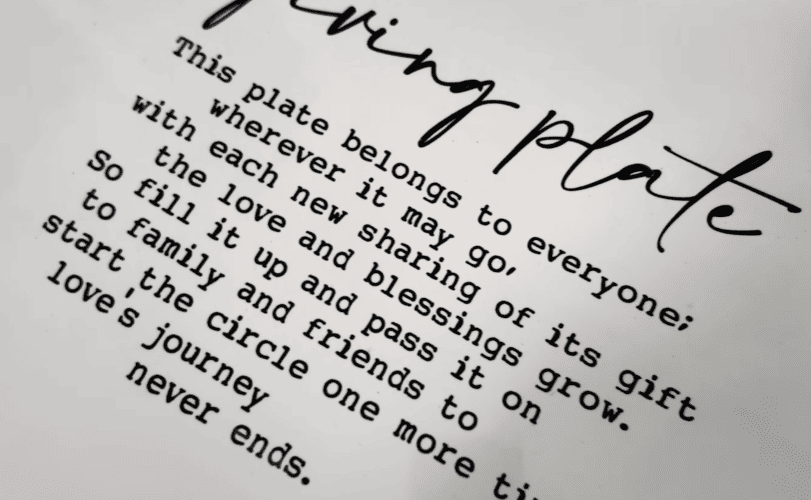
(UV Laser Engraving on Ceramics with paint)
UV Laser vs Fiber Laser: Which Is Better for Ceramics Engraving?
ComMarker Omni X UV laser engraver can perform fine engraving on ceramic surfaces with minimal damage.
If you want to engrave detailed patterns on mugs or coffee cups,UV laser engravers are the ideal choice.
However, if you want to engrave large areas of ceramic or even do 3D laser engraving to create reliefs, fiber laser engravers are faster and more powerful.
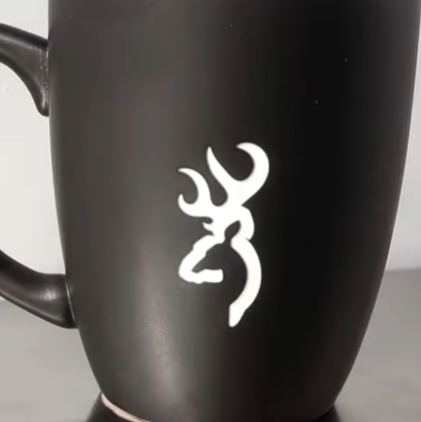
(ComMarker fiber laser engrave Ceramic)
The Feature No Other Laser Can Match: 3D Glass Crystal Engraving
Here’s the feature most makers never get from any other laser:
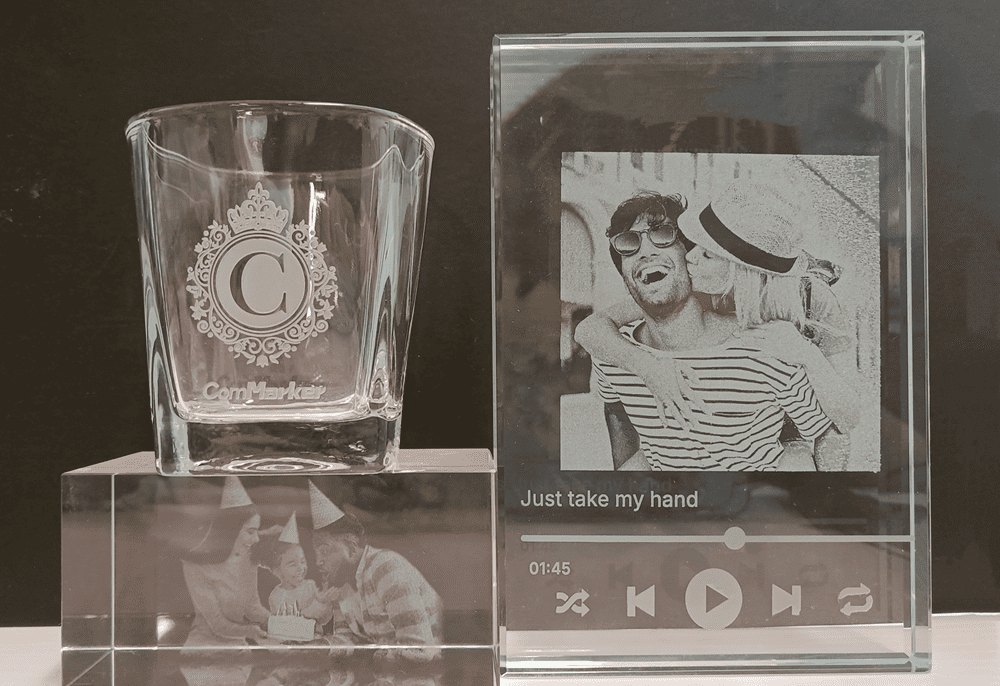
engraving a 3D image inside a solid glass block.
This is the same technique used by mall kiosks that charge $200–$300 per photo crystal.
The steps are surprisingly simple:
-
Import an STL 3D file
-
Measure the glass cube
-
Set X/Y/Z values
-
Focus → Preview → Start
The UV XE engraves the image beneath the surface of the glass, forming a stunning floating 3D portrait.
UV Laser vs Fiber, diode and CO2: Which Is Best for Glass Engraving?
For glass engraving, the main difference between laser types is detail, engraving method, and whether they can work inside glass.
UV lasers are the best choice for photo engraving. They can engrave directly on and inside glass, enabling high-detail images and even 3D subsurface engraving with minimal heat and no coating.
CO2 lasers are limited to surface etching, creating a frosted look suitable for logos but not detailed photos.
Fiber and diode lasers require coatings and only support basic surface marking, with lower clarity and no internal engraving capability.
For professional glass photo engraving, UV is the clear winner.
Check detailed comparison of how different laser type perform on glass at: What is the Best Laser Engraver for Glass Photo Engraving: UV vs CO2 vs Fiber vs Diode→
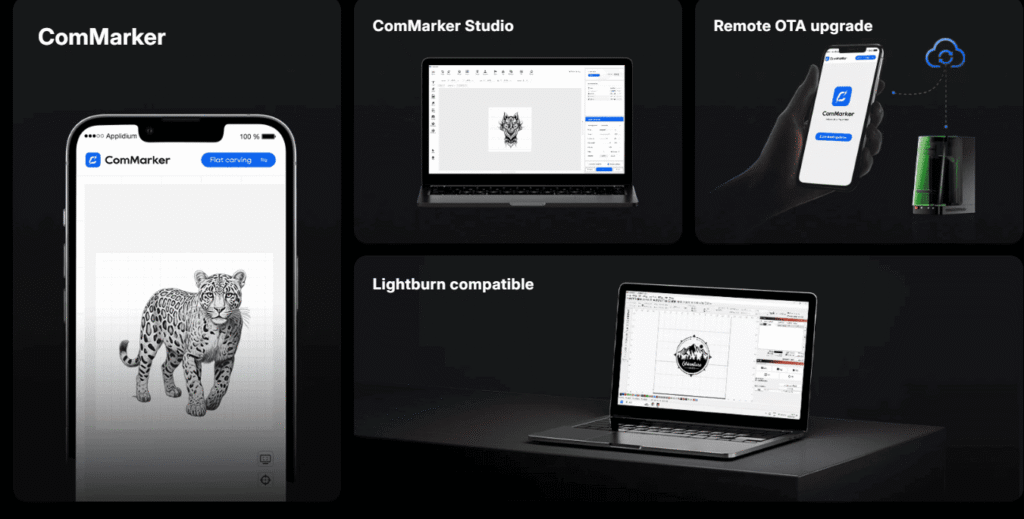
ComMarker Omni X UV laser engraver Software: Simple, Fast, and Beginner-Friendly
The upgraded ComMarker software is:
-
far easier to use
-
cleaner in layout
-
faster to set up
-
compatible with both Mac and Windows
-
equipped with preset material parameters
Even beginners can go from “new machine” to “first engraving” in minutes.
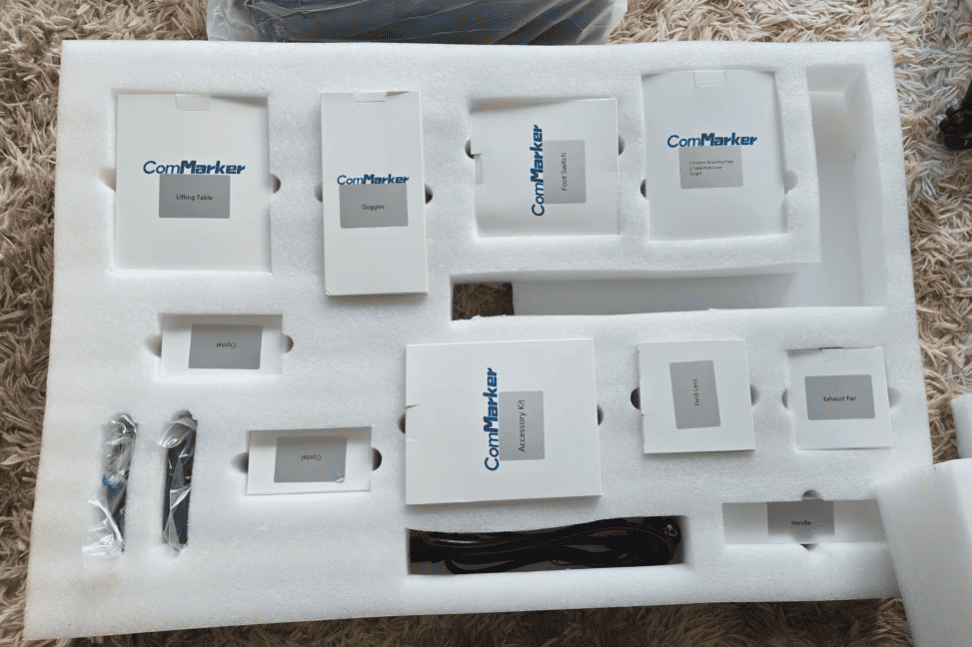
Unboxing the ComMarker UV XE: Major Improvements
I already owned the original ComMarker Omni 1, so I noticed the upgrades instantly.
1. Much cleaner structure, no cable clutter
The old Omni 1 had wires sticking out the back—taking up extra desk space.
The UV XE hides all the cables inside the machine body, so it sits flush against the wall.
2. Faster assembly
While still requiring some assembly, the new design is more organized and easier to build.
Using a cordless screwdriver turns the process into a 10-minute job.
3. It finally includes its own software
One of my biggest complaints with the Omni 1 was having to buy separate software after already paying thousands for the laser.
The UV XE fixes that.
It includes its own software and also supports:
-
Windows
-
MacOS
-
LightBurn
Setup takes only a few minutes—dramatically easier than the previous model.
Who Should Consider a UV Laser Engraver?
Perfect for:
-
Etsy shop owners
-
Personalized gift makers
-
Wedding and event creators
-
Craft businesses
-
Industrial or product marking
-
3D crystal engraving shops
Not ideal for:
-
Large-area cutting (CO2 is better)
-
Low-budget beginners
-
Users who only engrave wood and don’t need micro-detail
Final Thoughts: Is the ComMarker UV XE Worth It?
After testing it on metal, wood, paper, ceramic, and 3D glass, it’s clear that the UV XE brings something rare:
commercial-grade precision in a craft-room-friendly footprint.
The setup is smoother, the software is finally modernized, and the engraving quality is unmatched by diode, CO2, or fiber lasers.
If you’ve been waiting for a UV laser that’s easy to use and powerful enough for high-detail projects, the ComMarker UV XE is absolutely worth considering.