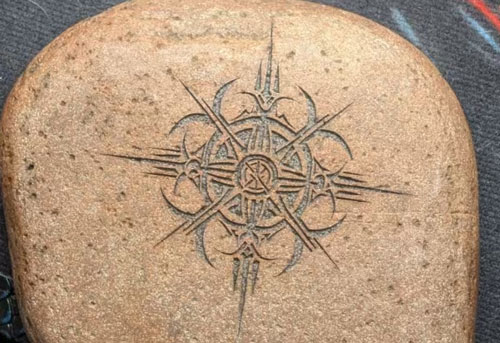
Glass cups and bottles are popular products for personalized gifts, wedding favors, promotional merchandise, restaurants, bars, and custom businesses. With the right laser and setup, you can create everything from simple names and logos to detailed patterns and personalized artwork on glassware.
In this guide, we’ll explain how to laser engrave glass cups and bottles, which laser is suitable for different glass applications, how to set up a rotary attachment, how to prepare your artwork, and how to avoid common engraving problems.
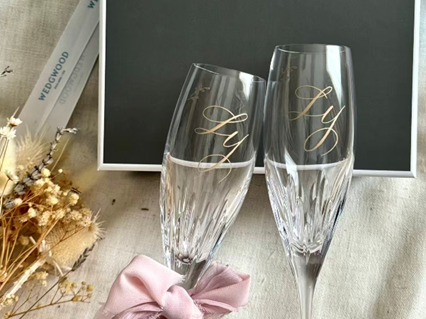
What Makes a UV Laser Ideal for Engraving Glass Cups and Bottles?
UV lasers are particularly well suited to glass engraving because their 355 nm wavelength is efficiently absorbed by many glass surfaces while producing less thermal impact, allowing the laser to interact with the material precisely at the surface and even inside.
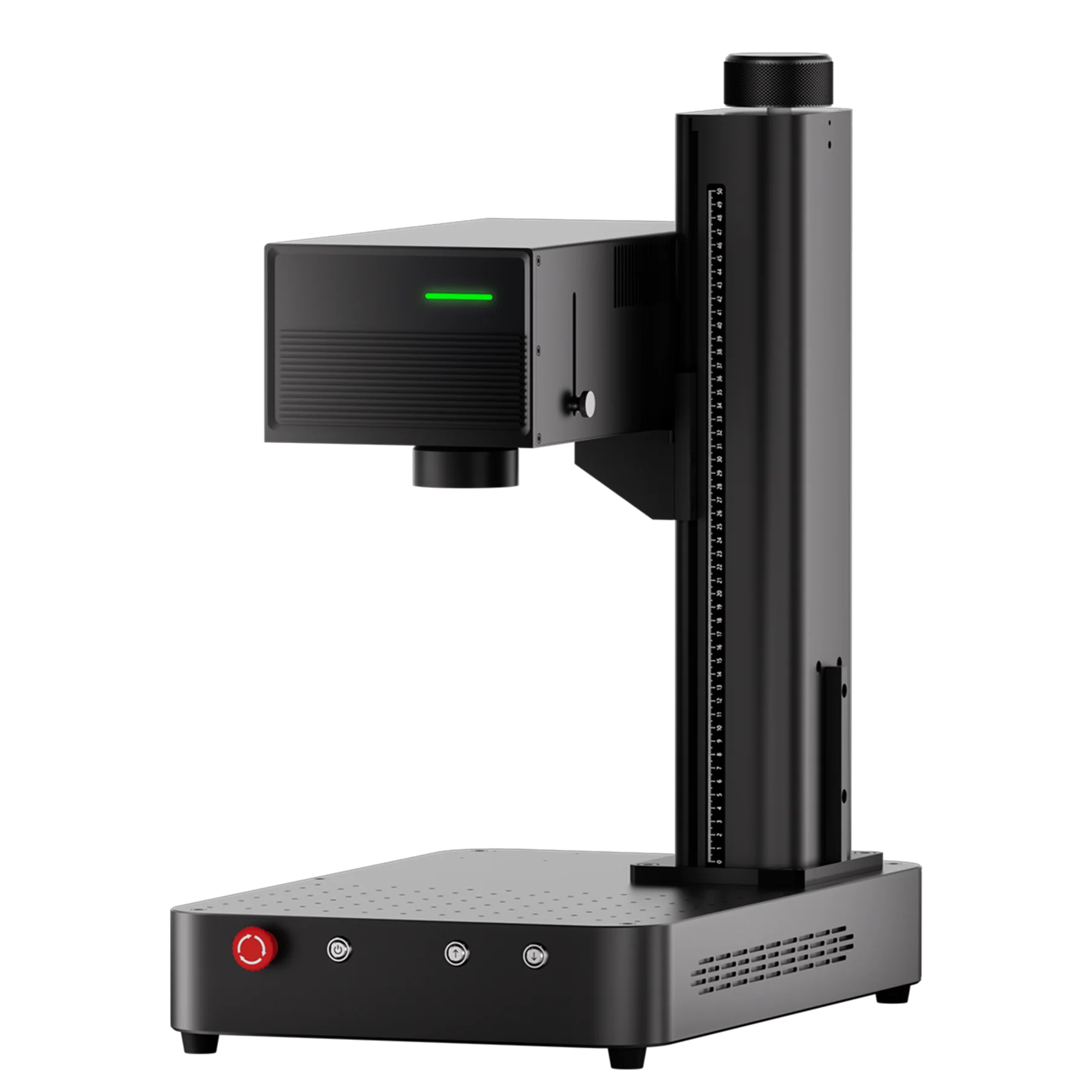
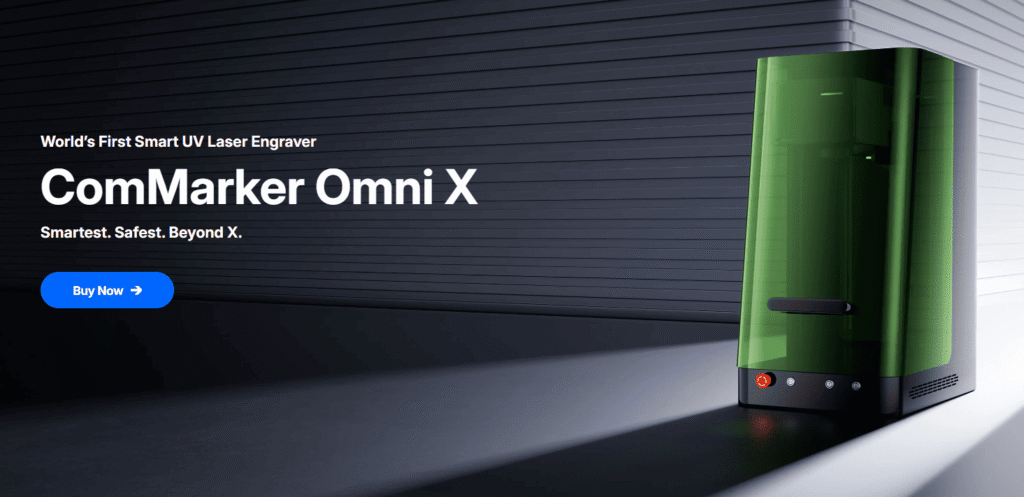
The ComMarker Omni X UV Laser Engraver offers 0.0019 mm spot size enables 16K HD fine details, sharp edges, and clean, consistent marks on glass products.
UV vs. CO₂ Lasers for Glass Engraving
CO₂ lasers can also engrave glass directly. However, their heat impact from 10600 nm wavelength makes their mark rougher than UV.
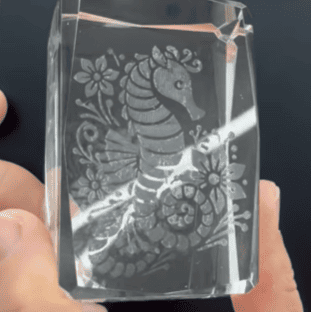
(co2 laser engraver glass engraving result)
Can Fiber or Diode Lasers Engrave Glass?
Fiber and diode lasers usually can’t engrave glass directly.
They require coating for visible glass marking, adding extra preparation and cleanup.
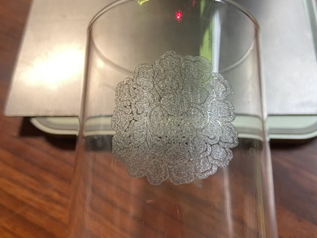
(diode laser engraver glass engraving result)
The resulting engraving can also be less refined, with coarser details and less consistent results, especially for fine designs.
For businesses working with glass marking, such as detailed logos, small text, personalized glassware, and premium gift products, a ComMarker Omni X UV laser can provide a more precise and controlled glass engraving process.
Do You Need a Rotary Attachment to Engrave Cups and Bottles?
For flat glass surfaces, a rotary attachment is not necessary.
However, most cups and bottles have curved surfaces. A rotary attachment allows the workpiece to rotate during engraving, making it possible to create designs around cylindrical or curved surfaces.
How to choose a proper rotary for glass engraving?
Choose a rotary based on your workpiece’s:
• Size: Check the supported diameter, length, and weight.
• Shape: Chuck rotaries suit cylindrical and tapered cups, while roller rotaries work well with straight cylindrical tumblers.
• Stability: Ensure the tumbler is securely held without slipping or wobbling.
• Clearance: Make sure the tumbler can rotate freely without contacting the laser head or other components.
• Compatibility: Check controller, software, and rotary-axis compatibility.
For a detailed comparison of chuck, roller, and other rotary types, see How to Use a Laser Rotary Attachment: Types, Specifications & Step-by-Step Guide.
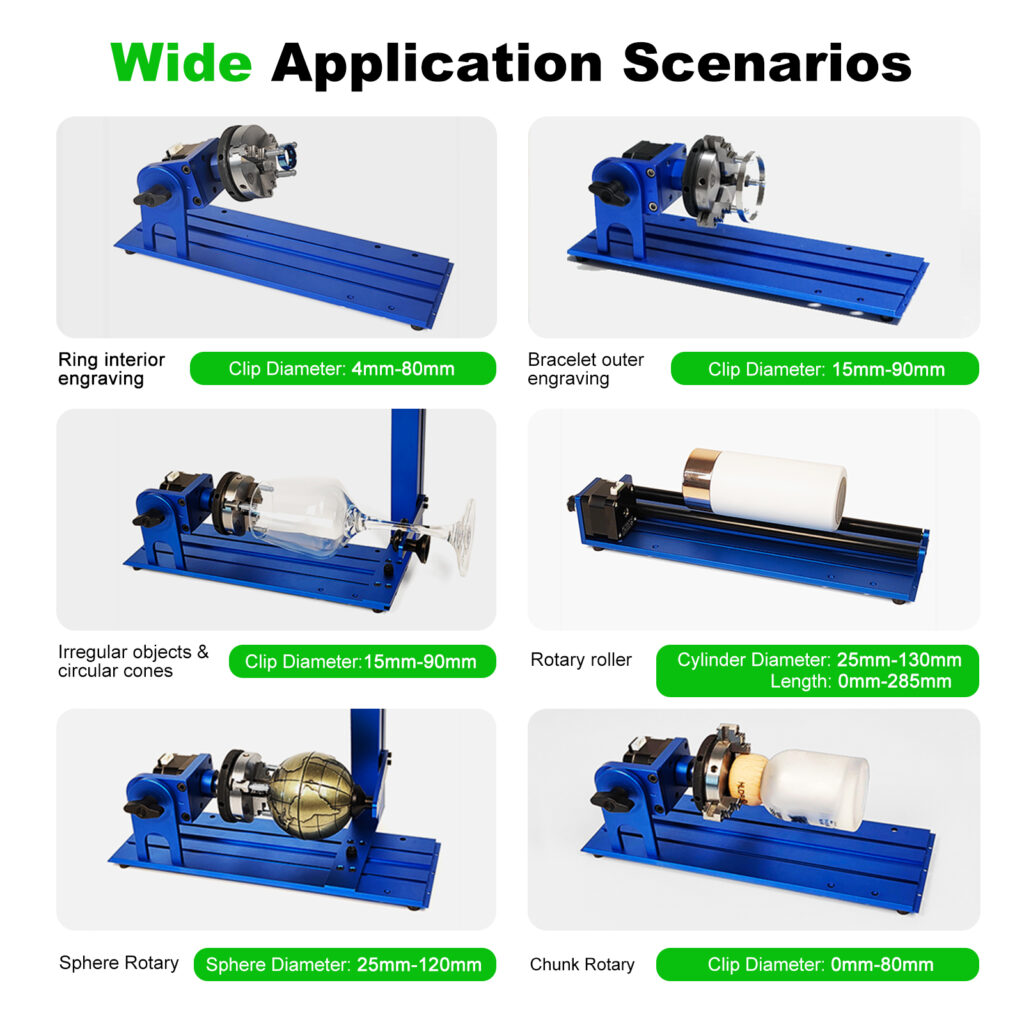
ComMarker R5: One Stop Rotary Solution for Laser Engraving Glassware
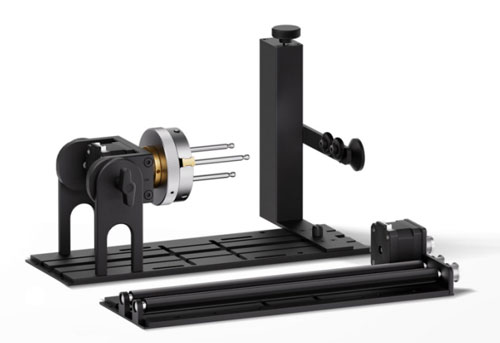
The ComMarker R5 Multi-Functional Rotary supports both roller and chuck configurations, making it suitable for different tumbler shapes and engraving applications.
• 180° Angle Adjustment: Helps position the glass cup even for unregular shape.
• 0.1 mm Engraving Accuracy: Provides precise rotary movement for consistent engraving.
• Flexible Setup: Interchangeable components accommodate different bottles and cups.
• Versatile Applications: Beyond tumblers, the R5 supports bottles, jewelry, spheres, and other curved or irregular objects.
With the ComMarker R5, your tumbler engraving setup can also handle a wider range of curved-surface and customized engraving applications.
How to Laser Engrave a Glass Cup or Bottle
Step 1: Prepare the Glass
Clean the engraving area thoroughly before mounting the glass. Remove oil, dust, labels, adhesive residue, and other contaminants from the surface.
A clean surface helps ensure more consistent engraving results.
Step 2: Measure the Glass Diameter
Measure the diameter of the area where the design will be engraved.
For a cylindrical cup or bottle, use a vernier caliper or ruler. For irregular or tapered glassware, measure the actual engraving area rather than relying only on the product’s nominal dimensions.
Step 3: Mount the Glass on the Rotary
Install the rotary attachment according to your laser machine’s instructions.
Choose the appropriate chuck or roller configuration and make sure the glass is securely supported before engraving.
Step 4: Level the Glass
Place a spirit level on the actual engraving area of the glass.
This step is particularly important for tapered or irregular glassware. If the workpiece is tilted, the engraving position can shift across the surface and the focus distance may become inconsistent.
Step 5: Focus the Laser
For curved glass, focus the laser on the actual engraving surface.
If your machine uses autofocus, follow the manufacturer’s recommended focusing procedure to ensure the correct distance between the laser and the workpiece.
Step 6: Prepare Your Artwork
Open your laser engraving software and import or create your design.
For cylindrical glassware, make sure the design fits within the intended engraving area. If you are creating a full-wrap design, calculate the available circumference and leave an appropriate margin.
Step 7: Configure the Rotary
Enable the rotary function in your laser software and select the appropriate rotary axis.
The exact values depend on the rotary and controller configuration. Use the manufacturer’s recommended parameters rather than applying a universal value.
Step 8: Set the Laser Parameters and Enter the Measured Diameter
Glass engraving does not have one universal parameter set. The appropriate settings depend on the laser type, laser power, speed, frequency, pulse width, line interval, and the type and condition of the glass.
Enter the measured workpiece diameter in the rotary settings when required by your software, then use a suitable starting parameter from your laser manufacturer’s recommended settings.
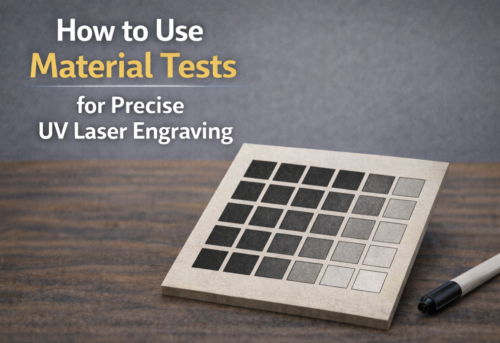
Always run a small test before engraving the final product.
Step 9: Preview and Start the Engraving
Before starting, check the engraving position, focus, rotary settings, workpiece stability, and laser parameters.
Run the software preview to confirm the engraving area, then start the engraving once everything is correctly aligned.
Final Thoughts
Laser engraving glass cups and bottles can produce highly detailed and personalized results when the right laser, rotary attachment, and engraving parameters are used.
For users looking for a versatile solution for both glass engraving and other material applications, the ComMarker Omni X UV Laser Engraver provides the precision and flexibility needed for professional customization.
Before engraving the final product, always secure the workpiece properly, set the correct focus and rotary parameters, and test your settings on a similar piece of glass. With the right setup and a controlled workflow, you can achieve clean, consistent results across a wide range of glass cups, bottles, and other glass products.
FAQ:Common Glass Laser Engraving Problems
How Can I Add Color to My Engraving?
After engraving, use an acrylic paint pen to fill the engraved area with your desired color. Allow the paint to dry completely, then gently wipe away any excess paint from the surrounding surface.
Why Can’t I Engrave Some Glass?
Some types of glass may require a slight focus adjustment to achieve a visible, consistent mark. If the laser does not produce a visible engraving at the standard focal position, try adjusting the laser head up or down by approximately 2 mm, then test again.
Can I Engrave a Bottle Filled with Liquid?
Yes. You can engrave a bottle while it is filled with liquid, as long as the bottle material and laser are suitable for engraving. Make sure the bottle is securely positioned on the rotary attachment and properly focused before engraving.
Why is my glass engraving uneven?
Uneven engraving can result from incorrect focus, an unlevel workpiece, surface curvature, inconsistent rotary movement, or unsuitable laser parameters.
Check the workpiece alignment and focus first, then verify the rotary settings and laser parameters.
Why is my engraving blurry?
Blurry engraving may be caused by incorrect focus, workpiece movement, or excessive curvature across the engraving area.
Make sure the glass is securely mounted and the laser is correctly focused on the engraving surface.
Why is my glass cracking?
Glass can crack when excessive localized heat or mechanical stress is introduced during engraving. Existing defects in the glass and unsuitable laser parameters can also increase the risk.
Reduce excessive laser energy, verify the focus, avoid overtightening the rotary, and test your parameters on a similar piece of glass before production.
Why is part of my design lighter than the rest?
Uneven marking can occur when the distance between the laser and the curved glass surface changes across the engraving area.
Check the curvature and focus position. For strongly curved surfaces, consider reducing the engraving area or adjusting the workpiece position.
Why is my design stretched or compressed?
Incorrect workpiece diameter measurements or rotary calibration can cause the design to appear stretched or compressed.
Recheck the actual diameter of the engraving area and verify the rotary parameters before running the job again.